Conclusion
The lower-priced HP DeskJet 2955 suits short color jobs if manual two-sided printing is acceptable. The Canon adds automatic duplex for color documents, while the higher-priced Brother suits black-and-white paperwork and batch scanning.
3 selected products
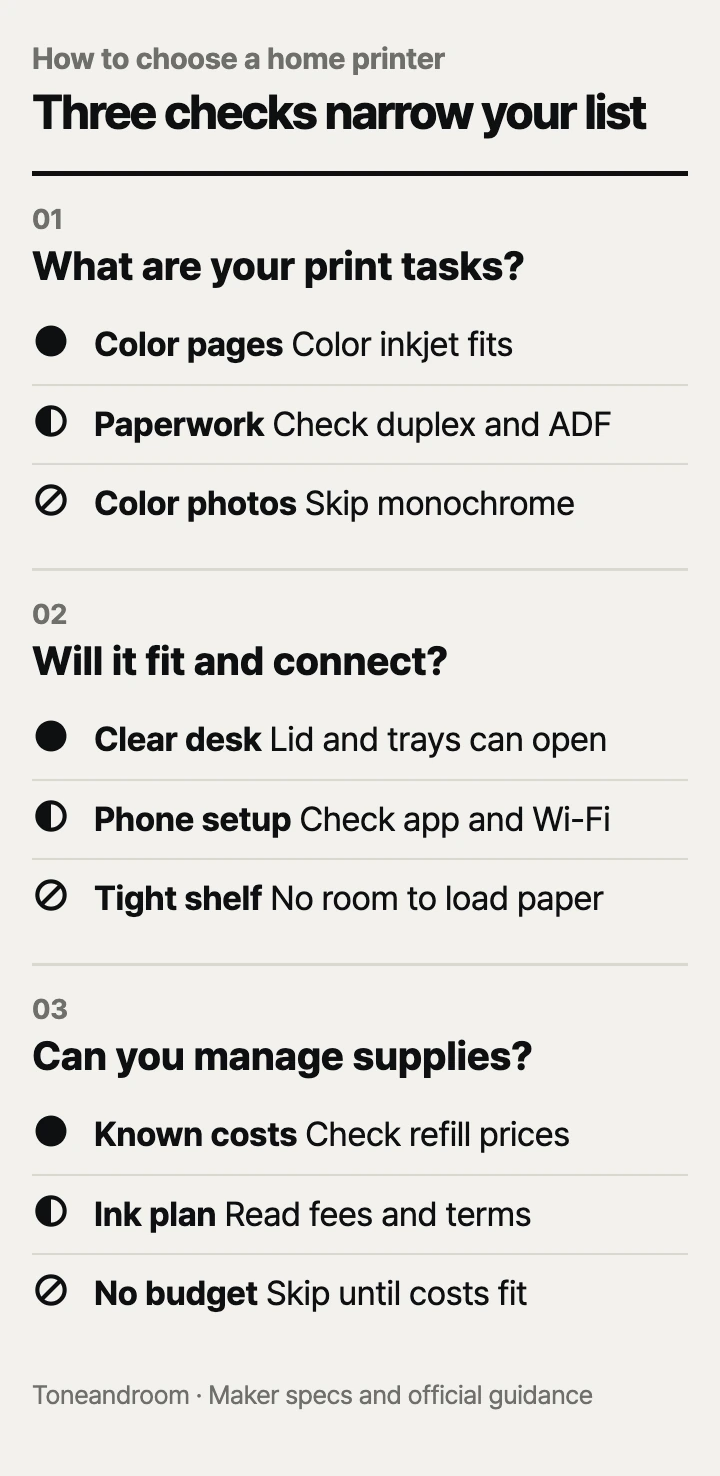
Buying the cheapest home printer without checking how it handles your everyday documents can leave you flipping pages, feeding originals by hand, or paying for supplies you did not budget for. Before choosing, check these three things, in order
What do you actually need to print and scan?
Choose by color needs, two-sided printing, and scanning workflow before comparing speed.
For recipes, return labels, and occasional color worksheets, HP's DeskJet 2955 covers the basics: color printing, copying, and flatbed scanning. HP's Amazon listing specifies a 60-sheet input tray and manual two-sided printing with driver support. That means you reload the pages yourself; it is a reasonable tradeoff when your jobs are short and you can stay nearby.
Canon's PIXMA TS6520 listing specifies automatic two-sided printing and a flatbed scanner. That combination suits a household that prints homework or longer color documents but usually scans individual originals. Automatic duplex printing does not mean the scanner automatically handles both sides of an original.
Brother's DCP-L2640DW listing describes a monochrome laser printer with automatic duplex printing and a 50-page automatic document feeder, or ADF. The feeder is useful for stacks of forms. Brother's official specifications explicitly say duplex scanning is unavailable, so double-sided originals still require another pass.
Swipe sideways to see the full table →
| If your home … | Our take | What to check |
|---|---|---|
| Prints short color documents occasionally | Worth it | A basic inkjet; confirm manual duplex is acceptable |
| Prints longer color documents regularly | Only some models | Automatic duplex printing, not just wireless printing |
| Scans stacks of paperwork and prints in black and white | Worth it | An ADF and automatic duplex; check scan limitations |
| Mainly wants glossy color photos | Skip it | Skip the monochrome model; check photo sizes and paper support |
| Needs automatic scanning of both sides | Skip it | None of these models provides automatic duplex scanning |
Start with your actual files. A tax packet, a shipping label, and a photo call for different capabilities. Mark which jobs need color and which involve multiple originals. Our take is to pay for a feature that removes a repeated chore, such as flipping printouts or placing each original on the scanner glass.
Will it fit where you can comfortably use it?
Measure the working area and confirm your device connection before choosing a permanent spot.
HP's Amazon specifications list the DeskJet 2955 at 16.73 inches wide, 11.97 inches deep, and 6.06 inches high. Canon's Amazon specifications list the TS6520 at 14 inches wide, 14.8 inches deep, and 6.7 inches high. Brother lists its DCP-L2640DW at 16.1 inches wide, 15.7 inches deep, and 12.5 inches high in its official specifications. These dimensions describe the listed printer bodies; allow additional room to load paper, retrieve pages, and open the scanner lid.
A shallow bookcase can look suitable until the paper support or scanner lid needs to open. Use a tape measure on the intended desk or shelf, then check the space above and in front. Think through a cartridge change, too: a printer wedged between storage bins may fit but be frustrating to maintain.
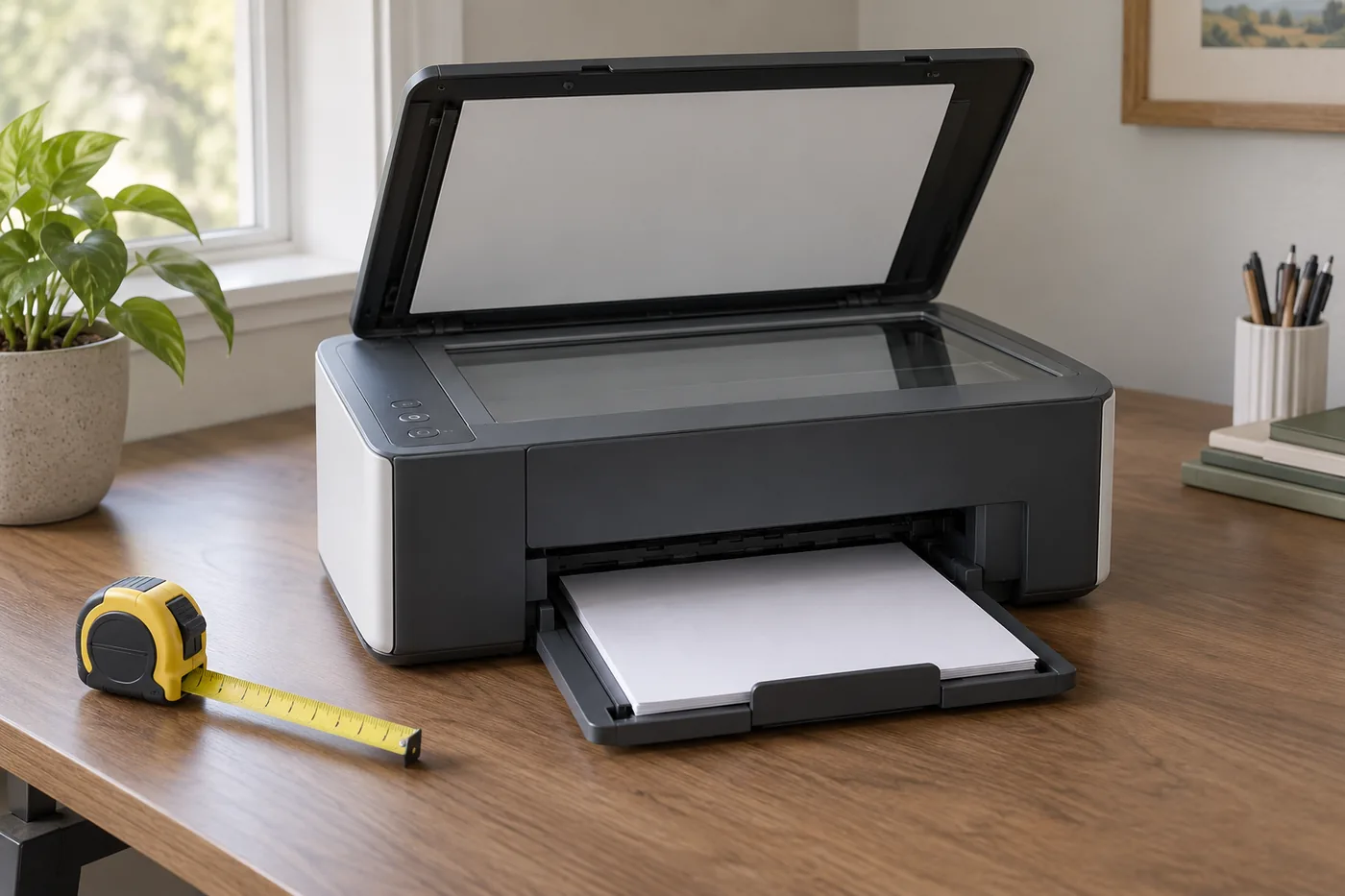 AI-generated illustration for explanation. Not a specific product.
For connections, HP lists dual-band Wi-Fi on its official product page. Canon's spec sheet lists dual-band Wi-Fi, USB, AirPrint, and Mopria support. Brother lists wireless, Ethernet, USB, and mobile printing options. An Ethernet connection is useful if the printer will sit near your router; the Brother offers that option.
Before ordering:
- Check compatibility with the phone or computer you actually use.
- Decide whether you want wireless access or a direct computer connection.
- Check cable requirements if you plan to use USB or Ethernet.
- Leave space for incoming paper, finished pages, and replacement supplies.
Treat the manufacturer's connection options as a checklist, rather than a promise that every app feature works on every device.
What will replacing supplies and keeping it ready involve?
Check replacement cartridge names and subscription terms before treating the purchase price as your budget.
HP's Amazon listing names HP 68 black and tri-color cartridges for the DeskJet 2955. Canon's spec sheet names PG-295 black and CL-286 color cartridges for the TS6520. Both use a combined color cartridge, so compare the replacement cost of the whole color cartridge against the kind of color pages you print. A low purchase price alone does not establish a low cost per page.
Canon's TS6500-series ink guidance explains that cleaning consumes ink and that some black-and-white printing can use color ink, depending on paper and settings. Canon also advises against unnecessary cartridge removal and reinstallation because that consumes ink. Keep that upkeep in your budget even if most of your documents are plain text.
Brother's official specifications identify toner and a separate drum as consumables. Its Amazon listing names TN830 and TN830XL replacement toner and the DR830 drum. Price both types of replacement supplies before choosing the laser model. Our recommendation for paperwork comes from its document handling features; it does not establish a guaranteed savings amount.
HP's official page says dynamic security blocks cartridges with modified or non-HP circuitry. That is a concrete restriction to check before relying on an inexpensive replacement cartridge offer. The HP Amazon listing also says an Instant Ink monthly fee applies after the trial unless canceled. Check the enrollment terms attached to your purchase rather than choosing for the trial alone.
- Look up the exact replacement cartridge or toner model.
- Compare advertised yields using the same document standard, where available.
- Decide whether you want to buy supplies individually or enroll in a plan.
- Read cancellation and cartridge-use terms before accepting a subscription.
If you have no recurring need to print at home, compare this ongoing expense with using a nearby print service. Convenience is valuable when it solves an actual routine.
How do the popular picks compare side by side?
The HP fits basic color jobs, the Canon adds automatic duplex, and the Brother handles black-and-white document stacks.
The same criteria apply across these popular Amazon.com sellers: output type, duplex printing, and paper handling. HP's figures below come from its Amazon product specifications; Canon's tray capacity comes from its official spec sheet; Brother's tray and feeder capacities come from its official specifications. All three print, scan, and copy.
Swipe sideways to see the full table →
| Model | Output | Two-sided printing | Input tray / document feeder | Price (Amazon.com, Oct 14, 2026) | Buy |
|---|---|---|---|---|---|
| HP DeskJet 2955 All-in-One Printer | Color inkjet | Manual, driver supported | 60 sheets / no ADF | about $49.99 on Amazon.com (Oct 14, 2026) | View on Amazon |
| Canon PIXMA TS6520 | Color inkjet | Automatic | 100 sheets / no ADF | about $79.00 on Amazon.com (Oct 14, 2026) | View on Amazon |
| Brother DCP-L2640DW | Monochrome laser | Automatic | 250 sheets / 50-page ADF | about $209.99 on Amazon.com (Oct 14, 2026) | View on Amazon |
Prices are what Amazon.com showed on Oct 14, 2026 and change often.
Choose the HP if keeping the initial expense low matters and manual page handling is manageable. Choose the Canon if automatic two-sided color printing is the feature you will use regularly. Choose the Brother if black-and-white paperwork and scanning stacks justify the larger machine and higher initial expense. If automatic duplex scanning is essential, keep looking.
A closer look at each product
If you print short color documents on a budget · HP DeskJet 2955 All-in-One Printer
Color printing, copying, and flatbed scanning cover basic home documents. Manual duplex requires you to reload pages.
- Color print, copy, and scan
- 60-sheet input tray
- Wireless and mobile printing
- Manual two-sided printing
- No automatic document feeder
If you print two-sided color documents regularly · Canon PIXMA TS6520
Automatic duplex printing reduces manual page handling for color documents. The flatbed suits individual scanning jobs.
- Automatic two-sided printing
- 100-sheet plain-paper cassette
- AirPrint and Mopria support
- No automatic document feeder
- Combined color cartridge
If you print black-and-white paperwork and scan stacks · Brother DCP-L2640DW
A 250-sheet tray and 50-page document feeder suit recurring paperwork. Automatic duplex printing is included, but duplex scanning is unavailable.
- Automatic two-sided printing
- 50-page automatic document feeder
- Ethernet, wireless, and USB connections
- Monochrome printing only
- No automatic duplex scanning
In one sentence
Choose a home printer by print tasks, usable space and connections, then replacement supplies.
HP DeskJet 2955 All-in-One Printer
View on AmazonCanon PIXMA TS6520
View on AmazonBrother DCP-L2640DW
View on AmazonWhat to check
- Print tasks · Color needs, duplex printing, and scanning workflowReview the documents you print and mark which need color, two-sided printing, or batch scanning.
- Space and connections · Working clearance and device compatibilityMeasure the intended desk or shelf with room for paper handling and the scanner lid, then check your device connection.
- Replacement supplies · Cartridge models, upkeep, and subscription termsLook up exact replacement supplies and read any recurring charges before ordering.
- Print tasks
- Space and connections
- Replacement supplies
Frequently asked questions
Which is better for a home office, an inkjet or a laser printer?
The color inkjets here suit worksheets and other documents that need color. The monochrome Brother is a better fit for black-and-white paperwork and scanning stacks because it has an automatic document feeder.
Can I print from an iPhone or Android phone?
HP lists AirPrint and Mopria on Amazon, and Canon and Brother list mobile printing support in their official specifications. Check your device compatibility and network requirements before setup.
Does automatic duplex printing mean automatic two-sided scanning?
No. The Canon has a flatbed scanner, and Brother explicitly lists no duplex scanning for the DCP-L2640DW. Two-sided originals require manual handling with these models.
What should I check before enrolling in HP Instant Ink?
Check the trial, recurring fee, page allowance, and cancellation terms attached to your purchase. The DeskJet 2955 Amazon listing says a monthly fee applies after the trial unless you cancel.
Sources
- HP DeskJet 2955 official product page · Oct 14, 2026
Model identity, color print/copy/scan functions, dual-band wireless, and dynamic security cartridge restrictions.
- Canon PIXMA TS6520 official specification sheet · Oct 14, 2026
100-sheet cassette, flatbed without ADF, duplex capability, USB and dual-band Wi-Fi, mobile support, and PG-295/CL-286 cartridge names; maker specifications used for tray capacity.
- Brother DCP-L2640DW official specifications · Oct 14, 2026
250-sheet tray, 50-page ADF, 16.1 x 15.7 x 12.5-inch dimensions, connections, consumable types, and no duplex scanning.
- Canon TS6500-series official ink guidance · Oct 14, 2026
Cleaning and cartridge reinstallation consume ink; some black-and-white printing can consume color ink.
Read next
Best Mesh Wi-Fi Systems on Amazon.com (2026): Check Layout, Backhaul, and Devices First
Best Wi-Fi Router on Amazon.com (2026): Check Internet Fit, Coverage, and Upkeep First
Best NAS Storage on Amazon.com (2026): 3 Things to Check First
Best Monitor Arm on Amazon.com (2026): Desk Fit, Screen Fit, and Movement Room
Other topics
Best baby wipes on Amazon.com (2026): Check formula, pack fit, and daily care first
Best duvet cover on Amazon.com (2026): Check fit, fabric, and care first
Best Waffle Makers on Amazon.com (2026): Check Batch Size, Counter Space, and Cleanup First