Conclusion
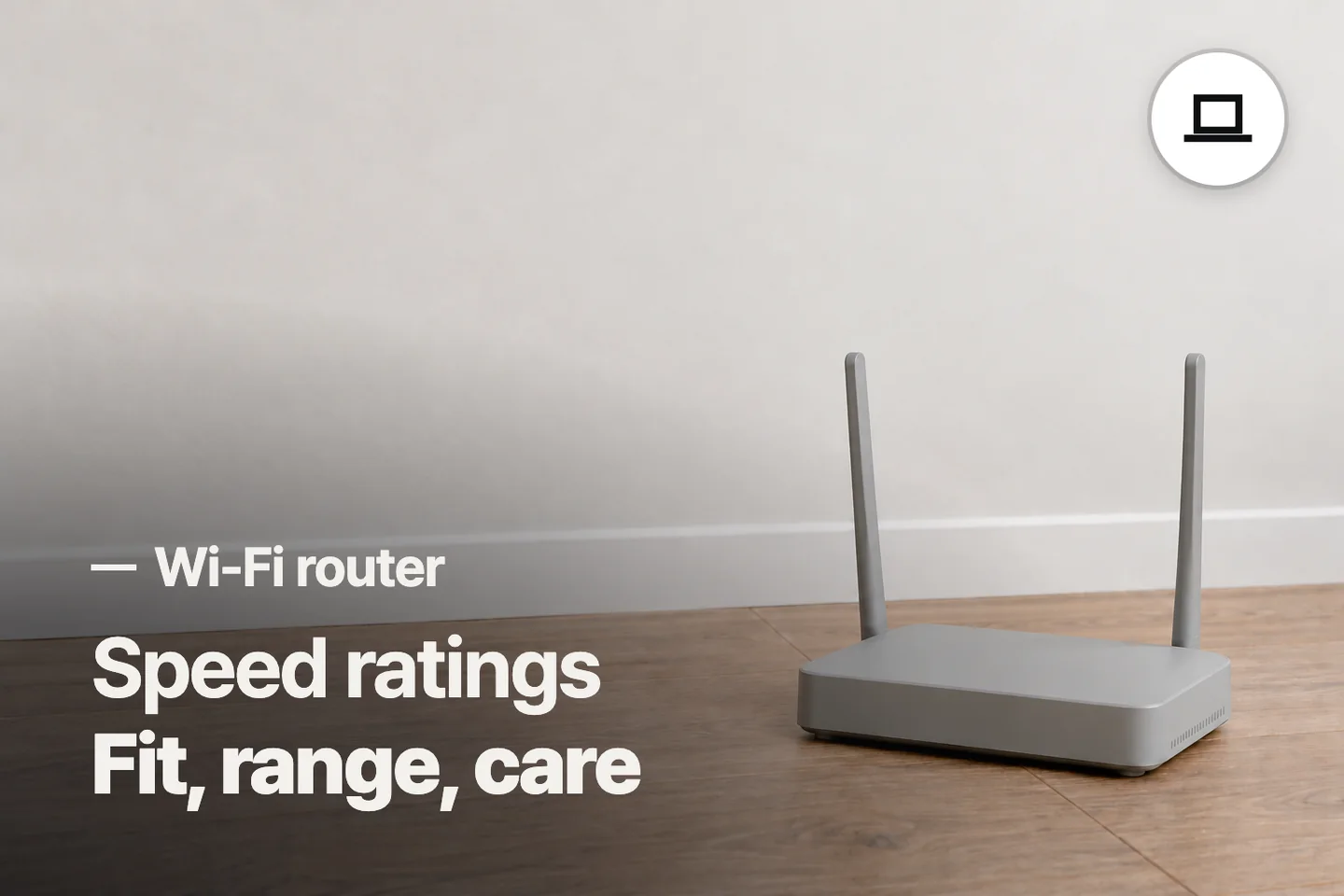
The cheaper GL.iNet Opal suits a small space or portable setup when its wireless and VPN limits are acceptable. The higher-priced NETGEAR CAX30 suits an approved cable household replacing both modem and router, while TP-Link AX21 fits an existing Ethernet handoff.
3 selected products
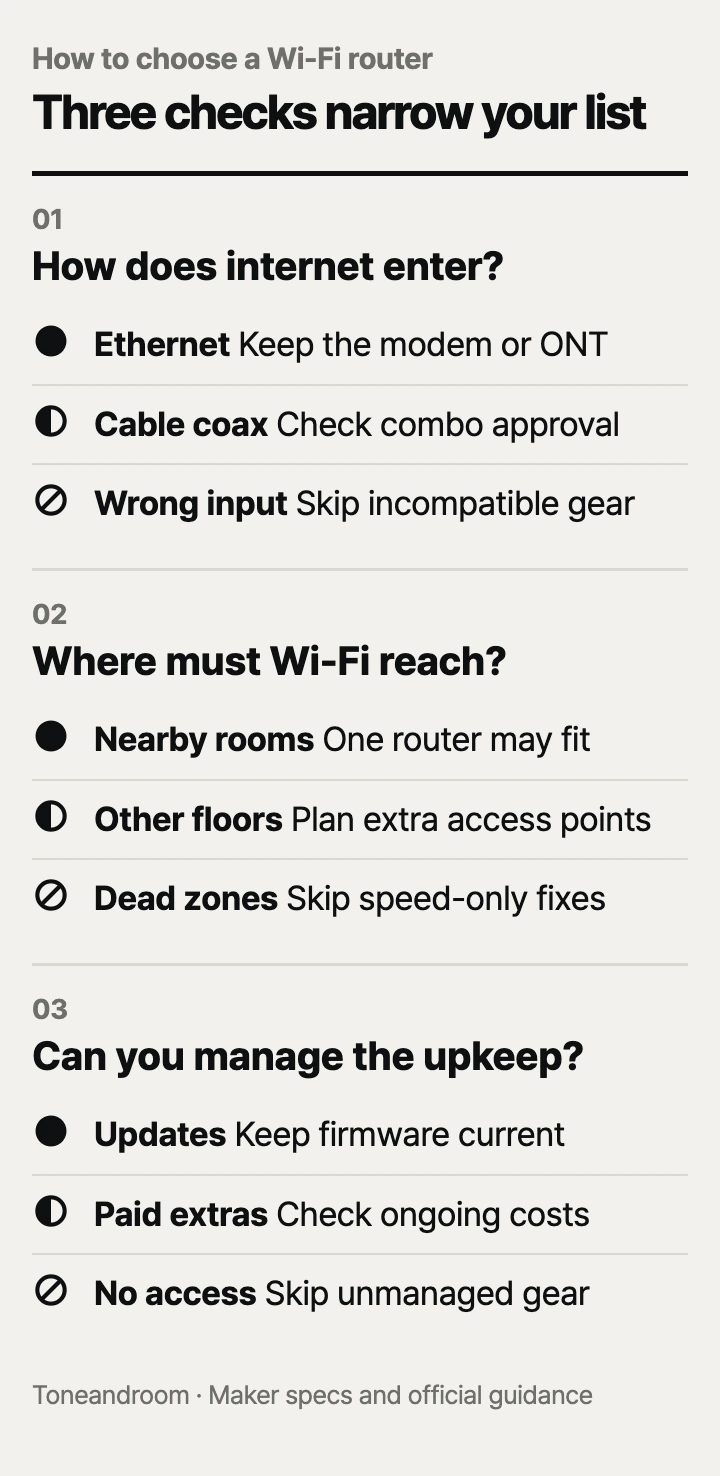
The most common mistake is buying the biggest Wi-Fi speed number before checking how the router connects to your service and reaches your rooms. Before spending money, check these three things, in order.
Will it work with your internet service?
Match the router's incoming connection to your service before comparing wireless speed. TP-Link's Archer AX21 V5 takes an Ethernet connection from your modem or fiber equipment; NETGEAR's CAX30 includes a cable modem and takes coax. GL.iNet's Opal can use Ethernet or repeat an existing Wi-Fi connection. These are different jobs, even though all three create a Wi-Fi network. TP-Link specifications, NETGEAR specifications, GL.iNet specifications.
Swipe sideways to see the full table →
| If your home ... | Our take | What to check |
|---|---|---|
| Already has a working modem or fiber Ethernet handoff | Worth it | A standalone router such as the AX21 can handle Wi-Fi; keep the upstream equipment. |
| Has approved cable internet and you want fewer boxes | Only some models | Confirm the CAX30's exact model and speed tier with your provider before replacing its gateway. |
| Uses shared Wi-Fi in a small rental or temporary space | It depends | Opal supports repeater mode; check permission to connect a router and any sign-in requirements. |
| Uses fiber, DSL, or bundled cable phone service and needs a replacement gateway | Skip it | The CAX30 is a cable internet combo without support for bundled cable voice. |
Start with the equipment you already have. Photograph its labels, identify the cable that brings internet into the home, and ask your provider which equipment must stay. An Ethernet wall jack and a threaded coax outlet call for different connections. A router purchase also does not include an internet plan.
NETGEAR's Amazon listing identifies CAX30 compatibility with Xfinity plans up to 800 Mbps and Spectrum or Cox plans up to 1 Gbps, with provider activation required. Treat those as a starting point for checking your address and plan. NETGEAR's own data sheet tells buyers to confirm network approval and speed-tier compatibility with their cable provider. CAX30 on Amazon.com.
Count your wired devices before ordering. A desktop, TV, game console, and work dock can fill the AX21's four Gigabit LAN ports. Opal provides two Gigabit LAN ports, while CAX30 provides four. None of these offers a 2.5 Gigabit LAN port, so skip this shortlist if that is essential for your desktop or storage system. AX21, Opal, CAX30.
Can it reach the rooms where you need Wi-Fi?
Plan around your router location and the hardest room to reach, then choose the wireless features. TP-Link says building materials, obstacles, interference, placement, and client devices affect actual coverage. NETGEAR gives similar qualifications in its CAX30 data sheet. A bigger advertised speed class cannot establish that a signal will reach an upstairs office. TP-Link coverage limits, NETGEAR coverage limits.
 AI-generated illustration for explanation. Not a specific product.
Walk through the home before buying. Identify where the incoming connection sits, where you work, and where streaming usually stalls. If the cable outlet is in a far corner, consider whether a cable run can put the Wi-Fi equipment closer to the rooms that matter. A combined modem and router makes that location decision especially important because both functions share a box.
GL.iNet describes Opal as suitable for small apartments and portable use. That makes it a reasonable option for a studio desk or a temporary workspace, with modest expectations for distant rooms. NETGEAR's CAX30 Amazon listing claims coverage up to 2,000 square feet but explicitly says layout and building materials affect results. The number is not a promise for every split-level house. Opal, CAX30.
- Mark the rooms where calls and streaming must work reliably.
- Check whether Ethernet can reach the desk or TV.
- If the existing network has persistent dead zones, compare the cost and placement of additional access points before buying another single router.
Read wireless classes as capability labels. TP-Link explains that advertised maximum rates are physical wireless rates and actual performance depends on network and device limits. All three choices use 2.4 GHz and 5 GHz; none adds a 6 GHz band. If access to 6 GHz is the reason for upgrading, choose a different model and confirm that your devices support it. TP-Link rate explanation, Opal bands, CAX30 bands.
What will setup and upkeep require?
Choose a management method you can maintain, and check which features need configuration or a subscription. TP-Link offers the Tether app and a web interface for AX21 setup. GL.iNet says Opal's physical VPN toggle has no function until you assign one in its administration panel. NETGEAR provides Nighthawk app management for CAX30. AX21 setup, Opal setup, CAX30 setup.
Opal's VPN support deserves a separate speed check. GL.iNet publishes client-mode maximums of 65 Mbps for WireGuard and 12 Mbps for OpenVPN from local-network testing, with real-world results varying. Those figures are separate from its Wi-Fi rates. If your work requires a fast VPN connection, check the protocol and throughput your employer needs before choosing it. GL.iNet VPN specifications.
Firmware responsibility also differs. NETGEAR says CAX-series devices have separate router and cable firmware: you can update the router portion, while only the internet provider can update the cable portion. Combining the hardware does not make the provider responsible for every update. NETGEAR update guidance.
- Save the administration login where the person maintaining the network can find it.
- Check the maker's update controls after setup and when troubleshooting.
- Decide who will handle guest access, password changes, and provider activation.
- Review optional subscriptions before adding them to your household budget.
NETGEAR's CAX30 listing includes a 30-day Armor trial and says continued use requires a separate subscription. Do not treat a trial as an included lifetime feature. If your provider bundles equipment into the bill, check the actual charge before expecting a modem purchase to save money. CAX30 subscription details.
How do the popular picks compare side by side?
Choose AX21 for an existing Ethernet handoff, Opal for a compact flexible connection, or CAX30 for approved cable service. TP-Link, GL.iNet, and NETGEAR publish the connection and wireless specifications below; the right match depends on which equipment you are replacing.
Swipe sideways to see the full table →
| Model | Internet input | Wireless class | Wired LAN ports | Price (Amazon.com, Oct 14, 2026) | Buy |
|---|---|---|---|---|---|
| TP-Link Archer AX21 V5 | Gigabit Ethernet WAN; separate upstream equipment | AX1800, dual-band Wi-Fi 6 | Four Gigabit | Price varies; check Amazon | View on Amazon |
| GL.iNet Opal GL-SFT1200 | Gigabit Ethernet WAN or Wi-Fi repeater | AC1200, dual-band Wi-Fi 5 | Two Gigabit | About $39.99 | View on Amazon |
| NETGEAR Nighthawk CAX30-200NAS | Coax; built-in DOCSIS 3.1 cable modem | AX2700, dual-band Wi-Fi 6 | Four Gigabit | About $169.22 | View on Amazon |
Prices are what Amazon.com showed on Oct 14, 2026 and change often.
Amazon's dated popularity labels showed 10K+ bought in past month for AX21, 5K+ for Opal, and 3K+ for CAX30 on Oct 14, 2026. Popularity can narrow a shopping list; your incoming connection, room layout, and willingness to manage the network determine the fit.
A closer look at each product
If you already have a modem or fiber handoff · TP-Link Archer AX21 V5
A standalone dual-band Wi-Fi 6 router with a Gigabit WAN connection and four Gigabit LAN ports fits a home keeping its existing upstream equipment.
- Dual-band Wi-Fi 6 with OFDMA support
- Four Gigabit LAN ports
- Tether app or web setup
- Separate modem or fiber equipment required
- No 6 GHz band or multi-gigabit LAN
If you need a compact router for a small space or travel · GL.iNet Opal GL-SFT1200
Ethernet and Wi-Fi repeater options make this compact router useful for a small apartment or temporary workspace with an existing internet connection.
- One Gigabit WAN and two Gigabit LAN ports
- Wi-Fi repeater mode
- OpenVPN and WireGuard support
- Wi-Fi 5 rather than Wi-Fi 6
- VPN throughput is much lower than advertised Wi-Fi rates
If you want one box for approved cable internet · NETGEAR Nighthawk CAX30-200NAS
A built-in DOCSIS 3.1 cable modem and dual-band Wi-Fi 6 router replace separate boxes when your provider approves the exact model and plan.
- Integrated DOCSIS 3.1 cable modem
- Four Gigabit LAN ports
- Nighthawk app management
- Cable service only; no bundled cable voice support
- Optional Armor service requires payment after its trial
In one sentence
Match internet input, room coverage, and management needs before comparing Wi-Fi speed classes.
TP-Link Archer AX21 V5
View on AmazonGL.iNet Opal GL-SFT1200
View on AmazonNETGEAR Nighthawk CAX30-200NAS
View on AmazonWhat to check
- Internet fitIdentify your incoming connection and ask your provider which equipment and speed tiers it supports.
- Room coverageLocate the incoming connection and map the rooms where calls and streaming must work.
- Setup and upkeepCheck who will manage the login, firmware updates, VPN settings, and any optional subscriptions.
- Internet input and provider approval
- Router location and hardest room to reach
- Setup method, updates, and optional subscriptions
Frequently asked questions
Do I need a modem with a Wi-Fi router?
TP-Link AX21 and GL.iNet Opal need an existing upstream connection, such as a modem, fiber Ethernet handoff, or supported shared Wi-Fi connection. NETGEAR CAX30 includes a cable modem, but still needs approved cable service and provider activation.
Will NETGEAR CAX30 work with Xfinity, Spectrum, or Cox?
Its Amazon.com listing names Xfinity plans up to 800 Mbps and Spectrum or Cox plans up to 1 Gbps. NETGEAR says to confirm the exact model and speed tier with your provider; bundled cable phone service is unsupported.
Is a travel router enough for a small apartment?
GL.iNet describes Opal as suitable for small apartments and portable use. It can be a reasonable fit when the rooms you need are nearby, but its Wi-Fi 5 and VPN limits deserve a separate check.
Does a router with a higher speed rating fix dead zones?
TP-Link and NETGEAR say actual coverage depends on placement, building materials, network conditions, and connected devices. Check the difficult rooms and consider additional access points before choosing solely by the advertised wireless rate.
Sources
- TP-Link Archer AX21 V5 specifications · Oct 14, 2026
Gigabit WAN, four Gigabit LAN ports, Wi-Fi 6, setup options, and coverage and rate qualifications.
- GL.iNet Opal product specifications · Oct 14, 2026
300 Mbps and 867 Mbps band rates, Gigabit interfaces, repeater support, and client-mode VPN maxima of 65 Mbps and 12 Mbps.
- NETGEAR CAX30 data sheet · Oct 14, 2026
DOCSIS 3.1, AX2700 dual-band Wi-Fi 6, four Gigabit LAN ports, cable-only requirements, and coverage qualifications.
- NETGEAR CAX-series firmware guidance · Oct 14, 2026
Separate router and cable firmware responsibilities; this guidance explicitly applies to CAX30.
Read next
Best NAS Storage on Amazon.com (2026): 3 Things to Check First
Best Monitor Arm on Amazon.com (2026): Desk Fit, Screen Fit, and Movement Room

Best Gaming Mouse on Amazon.com (2026): Check Grip, Connection, and Controls First

Best Mechanical Keyboards on Amazon.com (2026): Check Desk Fit, Switches, and Setup First
Other topics

Best Diaper Bag Backpacks on Amazon.com (2026): Check Fit, Changing Access, and Cleanup First
Best Blackout Curtains on Amazon.com (2026): Check Coverage, Light Blocking, and Care First

Best Electric Food Chopper on Amazon.com (2026): Check Batch Size, Controls, and Cleanup First