Conclusion
The $34.99 VIVO STAND-V002 suits two compatible screens that mostly stay at a fixed height. HUANUO HNDS6 offers more adjustment flexibility for people who frequently reposition two screens.
3 selected products
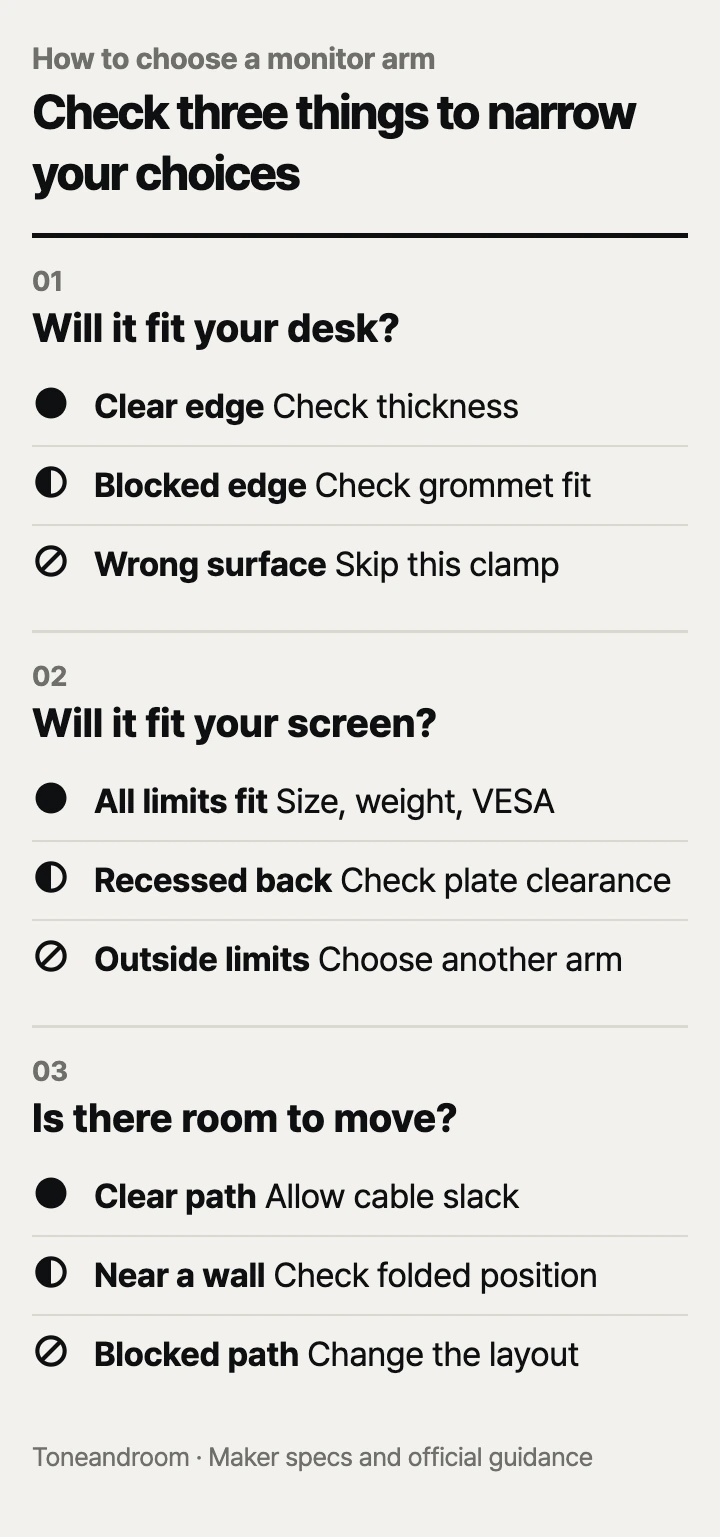
Buying a monitor arm by screen size alone is a common mistake: the desk attachment and room for movement can rule out an otherwise compatible mount. Before ordering, check these three things, in order.
Can your desk accept the mount?
Start with the tabletop and its underside, because an arm is useful only if its mounting hardware fits your desk. HUANUO specifies wood desks for the FlowLift Dual Monitor Stand HNDS6 and excludes glass and plastic desks in its mounting guidance. Its stated tabletop range is 0.59–3.54 inches, with no crossbeam or panel blocking the attachment. A desktop can fall within that thickness range and still have an apron, drawer, or beveled edge in the way. HUANUO mounting requirements.
Look underneath the actual spot where you want the base. Measure the tabletop itself, then check whether the lower clamp pad can sit against it. A decorative lip does not tell you the thickness at the contact point. For a desk against a wall, also check whether you can reach the clamp knob during installation.
Swipe sideways to see the full table →
| If your home … | Our take | What to check |
|---|---|---|
| Has a wood desk with an accessible, flat rear edge | Worth it | Tabletop thickness and clear space under the clamp |
| Has drawers or a support rail beneath the rear edge | It depends | A different mounting spot or a compatible grommet hole |
| Has a glass or plastic desktop | Skip it | HUANUO excludes these materials for the HNDS6 |
| Has a thick desktop or an irregular edge | Only some models | The specific mount's thickness range and contact surfaces |
ErGear lists separate limits for its EGDMA69B: 0.39–2.56 inches for the clamp and 0.39–2.95 inches for the grommet base. Do not assume a cable pass-through automatically accepts the mounting hardware. Check the hole and underside against the instructions before choosing that installation method. ErGear mounting specifications.
VIVO's STAND-V002 product page lists a maximum desktop thickness of 3.25 inches. Its assembly manual gives a separate 0.4–2.9-inch range for grommet installation, so the clamp maximum should not be applied to both methods. If the fit is close, compare the instructions for the exact unit before ordering. VIVO product specifications, VIVO assembly manual.
Does your monitor match the arm's full compatibility range?
Match screen size, weight without the original stand, and the VESA mounting pattern together. HUANUO lists 13–32-inch screens weighing 4.4–19.8 pounds per arm for the HNDS6. The lower limit matters as much as the upper limit when choosing this spring-supported mount. A light display below the stated range is outside its published compatibility requirements. HUANUO screen requirements.
ErGear specifies 13–34-inch flat or curved screens up to 19.8 pounds for the EGDMA69B. Minimum supported monitor weight: Not listed by the maker. Its larger screen-size allowance makes it the relevant option here for a single ultrawide, but it does not increase the weight ceiling. Check the display's own specifications rather than assuming any screen within the diagonal range will fit. ErGear screen compatibility.
VIVO specifies 13–30-inch screens and up to 22 pounds per monitor for the STAND-V002. That gives it a higher published weight limit than the other two, while its screen-size limit is smaller. VIVO's official page also includes larger models in the same family; use the STAND-V002 specifications when checking this Amazon listing. VIVO model compatibility.
All three accept VESA 75 × 75 mm or 100 × 100 mm mounting patterns, according to their product specifications. Millimeters are the useful unit here because that is how the hole spacing is identified. Look for the mounting holes on the display itself, including whether the connection sits inside a recess.
Before adding an arm to your cart:
- Find the monitor's weight without its factory stand.
- Confirm the VESA pattern in the monitor manufacturer's specifications.
- Check whether the rear mounting area is recessed or obstructed.
- Check each display separately for a dual mount.
Will the screen move where you need it?
Choose the adjustment style around your daily routine, then allow room for the arm and cables to move. HUANUO describes the HNDS6 as a gas-spring dual arm with independently positionable screens. That makes it the more suitable design here when you regularly change screen height or rearrange a primary and secondary display. HUANUO adjustment design.
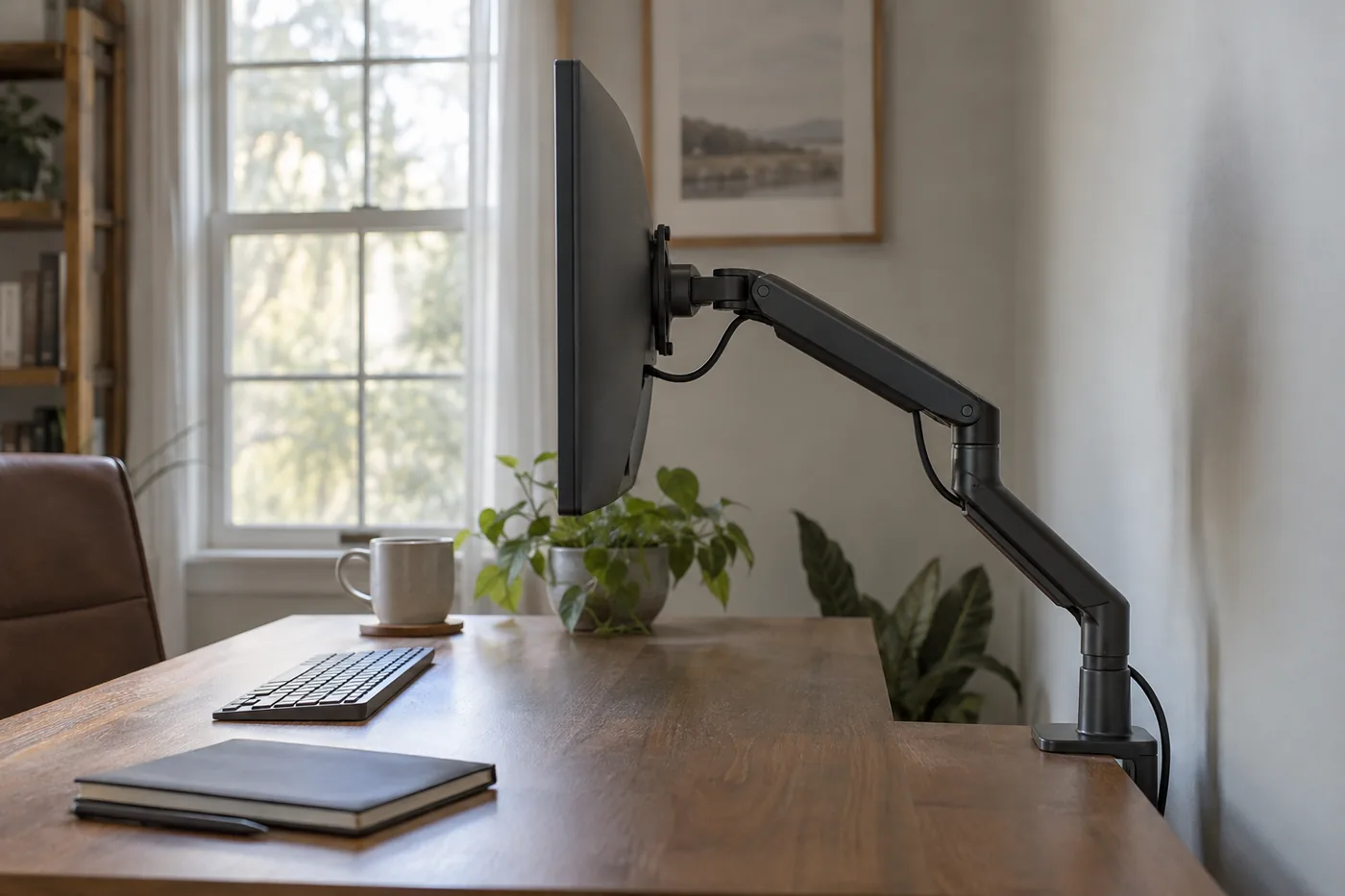 AI-generated illustration for explanation. Not a specific product.
For a single display, ErGear lists a maximum height of 17.5 inches and reach of 18.1 inches. Those are useful planning limits, but maximum reach does not describe every folded position. Think through where the screen needs to sit during typing, video calls, and portrait use. Also check whether its edges will meet a shelf or adjacent display as it rotates. ErGear movement specifications.
VIVO's STAND-V002 uses a shared arm assembly secured on a center pole. Its manual shows that changing the assembly's height involves loosening and securing the pole connection with an Allen wrench. It is a practical budget choice for screens that mostly stay at a fixed height; frequent height changes make the spring-supported design more appealing. VIVO adjustment instructions.
Cable clips are included on all three, according to their listings. Treat cable routing as part of setup: leave enough slack for the positions you intend to use, and check the route again after changing the layout. Keep the adjustment tools somewhere accessible. VIVO's manual directs owners to secure the VESA plates with the included security nuts and cautions against exceeding the weight capacity; follow that maker guidance during installation and later adjustments.
How do the popular picks compare side by side?
ErGear suits one larger screen, HUANUO suits frequently repositioned dual screens, and VIVO suits a budget setup with a mostly fixed height. Amazon's dated popularity labels provide context, while the manufacturers' compatibility limits determine fit.
Swipe sideways to see the full table →
| Model | Screens and load | Desk mounting | Adjustment style | Price (Amazon.com, Oct 14, 2026) | Buy |
|---|---|---|---|---|---|
| HUANUO FlowLift Dual Monitor Stand HNDS6 | Two 13–32-inch screens; 4.4–19.8 lb each | Clamp or grommet; 0.59–3.54-inch wood tabletop | Gas-spring arms; independently positionable screens | Price varies; check Amazon | View on Amazon |
| ErGear Single Monitor Arm EGDMA69B | One 13–34-inch screen; up to 19.8 lb | Clamp: 0.39–2.56 inches; grommet: 0.39–2.95 inches | Height up to 17.5 inches; reach up to 18.1 inches | Price varies; check Amazon | View on Amazon |
| VIVO Dual Monitor Desk Mount STAND-V002 | Two 13–30-inch screens; up to 22 lb each | Clamp: up to 3.25 inches; grommet: 0.4–2.9 inches | Shared pole height; tool adjustment | about $34.99 on Amazon.com (Oct 14, 2026) | View on Amazon |
Prices are what Amazon.com showed on Oct 14, 2026 and change often.
On Oct 14, 2026, Amazon labeled the HUANUO HNDS6 “10K+ bought in past month,” the ErGear EGDMA69B “7K+ bought in past month,” and the VIVO STAND-V002 “6K+ bought in past month.” Those labels indicate buying activity, not desk compatibility or durability. Choose the mounting method first, eliminate incompatible screens next, and pay for the adjustment style you will actually use.
A closer look at each product
If you frequently reposition two screens · HUANUO FlowLift Dual Monitor Stand HNDS6
Gas-spring arms support two 13–32-inch monitors weighing 4.4–19.8 pounds each. Choose it when independent screen positioning matters and the wood desktop meets its mounting requirements.
- Independently positionable gas-spring arms
- Clamp and grommet mounting options
- VESA 75 × 75 mm and 100 × 100 mm compatibility
- HUANUO excludes glass and plastic desks
- Each display must meet the 4.4-pound minimum
If you use one larger screen · ErGear Single Monitor Arm EGDMA69B
ErGear specifies one 13–34-inch flat or curved screen up to 19.8 pounds, with a maximum reach of 18.1 inches. Its separate clamp and grommet thickness ranges help narrow the installation options.
- Supports screens up to 34 inches within its weight limit
- Maximum listed height of 17.5 inches
- Tool-free VESA mounting mechanism and cable clips
- Supports only one monitor
- Minimum supported monitor weight: Not listed by the maker
If two screens mostly stay at a fixed height · VIVO Dual Monitor Desk Mount STAND-V002
VIVO specifies two 13–30-inch monitors up to 22 pounds each. Its shared arm assembly adjusts along a pole, making it a budget option when frequent height changes are unnecessary.
- Published capacity of 22 pounds per monitor
- Clamp and grommet hardware included
- Detachable VESA plates and cable clips
- Changing the shared height requires a tool
- Screen-size limit is 30 inches for this model
In one sentence
Check desk fit, screen fit, and movement room before choosing a monitor arm.
HUANUO FlowLift Dual Monitor Stand HNDS6
View on AmazonErGear Single Monitor Arm EGDMA69B
View on AmazonVIVO Dual Monitor Desk Mount STAND-V002
View on AmazonWhat to check
- Desk fit · Material, thickness, and underside clearanceMeasure the tabletop at the mounting spot and look underneath for drawers, rails, and panels.
- Screen fit · Screen size, weight, and VESA patternFind the display weight without its stand and confirm its mounting pattern in the monitor specifications.
- Movement room · Adjustment style, clearance, and cable slackPlan the screen positions you use daily and check the space around the arm and its cable route.
- Desk material, thickness, and underside clearance
- Monitor weight without its stand and VESA pattern
- Room for arm movement and cable slack
Frequently asked questions
Will a monitor arm fit my IKEA desk?
Check the exact desktop material, thickness, and underside construction rather than the furniture brand alone. HUANUO specifies wood desks and excludes glass and plastic for the HNDS6; a support rail or drawer can also block the clamp.
Can these monitor arms hold a 34-inch ultrawide?
ErGear lists 13–34-inch flat or curved screens up to 19.8 pounds with VESA 75 × 75 mm or 100 × 100 mm mounting. The HUANUO HNDS6 and VIVO STAND-V002 have smaller published screen-size limits, so the same display may not fit those models.
Can I install a monitor arm without drilling my desk?
All three models offer C-clamp mounting, which attaches at a compatible desk edge without drilling. A grommet mount needs a compatible hole and room for its hardware underneath; check the exact instructions before using an existing cable opening.
Are gas-spring monitor arms better for frequent height changes?
HUANUO describes the HNDS6 as a gas-spring design with independently positionable screens. VIVO secures the STAND-V002 shared arm assembly on a pole with an Allen wrench, so its design is more practical for a mostly fixed height.
Sources
- HUANUO HNDS6 official product specifications · Oct 14, 2026
Confirms HNDS6 model, gas-spring design, independent positioning, 13–32-inch screen range, and 4.4–19.8-pound load range.
- VIVO STAND-V002 official product specifications · Oct 14, 2026
Confirms STAND-V002 screen range of 13–30 inches, capacity of 22 pounds per monitor, VESA patterns, and maximum desktop thickness of 3.25 inches; larger family variants have different limits.
- VIVO STAND-V002 official assembly manual · Oct 14, 2026
Grommet desktop range of 0.4–2.9 inches, shared pole height adjustment with an Allen wrench, VESA security nuts, cable routing, and maker installation warnings.
Read next
Best Gaming Mouse on Amazon.com (2026): Check Grip, Connection, and Controls First
Best Mechanical Keyboards on Amazon.com (2026): Check Desk Fit, Switches, and Setup First
Best USB-C Hub on Amazon.com (2026): Check Your Laptop, Ports, and Charging First
Best portable SSD on Amazon.com (2026): check ports, capacity, and upkeep first
Other topics
Best baby high chairs on Amazon.com (2026): 3 things to check first
Best bed sheet sets on Amazon.com (2026): check mattress fit, fabric feel, and laundry first
Best immersion blender on Amazon.com (2026): 3 things to check first