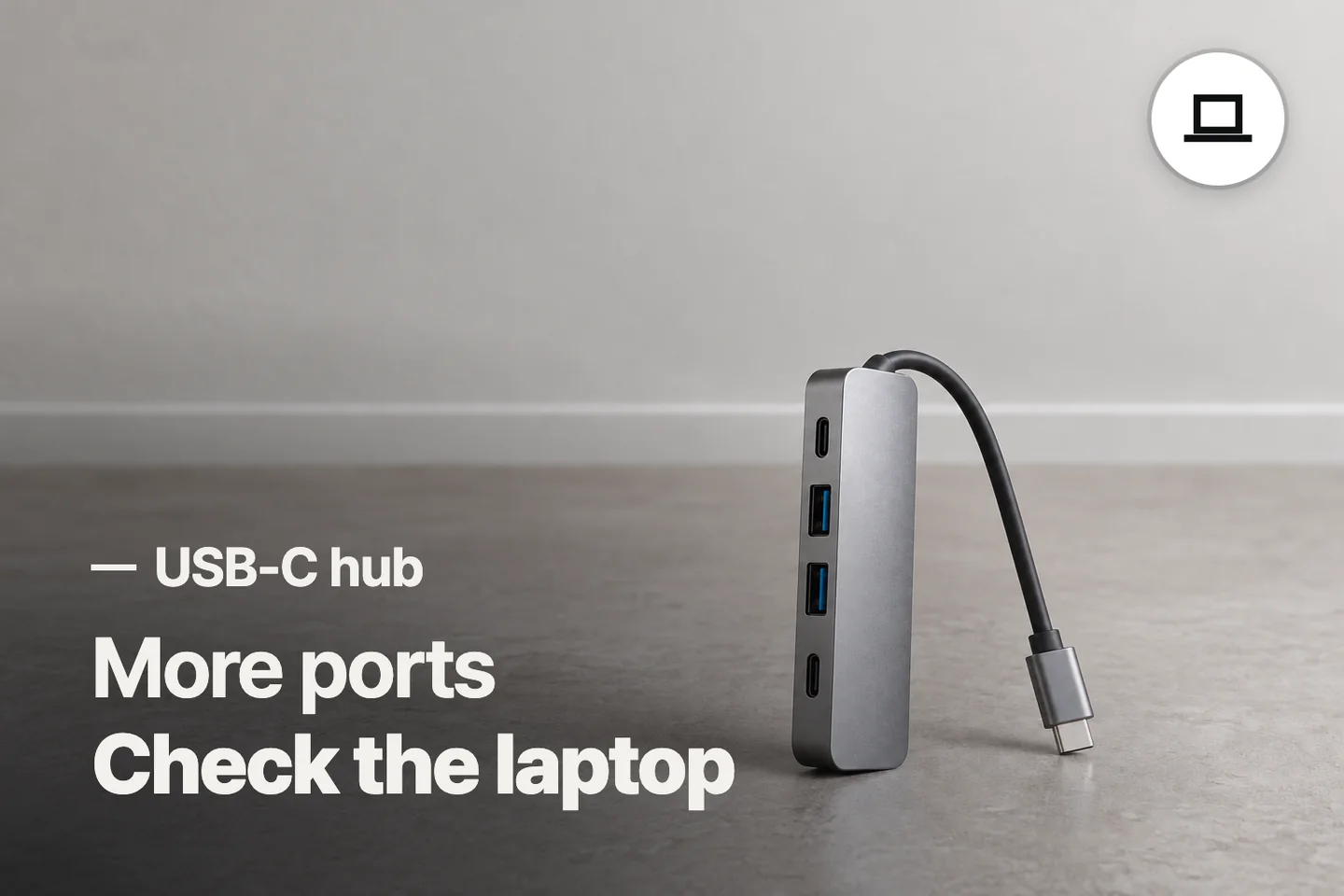
Conclusion
The cheaper BENFEI suits basic peripherals if its display limit meets your needs and you confirm the data-port version. Choose ACASIS for its stated higher-refresh display support, or the higher-priced UGREEN when your desk needs Ethernet.
3 selected products
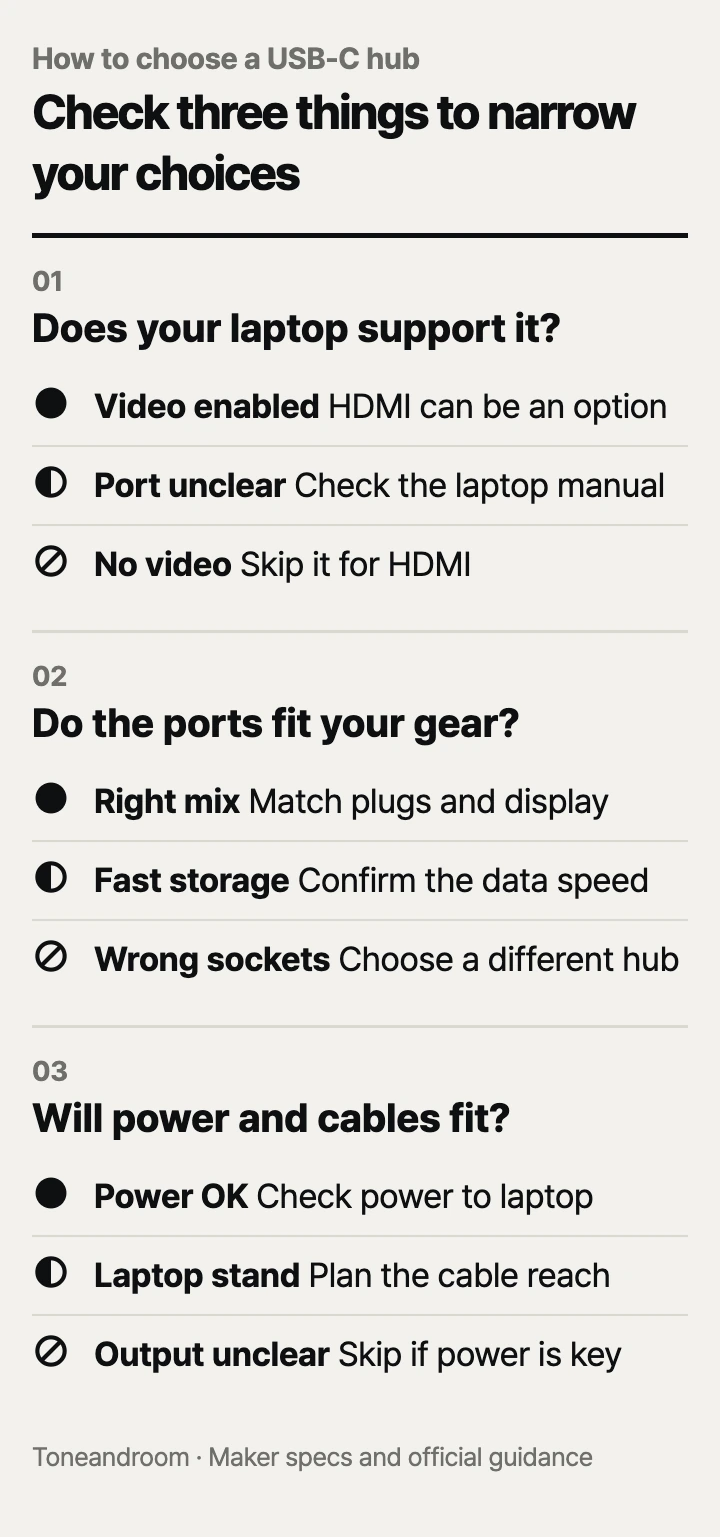
The common mistake is buying a USB-C hub by port count and assuming every connection handles video, fast storage, and charging. Before adding one to your home desk, check these three things, in order
Does your laptop's USB-C port support the job?
Check your laptop's port capabilities before choosing a hub, especially if you want an external monitor.
VESA explains that a computer with DisplayPort Alt Mode over USB-C can send video through an appropriate HDMI adapter. The connector's shape alone does not establish that capability. Look up your exact laptop model and the port you plan to use; a broad compatibility list is less useful than the maker's port description. VESA's USB-C video guidance explains the underlying requirement.
At home, begin with the task: connecting a keyboard at the kitchen table, adding a monitor to a bedroom desk, or moving storage between rooms. A hub can be worthwhile in each setting, but the required connections differ. If your computer already has the ports you use and the cables reach comfortably, extra sockets may simply add another object to manage.
Swipe sideways to see the full table →
| If your home setup… | Our take | What to check |
|---|---|---|
| Needs a keyboard, mouse, and occasional flash drive | Worth it | USB-A connections and a reachable laptop port |
| Needs HDMI from a laptop port with undocumented video support | It depends | The laptop maker's port specifications |
| Needs a USB-C monitor connected through the hub | Only some models | Explicit downstream USB-C video support |
| Already has every connection you use | Skip it | Whether cable placement creates a real need |
ACASIS specifically requires a video-capable computer port for its HDMI connection. Its USB-C data socket is for data only, without video or charging, according to ACASIS's Amazon listing. A USB-C monitor cable therefore cannot substitute for HDMI through that socket. Map the whole connection from laptop to hub to screen before ordering.
Which ports and display mode fit your daily gear?
Choose the actual port mix and screen refresh rate, then compare the advertised data speeds.
BENFEI's official page lists HDMI up to 4K at 30 Hz, while ACASIS's Amazon listing specifies 4K at 60 Hz. For someone choosing a hub specifically for a 4K desktop monitor, ACASIS is the better match on paper for smoother motion. That remains conditional on the laptop, monitor, cable, and display settings supporting the intended mode. A resolution label by itself leaves out that refresh-rate difference. BENFEI specifications, ACASIS specifications.
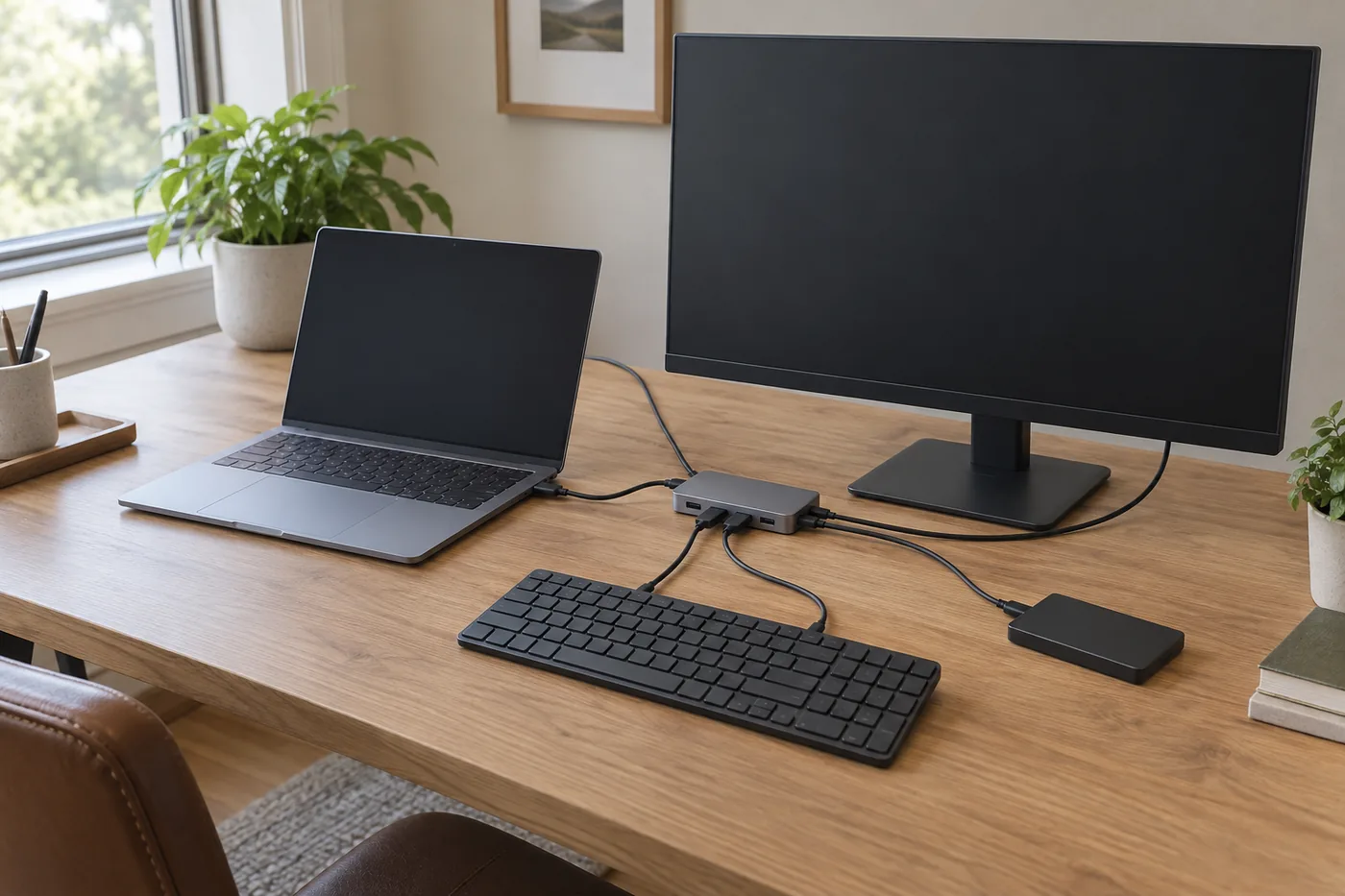 AI-generated illustration for explanation. Not a specific product.
BENFEI has a specification discrepancy worth checking before buying it for fast storage. Its official page lists the fast USB-A connection at 5 Gbps; its Amazon listing says 10 Gbps. Both describe additional USB-A connections for basic peripherals. Treat it as the budget option for a keyboard, mouse, and occasional drive, and confirm the shipped version before relying on the higher transfer claim. BENFEI official page, BENFEI on Amazon.
For a wired home office, UGREEN's Revodok 1061 adds Gigabit Ethernet and USB-A connections. That feature is useful when an Ethernet cable can reach your desk from the router or a wall jack. It does not establish your actual internet speed, and it adds little value at a dining table where you will never connect a network cable. UGREEN specifications.
- List the plugs on the keyboard, mouse, storage drive, and monitor you actually own.
- Reserve a fast data connection for storage instead of filling it with a basic peripheral first.
- Check for a USB-C data socket if your drive has a USB-C cable.
- Look for explicit monitor support when the screen uses USB-C rather than HDMI.
Do not read a maximum data rate as a promise of a particular file-copy time. The drive, host connection, and other active devices also matter. VESA explains that video and USB data can share connection lanes; the configuration matters when both are active. VESA's interface explanation.
Will charging and cable placement work at your desk?
Compare power delivered to the laptop, then make sure the hub and cables can rest comfortably on the desk.
BENFEI specifies up to 90W of laptop pass-through charging from its 100W PD input, reserving 10W for hub functions. UGREEN specifies up to 85W from a 100W input, with 15W reserved for the hub. These are published ceilings, not guarantees that your existing charger will deliver them. Compare the hub's laptop-side limit with your computer's charging requirements and the charger and cable you intend to use. BENFEI charging specifications, UGREEN charging specifications.
ACASIS advertises 100W PD, but a separate net laptop-output limit is not listed by the maker in its Amazon description. Do not assume that its input rating means the same amount reaches the laptop while accessories are connected. If charging performance is the reason for buying, ask ACASIS to clarify that limit first. ACASIS charging description.
Placement matters when a laptop sits on a stand or the hub travels between a desk and a couch. BENFEI specifies an attached silicone woven cable; lay out your intended route before purchasing so the hub can sit on a surface. Leave room for the HDMI plug, storage cable, and charging lead rather than choosing solely by how small the housing looks. BENFEI cable details.
- Check the laptop maker's required charger output.
- Separate the PD input socket from any USB-C data socket in your connection plan.
- Plan where the hub will rest when the laptop lid is open and the stand is in place.
- Keep the connections accessible for unplugging when you put the laptop away.
For routine upkeep, make reconnecting simple: identify the charging cable, leave room to reach each plug, and follow the hub maker's care instructions. A tidy cable route is especially useful on a shared table that must return to household use after work.
How do the popular picks compare side by side?
BENFEI fits a basic desk, ACASIS fits a higher-refresh 4K setup, and UGREEN fits a desk with wired networking.
The models below are popular Amazon.com sellers compared on the same connection, display, and charging criteria. Their published specifications explain those different uses; popularity alone cannot establish compatibility with your laptop. The model links lead to the corresponding Amazon.com listings.
Swipe sideways to see the full table →
| Model | HDMI maximum | Data and network connections | Charging | Price (Amazon.com, Oct 14, 2026) | Buy |
|---|---|---|---|---|---|
| BENFEI BNF-USBC-0360G 5-in-1 | 4K, 30 Hz | 3 USB-A; fast port: 5 Gbps official / 10 Gbps Amazon | 100W input; up to 90W laptop output | about $9.99 on Amazon.com (Oct 14, 2026) | View on Amazon |
| ACASIS AC-HC31-A 6-in-1 | 4K, 60 Hz | 3 USB-A + 1 USB-C data, up to 10 Gbps; no Ethernet | 100W PD advertised; net laptop output: Not listed by the maker | about $12.99 on Amazon.com (Oct 14, 2026) | View on Amazon |
| UGREEN Revodok 1061, model 15598 | 4K, 30 Hz | 3 USB-A, up to 5 Gbps; Gigabit Ethernet | 100W input; up to 85W laptop output | about $19.99 on Amazon.com (Oct 14, 2026) |
Prices are what Amazon.com showed on Oct 14, 2026 and change often.
Our take: start with BENFEI for basic peripherals when its display limit suits you. Choose ACASIS for its stated display and data capabilities, or pay more for UGREEN when an Ethernet connection is part of your daily desk setup. Check the laptop port first in every case.
A closer look at each product
If you need a basic peripheral desk · BENFEI BNF-USBC-0360G 5-in-1 USB-C Hub
HDMI and USB-A connections cover a basic laptop desk. Confirm the fast-port version because the official and Amazon data-speed claims differ.
- HDMI up to 4K at 30 Hz
- Three USB-A connections
- Published laptop charging output up to 90W
- Fast USB-A port listed as 5 Gbps officially and 10 Gbps on Amazon
- No Ethernet or USB-C data socket
If you need a 4K monitor and fast storage · ACASIS AC-HC31-A 6-in-1 USB-C Hub
ACASIS specifies HDMI up to 4K at 60 Hz and data connections up to 10 Gbps. Its USB-C data socket suits storage with a USB-C cable.
- HDMI up to 4K at 60 Hz
- Three USB-A and one USB-C data connections
- Data speeds advertised up to 10 Gbps
- Net laptop charging output: Not listed by the maker
- No Ethernet; USB-C data socket lacks video and charging
If your desk has an Ethernet connection · UGREEN Revodok 1061 USB-C Hub 15598
Gigabit Ethernet adds a wired connection at a fixed desk. USB-A and HDMI support peripherals and a compatible monitor.
- Gigabit Ethernet
- Three USB-A connections up to 5 Gbps
- Published laptop charging output up to 85W
- HDMI maximum is 4K at 30 Hz
- USB-C socket is charging-only
In one sentence
Choose a USB-C hub by laptop compatibility, port mix and display, and charging and cable fit.
BENFEI BNF-USBC-0360G 5-in-1 USB-C Hub
View on AmazonACASIS AC-HC31-A 6-in-1 USB-C Hub
View on AmazonUGREEN Revodok 1061 USB-C Hub 15598
View on AmazonWhat to check
- Laptop compatibility · Confirm video support on the exact host port.Find your exact laptop model and check the maker's port specifications for video output.
- Port mix and display · Match peripheral plugs and the desired monitor mode.List your peripheral connectors and check the monitor's intended resolution and refresh rate.
- Charging and cable fit · Check laptop-side power and where cables will rest.Compare your laptop's charging requirements with the hub output and lay out the cable route on your desk.
- Laptop port video support
- Required data plugs and monitor refresh rate
- Laptop-side charging limit and cable reach
Frequently asked questions
Will a USB-C hub work with any laptop?
The connector must fit, but that alone does not establish video or charging support. VESA describes DisplayPort Alt Mode as the capability used for video through compatible USB-C adapters; check the exact laptop port in the maker's specifications.
Can a USB-C hub run a 4K monitor at 60 Hz?
ACASIS specifies that mode for the AC-HC31-A, while these BENFEI and UGREEN models list 4K at 30 Hz. The laptop, monitor, HDMI cable, and settings must also support the intended mode.
Does a 100W USB-C hub deliver 100W to my laptop?
BENFEI specifies up to 90W laptop output and UGREEN up to 85W for these models. ACASIS advertises 100W PD without a separate net laptop-output figure, so confirm that limit if charging is central to your purchase.
Can I connect a USB-C monitor to the USB-C data port?
ACASIS says its USB-C data socket does not support video or charging. The USB-C sockets on these BENFEI and UGREEN models are charging inputs; use their HDMI outputs with a compatible host and monitor instead.
Sources
- BENFEI 5-in-1 official specifications · Oct 14, 2026
4K at 30 Hz, three USB-A ports, 5 Gbps fast-port claim, 100W input, 90W laptop output, and attached cable design; differs from Amazon's 10 Gbps claim.
- UGREEN model 15598 official specifications · Oct 14, 2026
Gigabit Ethernet, three USB-A connections up to 5 Gbps, 4K at 30 Hz HDMI, and 100W input with up to 85W laptop output; regional specifications, not the US price.
- VESA guidance on DisplayPort Alt Mode over USB-C · Oct 14, 2026
Video-capable host requirement for compatible HDMI adapters and shared video/data lane configurations; no product price used.
Read next
Best portable SSD on Amazon.com (2026): check ports, capacity, and upkeep first
Best Laptop Stands on Amazon.com (2026): Check Setup, Fit, and Desk Space First
Best wireless keyboard on Amazon.com (2026): connection, layout, and upkeep first
Best webcam on Amazon.com (2026): check framing, connection, and call setup first
Other topics

Best nursing pillows on Amazon.com (2026): fit, feeding use, and cleanup

Best Baby Nasal Aspirator on Amazon.com (2026): Check Tip Fit, Cleaning, and Power First

Best Vacuum Storage Bags on Amazon.com (2026): Check Bag Fit, Air Removal, and Care First