Conclusion
The cheaper Tonmom 104S suits carrying a compatible laptop when its support is suitable and the missing load limit is not a concern. Spend more on Nulaxy C1 for adjustable desk positioning, or BESIGN LS03-Silver when a fixed rise suits your dedicated desk.
3 selected products
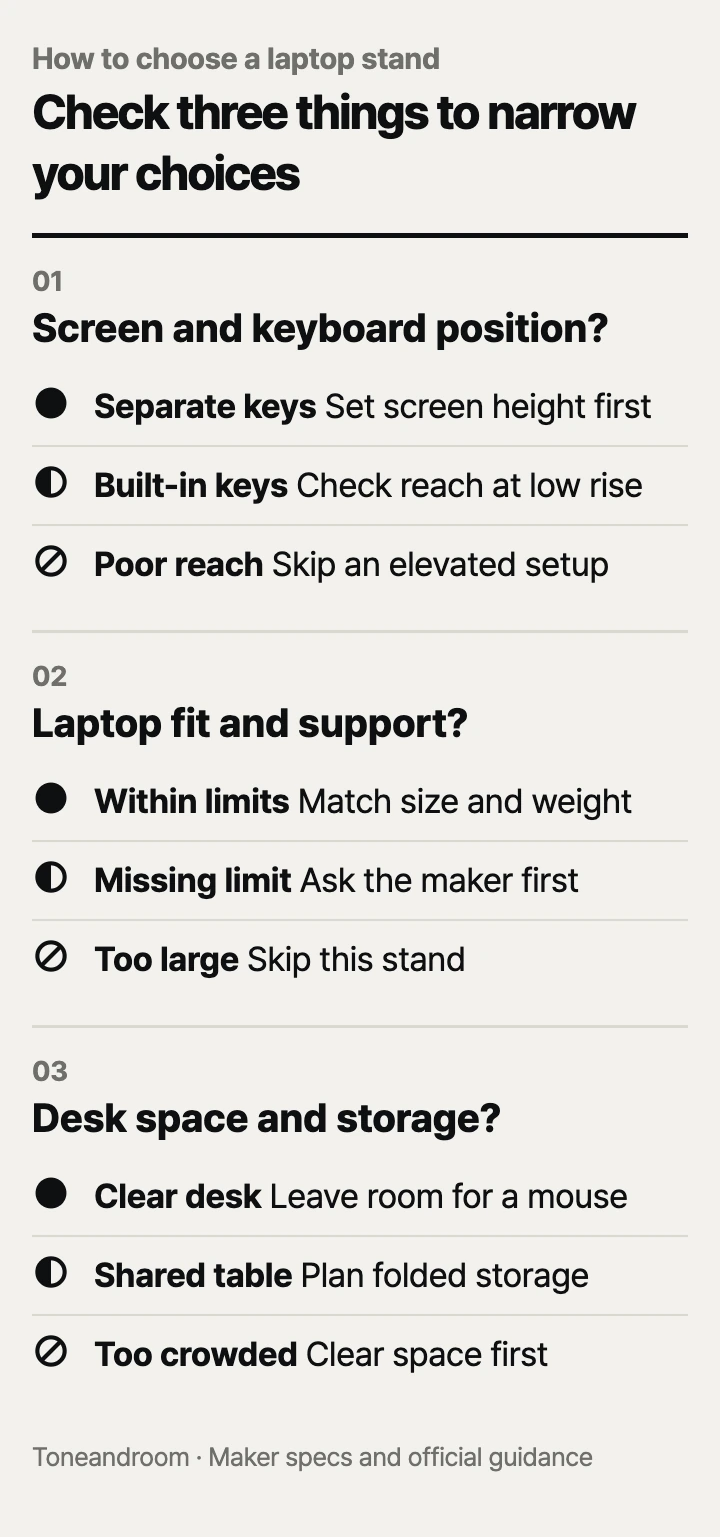
A common mistake is buying the tallest laptop stand without leaving room for a separate keyboard and mouse. Before choosing one, check these three things, in order.
Can you raise the screen and keep the keyboard within reach?
A stand makes sense when the screen and your typing setup can each sit at the right height. OSHA's monitor guidance places the top of the display at or slightly below eye level. Its keyboard guidance calls for the keyboard near elbow height, with relaxed shoulders and straight wrists. Raising a laptop moves its built-in keyboard along with its screen, so plan both positions before buying.
On a dedicated home office desk, a separate keyboard and mouse let you position the laptop farther back. On a dining table that also holds dinner, include those accessories in your setup and storage plan. If you mainly use an external monitor with the laptop closed, extra screen elevation may add little to your daily routine.
Swipe sideways to see the full table →
| If your home setup ... | Our take | What to check |
|---|---|---|
| Has a dedicated desk and separate keyboard | Worth it | Screen height, keyboard reach, and space for the mouse |
| Uses a dining table that must clear after work | It depends | Folded storage and where the accessories will go |
| Has little room and relies on the built-in keyboard | Only some models | Whether a low setting preserves your typing position |
| Already has an external monitor and a comfortable laptop position | Skip it | Whether elevation solves a remaining space problem |
BESIGN describes the LS03 as a detachable riser with roughly a 6-inch lift. That fixed arrangement suits a desk whose chair and laptop already work with that height. Nulaxy's C1 has adjustable shafts for changing height and angle. Tonmom's 104S offers seven height settings, with a stated range of 2.78 to 6.5 inches. Adjustment gives you more options, but maximum stand height alone cannot tell you where the top of your particular screen will land. See the BESIGN, Nulaxy, and Tonmom listings for those designs.
Before ordering:
- Sit in the chair you actually use and note where the screen top needs to be.
- Put your keyboard and mouse in their working positions, including their cables.
- Check whether another household member needs a different screen height.
Does the stand support your laptop's size and underside?
Match the laptop's size, weight, and contact points before treating any stand as compatible. BESIGN lists the LS03 for 10- to 15.6-inch laptops and a maximum load of 8.8 pounds. Tonmom lists the 104S for the same screen-size range, but its maximum load is not listed by the maker. A diagonal screen measurement does not describe the whole chassis or the position of its feet.
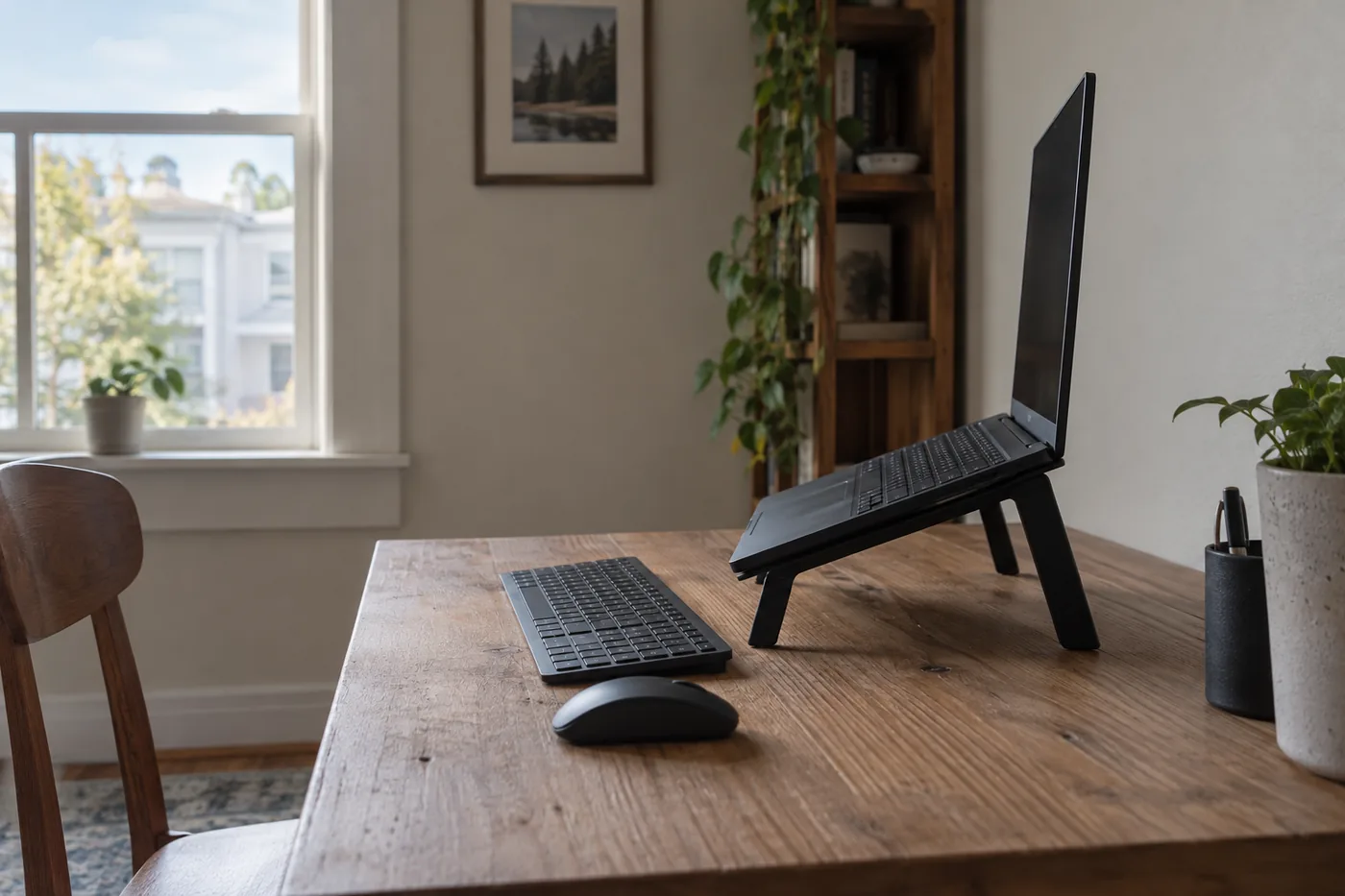 AI-generated illustration for explanation. Not a specific product.
Nulaxy's Amazon listing specifies 10- to 16-inch laptops and a 22-pound load limit for the C1. Nulaxy's own C1 page identifies the same ASIN but states 10 to 17 inches and 44 pounds. Use the narrower Amazon limits for this purchase, and ask Nulaxy to confirm the current version if your device depends on the larger figures. This difference matters more than a broad compatibility slogan.
Look underneath your laptop before choosing a support shape. Check where the support arms or panel would touch, whether the front stops could interfere with ports, and whether the laptop's rubber feet would sit securely. Include a fitted case when checking dimensions. A large load rating does not establish how much a screen will move when you press keys or touch the display.
BESIGN, Nulaxy, and Tonmom describe open or vented designs. Those openings are useful features to compare with your laptop's vent locations, but the makers' descriptions do not establish a temperature drop for your machine. These stands have no powered cooling fans. Buy for fit and positioning first rather than an assumed performance increase.
- Compare the laptop's actual chassis with the support surface and front stops.
- Check its weight against a stated load limit; seek confirmation when that limit is missing.
- Keep support rails and pads clear of the laptop's intake and exhaust openings.
Will it fit your desk and your daily cleanup routine?
Choose the stand you can leave in place or put away without crowding the rest of your workspace. BESIGN lists LS03 dimensions of 10.24 by 9.45 by 5.71 inches. Treat those as the stand's dimensions, then allow for the laptop, its open screen, and connected plugs. The clear area under its support arms can hold accessories between sessions, but a keyboard still needs working space in front.
OSHA recommends placing the screen at least 20 inches from your eyes. On a shallow apartment desk, check that distance with the keyboard in place before adding a riser. Measure the usable surface after accounting for a lamp, charging equipment, and any monitor base. Also allow room behind the laptop for its lid to open without hitting a wall or shelf.
Tonmom states that the 104S weighs 0.53 pounds and folds for carrying. That makes it the more practical option here for moving between a home desk and a bag. Its ABS and silicone design also costs less, although the missing load limit deserves attention with heavier devices. BESIGN's LS03 comes apart for storage; choose it when a fixed setup matters more than frequent adjustment. Nulaxy's C1 folds and adjusts, making it a fit for a desk shared by people who need different positions.
Include upkeep in the space check. Leave enough access to lift the laptop off, wipe crumbs from the desk, and inspect the support pads. Before changing the angle, remove the laptop so you can see how the stand is seated. If you clear a dining table every evening, decide where the stand, keyboard, mouse, and charging cable will live together. The cheapest stand still creates clutter if its accessories have nowhere to go.
How do the popular picks compare side by side?
Tonmom suits a bag, Nulaxy suits changing desk positions, and BESIGN suits a fixed desk setup. The brands' published features point to different routines rather than one universal winner.
Swipe sideways to see the full table →
| Model | Listed laptop size | Listed maximum load | Adjustment and storage | Price (Amazon.com, Oct 14, 2026) | Buy |
|---|---|---|---|---|---|
| Nulaxy C1 | 10–16 inches on Amazon | 22 pounds on Amazon | Adjustable shafts; folds | about $15.19 on Amazon.com (Oct 14, 2026) | View on Amazon |
| BESIGN LS03-Silver | 10–15.6 inches | 8.8 pounds | Fixed rise, about 6 inches; detaches | about $16.99 on Amazon.com (Oct 14, 2026) | View on Amazon |
| Tonmom 104S | 10–15.6 inches | Not listed by the maker | Seven settings, 2.78–6.5 inches; folds | about $7.59 on Amazon.com (Oct 14, 2026) | View on Amazon |
Prices are what Amazon.com showed on Oct 14, 2026 and change often.
Amazon's Oct 14, 2026 popularity labels showed 10K+ bought in past month for Nulaxy, 9K+ for BESIGN, and 6K+ for Tonmom. Those labels indicate shopping activity; they do not establish fit or stability on your desk. Choose Tonmom for compact carrying when its support is suitable, pay more for Nulaxy when adjustment matters, and choose BESIGN when its fixed rise already matches your setup.
A closer look at each product
If you share a desk and change screen position · Nulaxy C1
Adjustable shafts change height and angle, and the stand folds for storage. Use the Amazon listing limits of 10–16 inches and 22 pounds because Nulaxy publishes larger limits for the same ASIN.
- Adjustable height and angle
- Foldable design
- Vented panel and silicone pads
- Maker and Amazon compatibility limits differ
- Exact height adjustment range: Not listed by the maker
If you keep a fixed setup on a dedicated desk · BESIGN LS03-Silver
The detachable aluminum riser has a roughly 6-inch fixed rise and supports 10–15.6-inch laptops up to 8.8 pounds. Its open support leaves space underneath for accessories between sessions.
- Detachable construction
- Published 8.8-pound load limit
- Open aluminum support
- Fixed height limits positioning options
- Not listed for laptops larger than 15.6 inches
If you carry the stand between home and a bag · Tonmom 104S
The folding stand has seven settings from 2.78 to 6.5 inches and a stated weight of 0.53 pounds. Its 10–15.6-inch compatibility suits smaller portable setups, subject to confirming support for your laptop.
- Seven height settings
- Stated weight of 0.53 pounds
- Folding design with silicone pads
- Maximum load: Not listed by the maker
- Not listed for laptops larger than 15.6 inches
In one sentence
Start with screen and keyboard position, then check laptop support and the space needed for work and storage.
Nulaxy C1
View on AmazonBESIGN LS03-Silver
View on AmazonTonmom 104S
View on AmazonWhat to check
- Screen and keyboard positionSit in your usual chair and check the screen top and keyboard reach before choosing a rise.
- Laptop fit and supportCompare your laptop chassis, weight, feet, and vent locations with the support and stated limits.
- Desk space and storageMeasure the working space for the open laptop and accessories, then choose a place to store everything.
- Screen and keyboard position
- Laptop fit and support
- Desk space and storage
Frequently asked questions
Do I need a separate keyboard with a laptop stand?
For an elevated typing setup, plan room for a separate keyboard and mouse. OSHA recommends placing the keyboard near elbow height with straight wrists, while keeping the screen top at or slightly below eye level.
How high should a laptop stand be on my desk?
OSHA recommends a screen top at or slightly below eye level, so the required rise depends on your chair, desk, and laptop. Adjustable models offer more positioning options; a fixed riser works only when its height fits your setup.
Will these stands fit a 17-inch laptop?
BESIGN and Tonmom list a maximum screen size of 15.6 inches. Nulaxy lists 17 inches on its own C1 page, but Amazon lists 16 inches for this ASIN, so confirm the current version with Nulaxy before buying for a 17-inch device.
Does a laptop stand cool a gaming laptop?
BESIGN, Nulaxy, and Tonmom describe open or vented designs, but those descriptions do not establish a temperature drop for your laptop. Match the support to your vent locations and treat it as a positioning accessory; these models have no powered fans.
Sources
- Nulaxy C1 official product page · Oct 14, 2026
Identifies ASIN B077B9W343, adjustable shafts, folding design, and maker limits of 10–17 inches and 44 pounds; these differ from Amazon.
- OSHA monitor placement guidance · Oct 14, 2026
Screen top at or below eye level and viewing distance of at least 20 inches.
- OSHA keyboard placement guidance · Oct 14, 2026
Keyboard near elbow height, relaxed shoulders, straight wrists, and placement close to the body.
Read next
Best portable SSD on Amazon.com (2026): check ports, capacity, and upkeep first
Best wireless keyboard on Amazon.com (2026): connection, layout, and upkeep first
Best webcam on Amazon.com (2026): check framing, connection, and call setup first
Best USB-C fast charger on Amazon.com (2026): cable ends, power, and placement first
Other topics
Best Baby Food Maker on Amazon.com (2026): 3 Things to Check First
Best Baby Bathtubs on Amazon.com (2026): Check Fit, Support, and Drying First
Best UV toothbrush sanitizers on Amazon.com (2026): check brush fit, drying, and power first