
Conclusion
The lower-priced K400 Plus fits occasional control of a PC connected to a TV. Choose the MK250 for Bluetooth or the MK345 for a full-size receiver-based desk combo.
3 selected products
- No photoIf you want a full-size desk combo
Logitech MK345, Black
about $34.19 on Amazon.com (Oct 12, 2026) - No photoIf you want to free a USB port
Logitech MK250, Graphite
about $29.99 on Amazon.com (Oct 12, 2026) - No photoIf you control a PC connected to a TV
Logitech K400 Plus, Black
about $7.49 on Amazon.com (Oct 12, 2026)
A common wireless keyboard mistake is choosing by color or key count before checking how it connects and where it will sit. For a desk, kitchen table, or living-room PC, check these three things, in order
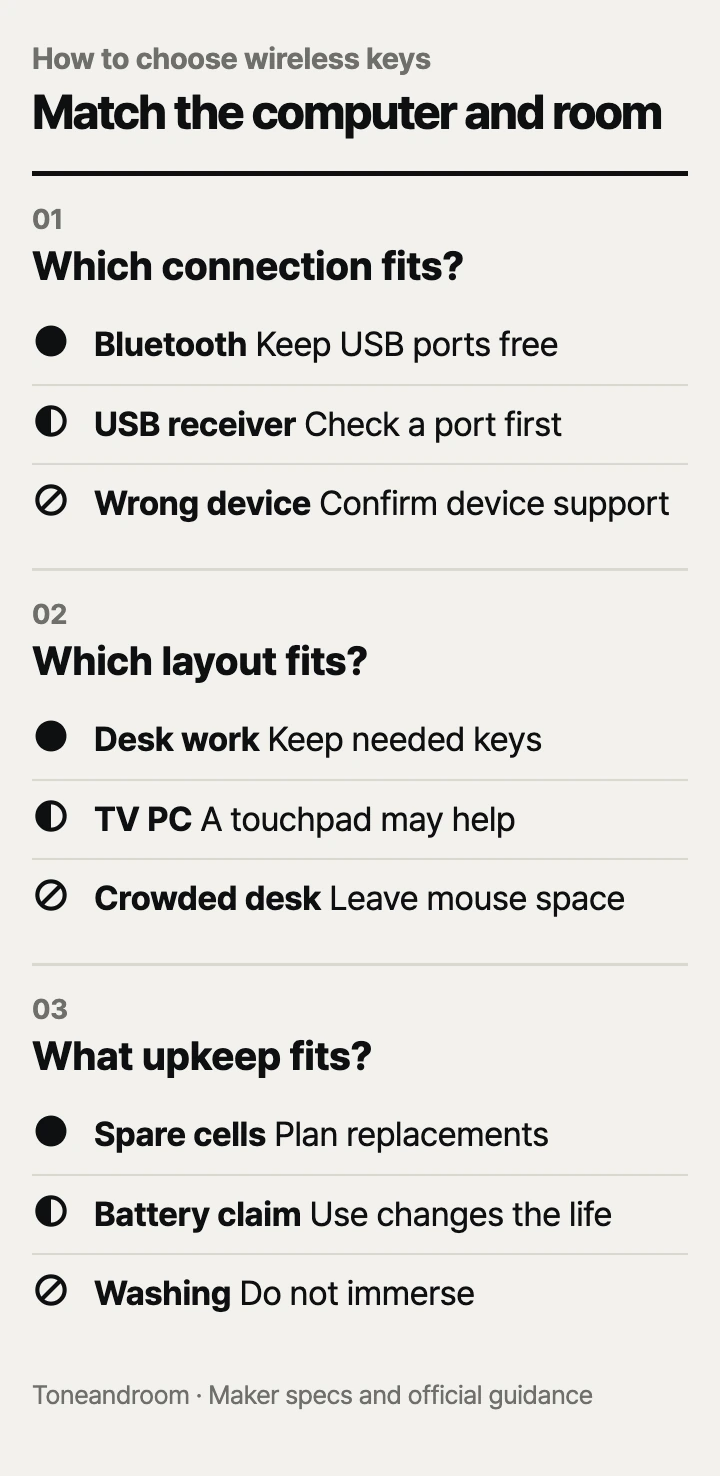
Will the connection work with your computer?
Choose Bluetooth or a USB receiver deliberately, because wireless does not mean the same connection on every keyboard.
Logitech describes the MK345 as a full-size keyboard and mouse combination using a USB receiver. Its MK250 uses Bluetooth without a dongle. The K400 Plus also uses a USB receiver, but combines the keyboard and touchpad in a single unit for a TV-connected PC. These differences determine where each product fits more directly than its color or the number of shortcut keys.
A laptop with an available USB-A port can accommodate a receiver directly. If your laptop lacks that port, factor a suitable adapter or dock into the setup rather than assuming the tiny receiver will plug into USB-C. Bluetooth avoids that receiver requirement, but your computer must support the connection and operating-system requirements. Check your computer's settings and ports before placing an order.
Swipe sideways to see the full table →
| If your home setup is… | Our take | What to check |
|---|---|---|
| A desktop with an available USB-A port | Worth it | Receiver and operating-system support |
| A Bluetooth laptop with limited ports | Worth it | Bluetooth pairing and keyboard layout |
| A TV connected to a separate PC | Only some models | PC support for receiver and touchpad |
| A smart TV with no computer attached | It depends | Exact TV keyboard support |
Logitech positions the K400 Plus for controlling a PC connected to a TV. That is not a blanket promise that every smart TV's built-in apps accept it. Read the TV's own keyboard instructions if that is your intended use. A USB port can exist for a purpose other than typing, and the ability to enter text does not necessarily mean every touchpad gesture will work.
For the MK345, decide whether you also need its included mouse. Logitech describes that mouse as contoured for the right hand. It is useful information for a shared desk, where a combo's keyboard might suit everyone but the mouse might not. The MK250 includes a compact ambidextrous mouse, while the K400 Plus eliminates the separate mouse by using its integrated touchpad.
Do not buy a receiver-based keyboard assuming any spare receiver will pair with it. Keep the included hardware with the keyboard, and verify the model-specific replacement procedure if you lose it. For a setup that moves between rooms, decide where the receiver or adapter lives so it does not become the part you leave behind.
Does the layout fit your desk and your actual work?
Keep the keys and pointing controls you need, but leave enough room to use them without crowding the rest of the workspace.
Logitech gives the MK345 a familiar full-size layout, number pad, and integrated palm rest. The MK250 uses a more compact arrangement while retaining a number pad, arrow keys, and shortcut keys. The K400 Plus trades a separate number-pad area for its built-in touchpad and media-oriented controls. Those layouts answer different needs; compact does not automatically mean incomplete, and full-size does not automatically mean more useful.
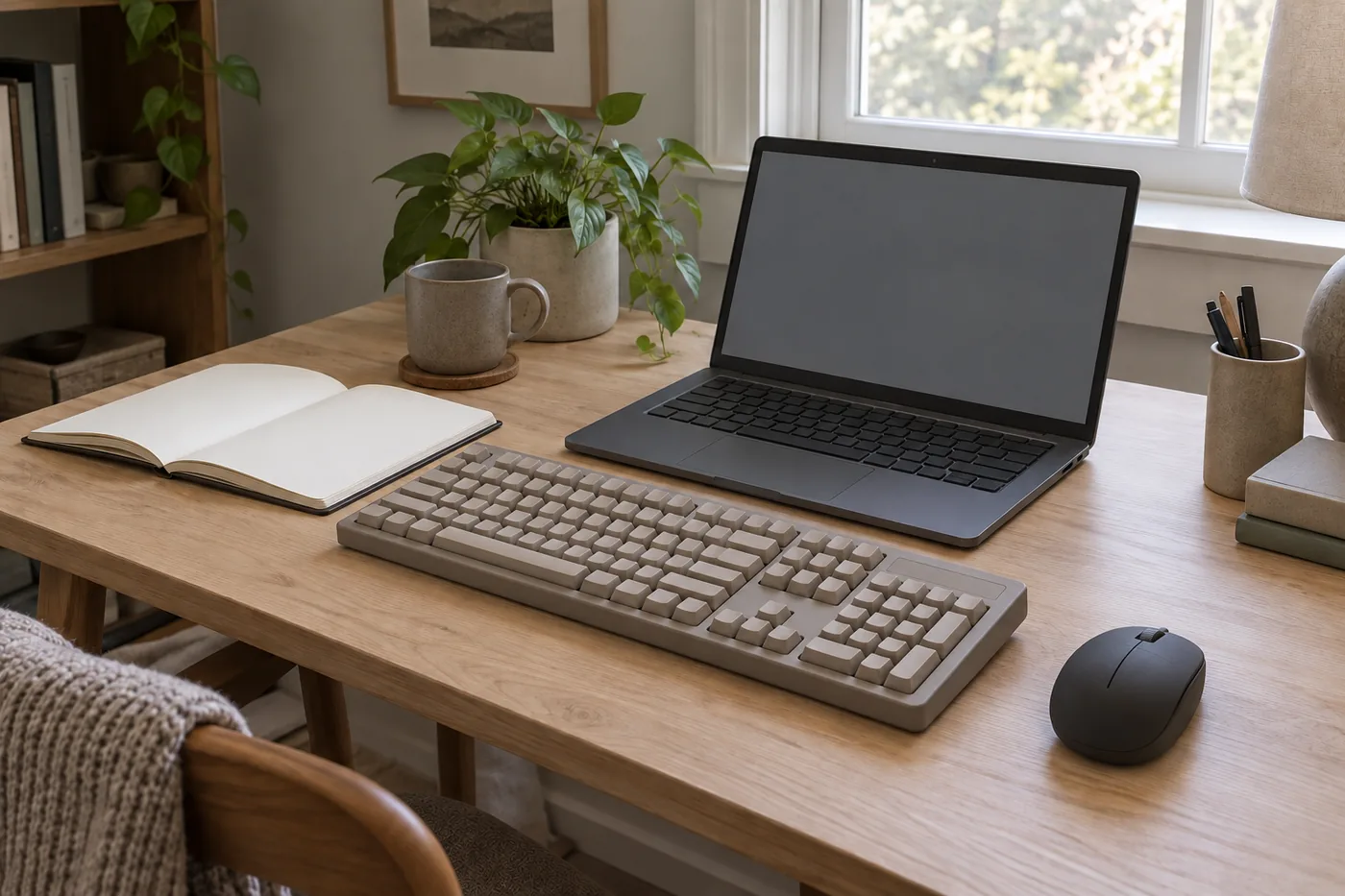 AI-generated illustration for explanation. Not a specific product.
For spreadsheets, bills, or repeated numeric entry, a number pad can be worth keeping. For occasional searches from the couch, a touchpad may remove the need for a separate mouse surface. For a laptop used at a dining table, a compact keyboard can be easier to place around the computer and move away when the meal starts. The choice should follow the task, not a general rule that one layout is best.
The K400 Plus Amazon listing gives dimensions of 13.95 by 5.5 by 0.93 inches. Use those dimensions to consider storage and a lap-sized surface, not as evidence that its typing feel will match a desk keyboard. A built-in touchpad is convenient for pointer navigation, but someone who makes precise selections all day may still prefer their usual mouse.
Before buying, place your existing keyboard or a piece of paper where the replacement would sit. Leave room for the mouse, a notebook, and the laptop's power cable. This is a simple layout check, not a way to predict key feel. Published photos also cannot tell you how much pressure you will prefer or whether a particular key shape will suit your hands.
- Check whether a number pad is useful in your usual apps.
- Decide whether you want a separate mouse or an integrated touchpad.
- Compare modifier-key labels with your operating system.
- Look for the receiver location in the package or mouse compartment.
A keyboard can work on a computer without having every familiar shortcut labeled the way you expect. If you switch between Windows and macOS, check the exact layout rather than relying on the word compatible. If you regularly change between several computers, verify switching support separately; Bluetooth by itself does not promise a multi-device shortcut.
How much battery and cleaning upkeep will you accept?
Compare battery estimates and care instructions without treating them as guarantees about your household.
Logitech lists up to 36 months for the MK345 keyboard and 18 months for its mouse. The MK250 has a published 12-month battery estimate. Logitech lists up to 18 months for the K400 Plus and says battery life varies with use and computing conditions. Those are useful planning figures, but a busy workday and occasional living-room use are different routines.
Replaceable batteries avoid a regular charging cable, but they still need a plan. Check the battery compartment and included contents for the exact product you receive before buying replacements. For a combo, remember that the keyboard and mouse may reach their replacement points at different times. Keep spare batteries where they are easy to identify rather than assuming the two devices will always stop together.
Logitech describes these keyboards as spill-resistant, but its MK250 and K400 Plus guidance specifically says not to immerse the keyboard in liquid. Do not translate a spill-resistance claim into a waterproof claim. Follow Logitech's care guidance for the model, and separate a durability feature from any expectation that the keyboard can be washed.
Quiet-key descriptions are also not an exact sound measurement. Logitech describes quiet typing on the MK345 and K400 Plus, but no comparable noise figure is provided here. If sound matters in a shared room, treat the description as a design claim rather than a promise about what another person will hear. A specific decibel comparison would be not listed by the maker.
How do the popular picks compare side by side?
The MK345 fits a receiver-based desk, the MK250 saves ports, and the K400 Plus keeps PC-to-TV controls together.
Swipe sideways to see the full table →
| Model | Connection | Layout and pointing device | Published keyboard battery estimate | Price (Amazon.com, Oct 12, 2026) |
|---|---|---|---|---|
| Logitech MK345, Black | USB receiver | Full-size number pad; right-handed mouse | Up to 36 months | about $34.19 on Amazon.com (Oct 12, 2026) |
| Logitech MK250, Graphite | Bluetooth | Compact number-pad layout; ambidextrous mouse | Up to 12 months | about $29.99 on Amazon.com (Oct 12, 2026) |
| Logitech K400 Plus, Black | USB receiver | Integrated touchpad; media controls | Up to 18 months | about $7.49 on Amazon.com (Oct 12, 2026) |
Prices are what Amazon.com showed on Oct 12, 2026 and change often.
The K400 Plus's lower listed price is useful only if its TV-PC layout matches your needs; check the current offer and exact variant before ordering. The MK250 makes more sense when freeing a USB port is the goal. Spend more for the MK345 when the full-size desk arrangement and its included mouse are features you actually want, not simply because the price is higher.
A closer look at each product
If you want a full-size desk combo · Logitech MK345, Black
Logitech pairs a full-size number-pad keyboard with a right-handed mouse and USB receiver. Its published keyboard battery estimate is up to 36 months.
- Integrated palm rest
- Number pad
- Included mouse and receiver
- Receiver requires a suitable USB port
- Mouse shape favors the right hand
If you want to free a USB port · Logitech MK250, Graphite
Bluetooth avoids a receiver, while the compact layout retains a number pad. Logitech includes an ambidextrous compact mouse.
- Bluetooth connection
- Number pad in compact layout
- Ambidextrous mouse
- Requires Bluetooth support
- Battery estimate is shorter than the MK345's
If you control a PC connected to a TV · Logitech K400 Plus, Black
The integrated touchpad removes the need for a separate mouse surface. Logitech positions it for media control of a TV-connected PC.
- Integrated touchpad
- Media controls
- Included USB receiver
- Not a general promise of smart TV support
- No separate number pad
In one sentence
Match connection type, workspace layout, and battery upkeep to the way you use your computer.
Logitech MK345, Black
View on AmazonLogitech MK250, Graphite
View on AmazonLogitech K400 Plus, Black
View on AmazonWhat to check
- ConnectionCheck whether your computer supports Bluetooth or has a suitable receiver port.
- LayoutLeave room for the keyboard and its mouse or touchpad at your usual workspace.
- Battery upkeepCheck the exact battery compartment and make a replacement plan.
- Connection type
- Workspace layout
- Battery upkeep
Frequently asked questions
Do all wireless keyboards use Bluetooth?
No, the MK345 and K400 Plus use USB receivers. The MK250 uses Bluetooth without a dongle, so confirm your computer's connection support first.
Can the K400 Plus control any smart TV?
Logitech positions it for a PC connected to a TV. Check your TV's own keyboard support before using it directly with built-in TV apps.
Does a compact keyboard always lose the number pad?
No, Logitech's MK250 keeps a number pad within its compact layout. The K400 Plus instead uses an integrated touchpad, so compare the actual key arrangement.
Can I wash a spill-resistant keyboard?
Logitech says not to immerse the MK250 or K400 Plus in liquid. Follow the model's care guidance rather than treating spill resistance as waterproofing.
Sources
- Logitech MK345 · Oct 12, 2026
Connection, layout, mouse shape, and keyboard and mouse battery estimates.
- Logitech MK250 · Oct 12, 2026
Bluetooth, compact layout, ambidextrous mouse, battery estimate, and immersion warning.
- Logitech K400 Plus · Oct 12, 2026
PC-to-TV use, touchpad, receiver, battery estimate, and immersion warning.
Read next

Best Wireless Earbuds on Amazon (2026): Check Fit, Connections and Battery Care First
Best Power Bank on Amazon (2026): Check Connection, Output and Daily Fit First

Best Noise Cancelling Headphones on Amazon.com (2026): Check Fit, Connections, and Upkeep First
Best USB-C fast charger on Amazon.com (2026): cable ends, power, and placement first
Other topics

Best Cat Water Fountain on Amazon.com (2026): Check Placement, Capacity, and Cleaning First

Best Automatic Cat Feeder on Amazon (2026): Check Feeding Fit, Setup and Upkeep First

Best Self-Cleaning Litter Box on Amazon (2026): Check Cat Fit, Floor Space and Upkeep First