Conclusion
The lower-cost Redragon M612 suits shoppers who want programmable controls and can manage a cable. The higher-priced Razer Basilisk V3 suits people who will use its tilt wheel and selectable scrolling modes for games and desk work.
3 selected products
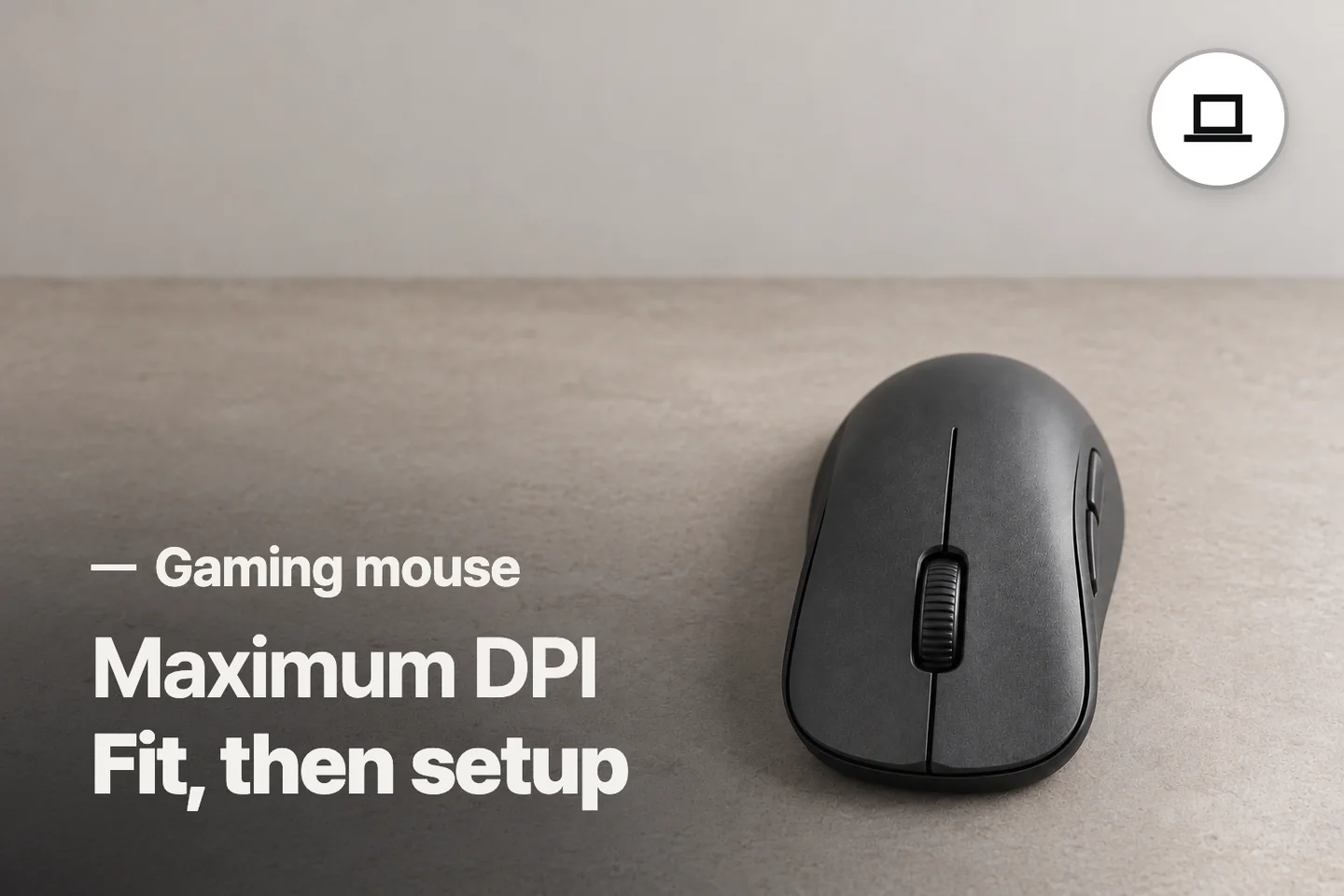
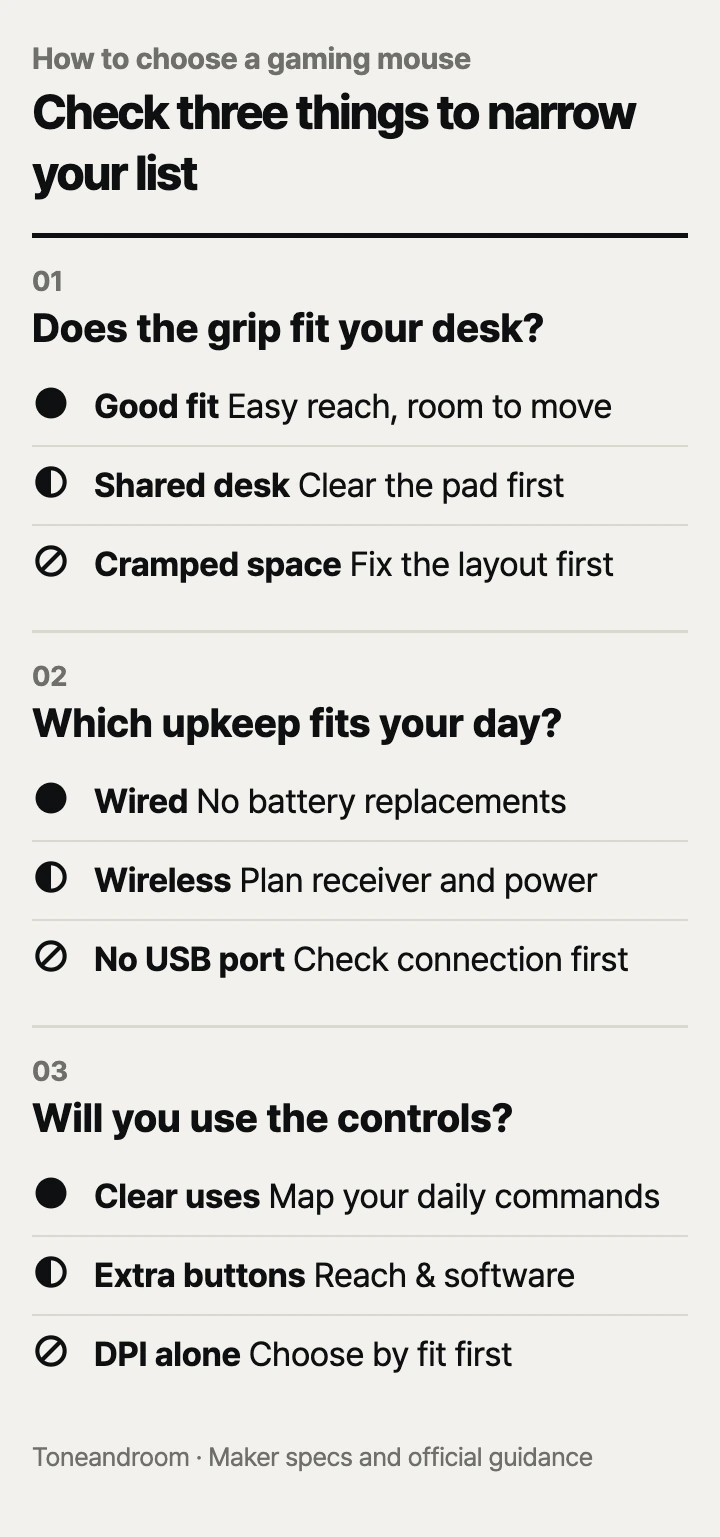
The most common gaming mouse mistake is buying for maximum DPI before checking whether the shape, connection, and controls suit your desk. Before choosing, check these three things, in order
Does the shape fit your hand and your desk?
Choose a shape you can grip and move freely before comparing sensor numbers.
Logitech lists the G305 at 4.6 inches long and 2.5 inches wide; Razer lists the Basilisk V3 at 5.11 inches long and 2.95 inches wide, with a right-handed shape. Those measurements give you a starting point for comparing your current mouse, but they cannot tell you whether a thumb button falls naturally under your finger. See Logitech's dimensions and Razer's specifications.
At a bedroom desk or a dining table that doubles as a workstation, start with the space left after your keyboard and laptop are in place. Move your current mouse through the motions you normally make in a game. If you keep reaching the edge of the pad, buying a different mouse will not create more room. Move the keyboard, clear the pad, or reconsider the layout first.
Swipe sideways to see the full table →
| If your home setup… | Our take | What to check |
|---|---|---|
| Leaves open space beside the keyboard | Worth it | Shape, thumb reach, and room for your usual movements |
| Shares desk space with a laptop and paperwork | It depends | Clear the mouse area before choosing a larger body |
| Needs a mouse for left-handed use | Only some models | Button placement and hand orientation, not just shell symmetry |
| Leaves the mouse trapped against the keyboard or desk edge | Skip it | Fix the layout before paying for extra controls |
Grip matters as much as dimensions. With your current mouse, notice whether your palm rests on the shell or your fingertips do most of the steering. Compare product photos for the back hump, thumb rest, and side-button positions. Redragon describes the M612 as a claw-grip design, while Razer's Basilisk V3 includes a thumb rest. Treat those descriptions as shape clues, not promises of comfort.
- Compare the new mouse's outline with the one you already know.
- Check whether reaching a side button would make you change your grip.
- Keep enough clear pad space for your normal movements, including lifting and resetting the mouse.
Will the connection and upkeep suit your routine?
Choose wireless for a clear movement area, or wired if you prefer to avoid battery replacements.
Logitech specifies a USB receiver and a replaceable AA battery for the G305, with up to 250 hours in performance mode; it also notes that battery life varies with use and battery characteristics. Wireless still occupies a USB port. Before ordering for a laptop, check whether its ports can accept the receiver alongside your keyboard, headset, and other equipment.
A removable receiver also becomes something to store when you clear the dining table or pack a laptop bag. Logitech lists built-in receiver storage for the G305. That is useful for a portable setup, but decide where you will keep replacement batteries and make receiver storage part of your packing routine.
 AI-generated illustration for explanation. Not a specific product.
Redragon lists the M612 as wired, and Razer lists the Basilisk V3 with a wired Speedflex cable. For either one, trace the route from the USB port to the pad. A tower under the desk, a monitor stand, or a shelf behind the laptop can change how much cable reaches the mouse. Leave slack for your normal movements and check that the cable will not catch on the furniture. The practical difference is battery upkeep versus cable management.
Cleaning belongs in this decision too, especially on a desk used for both meals and gaming. In its Basilisk V3 maintenance guidance, Razer recommends unplugging the mouse and cleaning it monthly with a soft cloth or cotton swab, without soap or harsh cleaning agents. Follow each mouse maker's own care directions rather than assuming every coating uses the same cleaning method.
- Check your available USB ports with the whole setup connected.
- Plan battery storage or cable routing before choosing the connection.
- Keep the pad clear enough to lift the mouse and clean around it.
Will you use the extra controls and their software?
Pay for controls you can name a use for, and check software support before counting programmable buttons as a benefit.
Logitech lists six programmable buttons on the G305 and says advanced settings require G HUB. Redragon lists 11 programmable buttons on the M612, plus software-based remapping and sensitivity adjustment up to 8,000 DPI. Razer lists 11 programmable buttons and a tilt wheel with notched and free-spinning modes on the Basilisk V3. Redragon's details are in its M612 product specifications.
Start by writing down the commands you want on the mouse: push-to-talk, an ability, browser navigation, or a frequently used shortcut. Then look at where the relevant buttons sit. The advertised total can include wheel inputs and buttons that are less convenient during play. Razer's manual, for example, shows the Basilisk V3's profile button underneath the mouse. Button count alone does not describe the layout.
For a home computer that handles spreadsheets during the day and games at night, the Basilisk's scrolling modes give you a concrete reason to spend more than the M612's price. If you mostly need a few shortcuts and are comfortable with a cable, the lower-cost M612 is a reasonable starting point. The G305 serves a different priority: fewer controls with a cordless movement area.
Before buying for a Mac or a computer managed by your employer, check whether the current customization software supports your system and whether you can install it. Razer's Basilisk V3 manual specifies Windows for Synapse. Basic pointer operation and access to every customization feature are separate things to verify.
How do the popular picks compare side by side?
The M612 suits a tight wired budget, the G305 suits a cordless desk, and the Basilisk V3 suits gaming plus frequent scrolling.
On Oct 14, 2026, Amazon's popularity labels showed “10K+ bought in past month” for the G305 and “7K+ bought in past month” for both the M612 and Basilisk V3. These labels signal purchase activity; they do not establish which shape fits your hand or which setup will be easiest to maintain.
Swipe sideways to see the full table →
| Model | Connection and power | Programmable buttons and wheel | Maximum DPI | Price (Amazon.com, Oct 14, 2026) | Buy |
|---|---|---|---|---|---|
| Logitech G305 LIGHTSPEED | USB receiver; AA battery, up to 250 hours in performance mode | 6; no wheel tilt | 12,000 | about $26.43 on Amazon.com (Oct 14, 2026) | View on Amazon |
| Redragon M612 Predator | Wired USB; no battery replacement | 11; scroll wheel | 8,000 with software | about $16.99 on Amazon.com (Oct 14, 2026) | View on Amazon |
| Razer Basilisk V3 | Wired USB; no battery replacement | 11; tilt wheel with notched and free-spinning modes | 26,000 | about $34.98 on Amazon.com (Oct 14, 2026) | View on Amazon |
Prices are what Amazon.com showed on Oct 14, 2026 and change often.
Choose by the feature you will use every day. The M612 keeps the initial cost down, the G305 removes the mouse cable, and the Basilisk V3 adds more scrolling options. Confirm the exact model name at checkout, especially when a listing offers several versions with different connections or controls.
A closer look at each product
If you want a cordless desk · Logitech G305 LIGHTSPEED
A USB receiver removes the mouse cable, and built-in receiver storage suits a setup you pack away. Logitech specifies up to 250 hours in performance mode on an AA battery.
- Cordless connection through a USB receiver
- Built-in receiver storage
- Six programmable buttons
- Requires battery replacements
- Advanced settings require G HUB
If you want inexpensive wired controls · Redragon M612 Predator
A wired USB connection avoids battery replacements. Redragon lists 11 programmable buttons and software-adjustable sensitivity up to 8,000 DPI.
- Lowest listed price of these models
- 11 programmable buttons
- Wired power avoids battery replacements
- Cable needs room to move
- Custom remapping requires software setup
If you switch between games and desk work · Razer Basilisk V3
The tilt wheel offers notched and free-spinning modes for different scrolling tasks. Its right-handed body includes a thumb rest and 11 programmable buttons.
- Tilt wheel with selectable scrolling modes
- Right-handed shape with a thumb rest
- 11 programmable buttons
- Right-handed layout
- Manual specifies Windows for Synapse customization
In one sentence
Choose a gaming mouse by grip and desk space, connection and upkeep, then controls and software.
Logitech G305 LIGHTSPEED
View on AmazonRedragon M612 Predator
View on AmazonRazer Basilisk V3
View on AmazonWhat to check
- Grip and desk space · Compare shape, thumb reach, and clear mouse-pad space.Compare the listed dimensions with your current mouse and move it through your normal gaming motions on the desk.
- Connection and upkeep · Choose battery replacements or cable management.Check your available USB ports and plan either receiver and battery storage or a clear cable route.
- Controls and software · Match button locations and software support to your tasks.List the commands you want on the mouse and confirm that its customization software supports your computer.
- Grip and desk space
- Connection and upkeep
- Controls and software
Frequently asked questions
Is a wireless gaming mouse better than a wired one?
Choose by your desk routine. The Logitech G305 clears the movement area of a mouse cable but needs a USB receiver and battery replacements; the wired M612 and Basilisk V3 need cable routing instead.
Do I need the highest DPI for gaming?
Maximum DPI describes the available sensitivity ceiling, not how well the shape fits your hand. Check movement space and grip first, then confirm that the mouse lets you select the sensitivity you prefer.
Can I customize these gaming mice on a Mac?
Check software compatibility separately from basic pointer operation. Razer specifies Windows for Synapse in the Basilisk V3 manual, so verify current customization support for your exact system before buying.
How do I clean a gaming mouse?
Follow the instructions for your exact model. Razer recommends unplugging the Basilisk V3 and cleaning it monthly with a soft cloth or cotton swab, without soap or harsh cleaning agents.
Sources
- Logitech G305 technical specifications · Oct 14, 2026
Dimensions, USB receiver, six programmable buttons, AA battery, up to 250 hours in performance mode, and receiver storage.
- Redragon M612 Predator specifications · Oct 14, 2026
Wired connection, 11 programmable buttons, software remapping, claw-grip description, and sensitivity up to 8,000 DPI.
- Razer Basilisk V3 specifications · Oct 14, 2026
Right-handed shape, dimensions, wired connection, 11 programmable buttons, 26,000 DPI, and tilt-wheel modes.
- Razer Basilisk V3 master guide · Oct 14, 2026
Button layout, Windows requirement for Synapse, and monthly cleaning instructions.
Read next
Best Mechanical Keyboards on Amazon.com (2026): Check Desk Fit, Switches, and Setup First
Best USB-C Hub on Amazon.com (2026): Check Your Laptop, Ports, and Charging First
Best portable SSD on Amazon.com (2026): check ports, capacity, and upkeep first
Best Laptop Stands on Amazon.com (2026): Check Setup, Fit, and Desk Space First
Other topics

Best Dog Crates on Amazon.com (2026): Check Dog Fit, Placement, and Cleanup First

Best Body Pillows on Amazon.com (2026): Check Bed Fit, Fill Adjustment, and Laundry First

Best Espresso Machine on Amazon.com (2026): Check Space, Drink Routine, and Upkeep First