Conclusion
The less expensive Redragon K671 suits buyers who need a wired full-size keyboard and linear switches. The higher-priced Logitech G413 SE suits buyers who prefer tactile feedback and documented PBT keycaps.
3 selected products
Buying for the switch name or lighting alone can leave you with a keyboard that crowds your mouse, lacks everyday keys, or interrupts a shared room; check these three things, in order
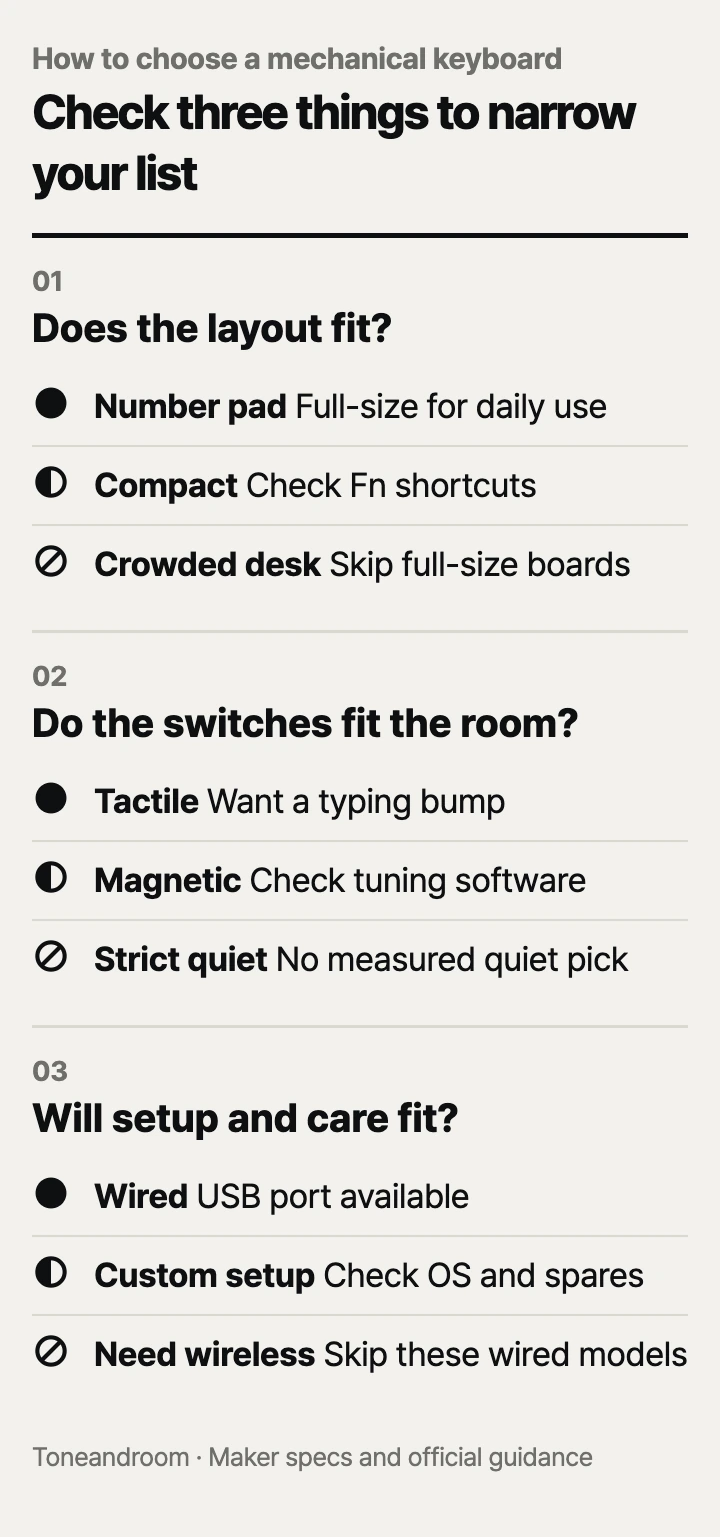
Does the layout fit your desk and daily work?
Choose the keys you need and leave room for your mouse before choosing switches. Logitech identifies the G413 SE as full-size, Redragon specifies a full-size K671, and AULA describes the WIN68 HE as a compact magnetic keyboard. Those layouts serve different routines, even when all three appear among popular Amazon.com sellers. See the Logitech specifications, Redragon specifications, and AULA specifications.
Swipe sideways to see the full table →
| If your home … | Our take | What to check |
|---|---|---|
| Has a dedicated desk and you enter numbers daily | Worth it | A full-size layout with a number pad and enough mouse space |
| Has a narrow bedroom desk used mainly for gaming | Only some models | A compact layout with the arrow keys you need |
| Uses a shared table that must clear after work | It depends | Cable routing, storage space, and whether wired use fits |
| Needs a quiet keyboard beside someone taking calls | It depends | Published sound evidence and the exact switch option |
| Has no room for a full-size board beside the mouse | Skip it | The actual footprint before ordering a full-size model |
Amazon lists both full-size choices at 17.13 inches wide. Redragon lists the K671 with 104 keys; the AULA listing specifies 68 keys, separate arrows, and function-key combinations. AULA's percentage layout descriptions vary between its product page and Amazon, so check the key diagram rather than relying on the percentage in the name. The layout determines whether a compact board actually fits your work.
On a bedroom desk, sketch the keyboard's footprint on paper and place it beside your mouse pad, laptop stand, and notebook. Include space for the cable behind the keyboard. At a kitchen table, consider where the board will go when dinner starts; a smaller keyboard still needs somewhere to store it.
- List the keys you use without looking: number pad, arrows, function row, Home, and Delete.
- Check which compact-board shortcuts require holding Fn.
- Leave room to move the mouse through your usual work or game motions.
Will the switches suit your typing and shared room?
Choose switches for feedback and control, and treat quietness as a separate requirement. Redragon describes the K671's red switches as linear, Logitech specifies tactile switches for the G413 SE, and AULA specifies magnetic sensing and adjustable triggering for the WIN68 HE. These are different ways to enter a keystroke; they do not establish which board will sound quietest at your desk.
The budget Redragon makes sense if you want a full-size board with smooth presses and switch replacement options. Logitech's tactile design suits someone who wants a noticeable actuation cue while typing. Paying more for Logitech buys documented PBT keycaps and an aluminum top case, alongside that tactile feel. It does not establish a quieter sound profile.
AULA's magnetic switches support rapid trigger and adjustable actuation. AULA publishes an 8,000 Hz polling rate, but that specification alone cannot establish a noticeable improvement in your games. Buy this model if you intend to adjust its settings and want the compact layout, rather than treating a polling-rate number as a reason to replace a keyboard that already works well.
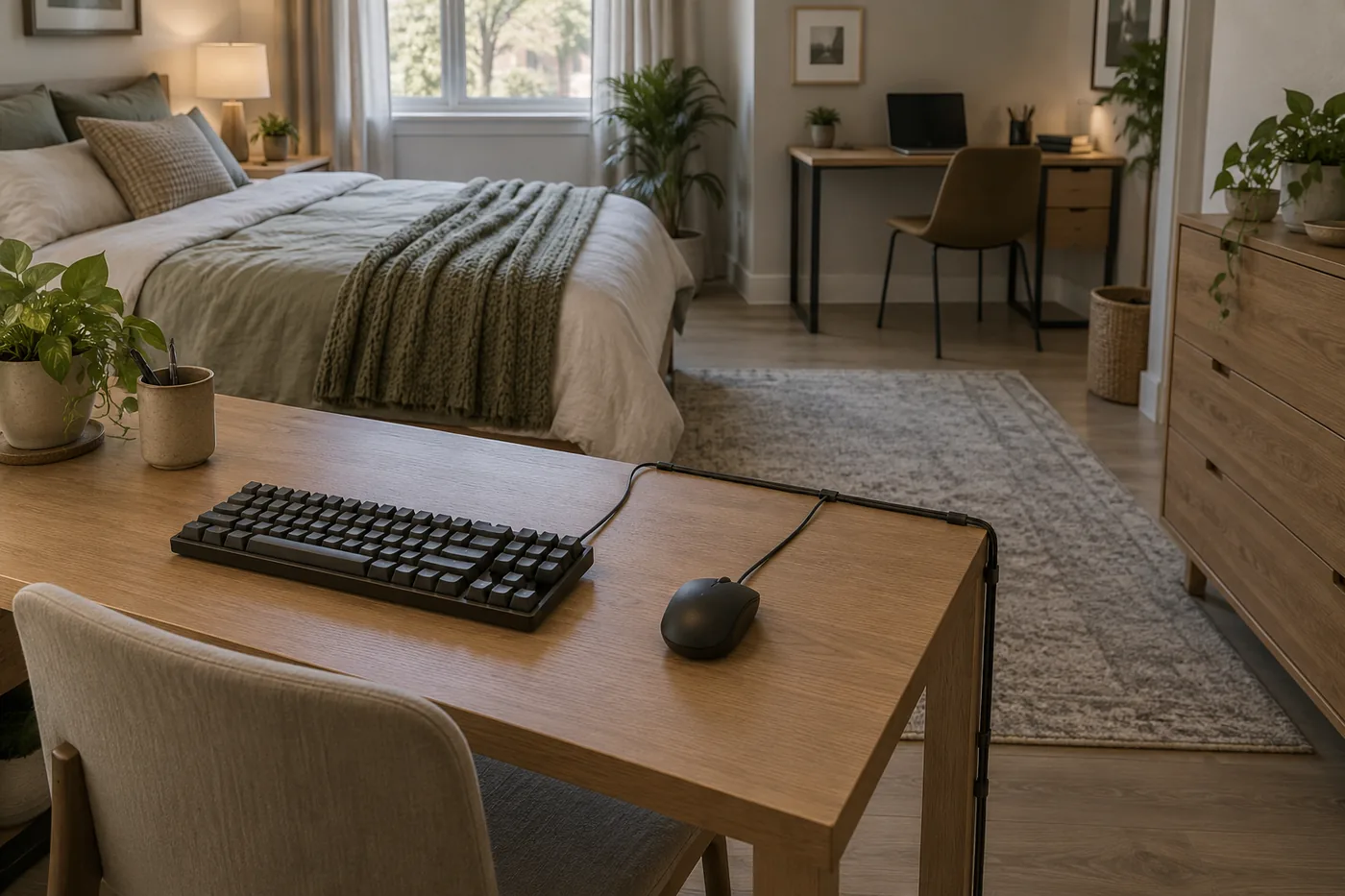 AI-generated illustration for explanation. Not a specific product.
Comparable measured noise levels for these exact versions: Not listed by the maker. A switch category is not a sound measurement, so a buyer with a strict noise limit has no firm basis here for selecting the quietest option. Check the seller's return terms before ordering for a shared room.
Product classification matters, too. AULA explicitly calls the S99 a membrane keyboard in its Amazon description. Redragon markets the K521 as having a mechanical feel without clearly identifying its switch mechanism in the feature description. Neither is a dependable substitute when you specifically want verified mechanical or magnetic switches.
Will the connection and upkeep fit your routine?
Check computer compatibility and replacement limits before paying for customization. All three selected versions are wired, according to Logitech, Redragon, and AULA. That fits a stationary computer with an available USB connection; it is a poor match if your main goal is moving freely between a laptop, tablet, and phone.
The AULA Amazon listing says its customization driver supports Windows and does not support Mac. AULA's official page covers several WIN-series versions, including features assigned to the MAX version, so match software claims to the Standard Edition offered here. Basic connection and access to every customization feature are separate purchase checks.
Redragon specifies K671 hot-swap compatibility with Outemu and Redragon three-pin switches. That is a narrower promise than compatibility with any switch sold online. For the G413 SE, user-replaceable switch support is Not listed by the maker; do not budget around swapping its switches later.
There is also a K671 keycap detail to resolve before ordering: its Amazon title says PBT, while the feature bullets say ABS. Treat the material as unconfirmed for this listing and ask the seller to identify the shipped version if it matters to you. Logitech explicitly specifies PBT for the G413 SE, giving the more expensive choice a clearer material description.
For everyday care, Logitech's cleaning guidance says to unplug a cabled device before cleaning, use compressed air for loose debris, and wipe keys with a lightly moistened soft, lint-free cloth. Logitech also says to apply cleaning spray to the cloth, avoid liquid entering the device, and never submerge it. Use that guidance for the Logitech board and follow the applicable maker's instructions for the others.
- Confirm the cable connector and any adapter your computer needs.
- Check whether your operating system supports the settings you intend to change.
- Verify compatible replacement switches before purchasing spares.
- Keep the maker's cleaning instructions available and plan access around the board.
How do the popular picks compare side by side?
Choose Redragon for inexpensive full-size use, AULA for compact gaming adjustments, or Logitech for tactile feedback and documented PBT keycaps. The makers' specifications support these different situations; none establishes a universal best keyboard for every room.
Swipe sideways to see the full table →
| Model | Layout | Switches | Connection | Price (Amazon.com, Oct 14, 2026) | Buy |
|---|---|---|---|---|---|
| Redragon K671 | Full-size, 104 keys, number pad | Linear red; limited hot-swap compatibility | Wired USB | about $29.99 on Amazon.com (Oct 14, 2026) | View on Amazon |
| AULA WIN68 HE Standard Edition, Black | Compact, 68 keys, arrows; no number pad | Hall effect magnetic; adjustable actuation | Wired USB | about $45.99 on Amazon.com (Oct 14, 2026) | View on Amazon |
| Logitech G413 SE Full-Size | Full-size with number pad | Tactile mechanical | Wired USB | about $83.96 on Amazon.com (Oct 14, 2026) | View on Amazon |
Prices are what Amazon.com showed on Oct 14, 2026 and change often.
The K671 is the practical starting point when price and a number pad matter most. Choose AULA when mouse space and adjustable triggering matter more than dedicated office keys. Spend more on Logitech when tactile feedback and clearly specified keycap material match your priorities. If wireless switching or verified quiet operation is essential, keep looking before choosing among these three.
A closer look at each product
If you need an inexpensive full-size board · Redragon K671
The wired layout keeps a number pad and uses linear red switches. Redragon specifies limited hot-swap compatibility for replacing supported switches.
- Full-size layout with 104 keys
- Linear red switches
- Hot-swap support for specified Outemu and Redragon three-pin switches
- Amazon title and bullets disagree on keycap material
- Requires a wired connection
If you want compact gaming controls · AULA WIN68 HE Standard Edition, Black
The compact layout retains arrow keys and uses magnetic switches with adjustable triggering. Its Amazon listing limits the customization driver to Windows.
- Compact 68-key layout with arrows
- Adjustable actuation and rapid trigger
- Wired connection
- No number pad; some commands require Fn
- Customization driver does not support Mac
If you prefer tactile full-size typing · Logitech G413 SE Full-Size
Tactile switches provide an actuation cue, while Logitech specifies PBT keycaps and an aluminum top case. The full-size layout retains a number pad.
- Tactile mechanical switches
- Documented PBT keycaps
- Full-size layout with white backlighting
- Requires full-size desk space
- User-replaceable switch support: Not listed by the maker
In one sentence
Start with desk fit, then switch feel and noise, then connection and care.
Redragon K671
View on AmazonAULA WIN68 HE Standard Edition, Black
View on AmazonLogitech G413 SE Full-Size
View on AmazonWhat to check
- Desk fit · Match the footprint and essential keys to your desk.Mark the footprint beside your mouse pad and list the keys you need daily.
- Switch feel and noise · Choose linear, tactile, or magnetic controls without assuming quietness.Consider nearby calls and confirm whether published sound evidence meets your needs.
- Setup and care · Check USB access, software support, replacement limits, and cleaning guidance.Check your computer ports and operating system, then locate the maker's care instructions.
- Desk fit and essential keys
- Switch feel and shared-room noise
- Connection, software compatibility, and care
Frequently asked questions
What is the best budget mechanical keyboard with a number pad?
Among these choices, the Redragon K671 is the least expensive and includes a number pad. Confirm the shipped keycap material because the Amazon title and feature bullets disagree.
Are magnetic keyboards the same as regular mechanical keyboards?
The AULA WIN68 HE uses Hall effect magnetic sensing, while the other choices use conventional mechanical switches. AULA specifies adjustable actuation and rapid trigger, so it serves a different customization goal.
Is the AULA WIN68 HE a good choice for a Mac?
Its Amazon listing says the customization driver does not support Mac. If you need access to all its tuning features on a Mac, choose another model with documented software support.
Are red switches quiet enough for a shared home office?
A linear red switch description alone does not establish how loud a complete keyboard will be. Comparable measured noise levels for these exact versions are Not listed by the maker, so check return terms if quietness is essential.
Sources
- Redragon K671 specifications · Oct 14, 2026
Confirms 104 keys, wired connection, linear red switches, and specified three-pin switch compatibility.
- AULA WIN68 HE specifications · Oct 14, 2026
Confirms wired magnetic sensing, adjustable triggering, and 8,000 Hz polling; the page covers multiple versions.
- Logitech G413 SE specifications · Oct 14, 2026
Confirms the full-size tactile design, PBT keycaps, aluminum top case, and white lighting.
- Logitech device cleaning guidance · Oct 14, 2026
Supports unplugging before cleaning, compressed air for debris, cloth cleaning, and avoiding direct liquid application.
Read next
Best USB-C Hub on Amazon.com (2026): Check Your Laptop, Ports, and Charging First
Best portable SSD on Amazon.com (2026): check ports, capacity, and upkeep first
Best Laptop Stands on Amazon.com (2026): Check Setup, Fit, and Desk Space First
Best wireless keyboard on Amazon.com (2026): connection, layout, and upkeep first
Other topics
Best Baby Monitor on Amazon.com (2026): 3 Things to Check First

Best Weighted Blanket on Amazon.com (2026): Check Weight, Coverage, and Care First

Best Coffee Grinders on Amazon.com (2026): Check Brew Method, Space, and Cleanup First