Conclusion
The cheaper Tapo C100 suits buyers who already want phone viewing and can manage Wi-Fi and app access. The higher-priced HelloBaby HB6550 suits caregivers who want video on a separate screen without Wi-Fi.
3 selected products
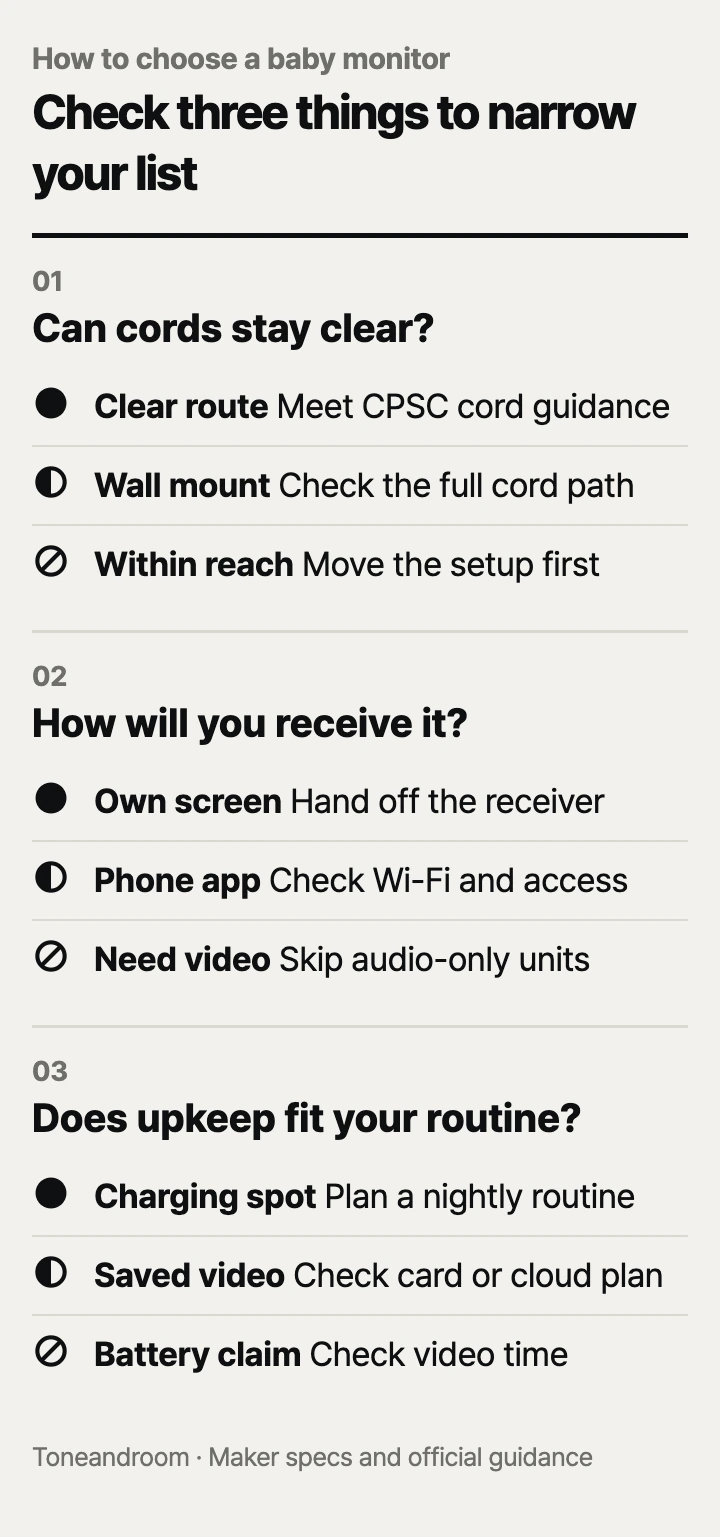
The common mistake is buying a baby monitor for its screen size before figuring out where the camera, cord, and receiving device will go. Before choosing one, check these three things, in order
Can you place the monitor without bringing cords near the crib?
Choose the camera location and cord route before choosing the screen. The CPSC says monitor cords belong at least 3 feet from any part of a crib, bassinet, or play yard, and monitors should never sit inside or on the edge of a crib. Wall mounting still requires keeping the cord out of a child's reach. CPSC cord safety guidance.
That makes the outlet location a buying criterion. In a small nursery or shared bedroom, the convenient shelf may be beside the crib while the usable outlet is across the room. Sketch the full route from device to outlet, including any slack, before deciding that a camera fits. Following the CPSC's clearance guidance can mean moving the shelf or changing the viewing angle.
Swipe sideways to see the full table →
| If your home ... | Our take | What to check |
|---|---|---|
| Has a shelf and outlet away from the crib | Worth it | Cord clearance and a usable camera angle |
| Needs a wall mount to see the sleep space | It depends | Mounting permission and the entire cord route |
| Has no spot that meets CPSC cord guidance | Skip it | Rearrange the setup before adding a monitor |
| Only needs sound from the next room | Only some models | An audio unit may cover the actual need |
HelloBaby lists remote pan and tilt for the HB6550, which lets you adjust framing from its parent screen. Tapo's C100 has a fixed camera view, so placement matters more if furniture blocks the angle. Neither arrangement changes the CPSC's cord requirements.
For an audio monitor, you can choose a location without arranging a camera view. That is a practical advantage when you mainly want to hear the nursery from the kitchen. The CPSC's cord guidance still applies to the baby unit and its adapter.
Do you need a separate screen or viewing through your phone?
Choose a dedicated receiver for home handoffs, or a phone camera when app access is the feature you need. HelloBaby describes the HB6550 as a non-Wi-Fi system with a 5-inch display; Tapo specifies 1080p video and 2.4 GHz Wi-Fi for the C100. Those are different ways to receive a picture, even when both cameras sit on the same shelf. HelloBaby specifications, Tapo specifications.
A separate screen is easy to leave with whoever is handling bedtime. You do not have to lend that person your phone or make their phone part of the setup. The HB6550 makes sense for households that want video at home and prefer to avoid app accounts. Its camera still needs an outlet; wireless communication does not mean every component is cordless.
The C100 is a complete indoor security camera that Tapo also markets for monitoring children. Its low price suits someone who already wants app viewing and accepts managing the camera through a phone. It does not include a dedicated parent screen. Before ordering, check the nursery's Wi-Fi coverage and who will manage access when a grandparent or babysitter takes over.
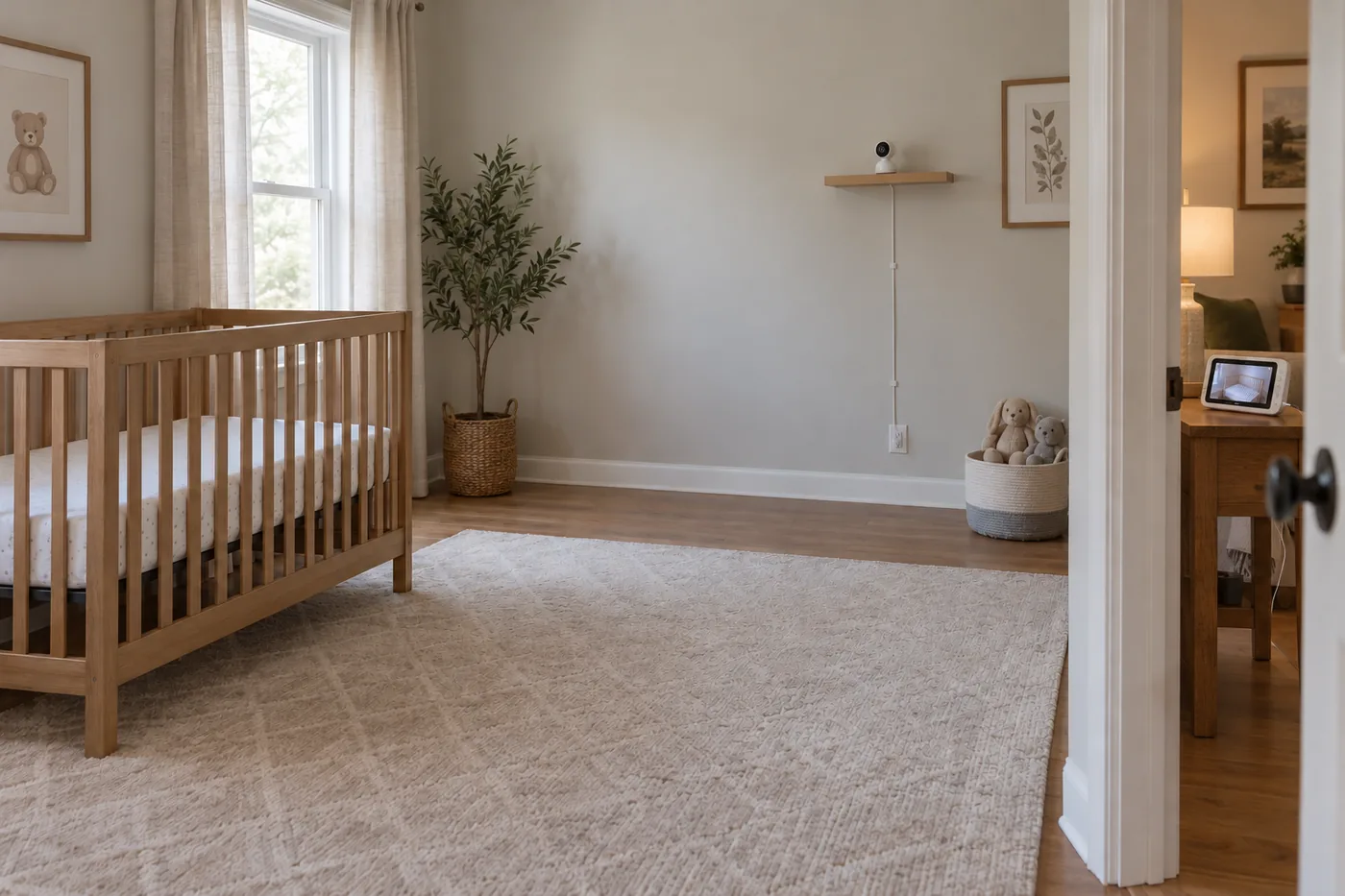 AI-generated illustration for explanation. Not a specific product.
VTech's DM111 takes the simpler audio route: its maker lists DECT 6.0 transmission, a belt clip, and a five-level sound indicator. There is no video picture to frame or app feed to open. It suits a caregiver who wants to carry a receiver while doing chores and has no need to look into the room. VTech DM111 features.
Before deciding, walk through the actual handoff:
- Identify the device the evening caregiver will carry.
- Decide whether a picture is necessary or sound covers the task.
- Include the basement, kitchen, and closed bedroom doors in your connection check.
HelloBaby specifies its maximum range for an open area. Treat an advertised range as a limit under stated conditions, rather than a promise for every room in a house.
Will the power routine and ongoing upkeep fit your evenings?
Compare the battery mode and daily chores before paying for extra features. HelloBaby ties its up-to-30-hour claim to power-saving operation, while VTech lists up to 8 hours of portable operation for the current DM111 rechargeable parent unit. The battery belongs to the receiver, rather than making the nursery device independent of outlet power.
A battery headline is most useful when you know what you will leave switched on. If you plan to keep the HB6550 picture visible while working, do not assume its power-saving claim describes that routine. Continuous-screen battery runtime: Not listed by the maker. Arrange a charging spot where the parent screen normally rests instead of planning around the longest advertised figure.
For the DM111, confirm the battery arrangement on the exact Amazon offer. VTech's current product page describes a rechargeable receiver, while older DM111 versions used replaceable batteries. That difference changes whether upkeep means charging or keeping spare batteries available. Avoid choosing from the model name alone.
For the C100, the ongoing work is mainly app and storage management. Tapo lists local microSD recording with a separately purchased card and optional subscription-based cloud storage. Decide whether you need saved footage at all, then check the hardware version before buying a card or relying on a particular detection feature. Tapo publishes separate C100 versions, so not every feature description necessarily matches the unit offered by a seller.
A useful evening checklist is short:
- Set a regular charging place for a dedicated receiver or viewing phone.
- Confirm which caregiver has app access and can hear the alerts they need.
- Check local recordings if you choose to keep them.
- Recheck placement against CPSC cord guidance after moving nursery furniture.
Also consider who will maintain the setup. A camera bought for an occasional visit to grandparents may be less convenient if someone must manage another account and Wi-Fi connection. An audio receiver can be enough for that visit; a dedicated video screen is the step up when a picture matters.
How do the popular picks compare side by side?
Match each product to the receiving device and upkeep routine your household wants. HelloBaby offers dedicated video, Tapo offers phone viewing, and VTech offers audio without a camera. The same comparison criteria help show why the least expensive video option is not automatically the simplest setup.
Swipe sideways to see the full table →
| Model | Connection and viewing | Camera or sound features | Power routine | Price (Amazon.com, Oct 14, 2026) | Buy |
|---|---|---|---|---|---|
| HelloBaby HB6550 | No Wi-Fi; 5-inch parent screen | Remote pan/tilt, infrared night vision, two-way audio | Plug-in camera; receiver up to 30 hours in power-saving mode | about $59.99 on Amazon.com (Oct 14, 2026) | View on Amazon |
| Tapo C100 | 2.4 GHz Wi-Fi; phone app | 1080p fixed-view video, infrared night vision, two-way audio | Plug-in camera; viewing depends on your phone's battery | about $24.99 on Amazon.com (Oct 14, 2026) | View on Amazon |
| VTech DM111 | DECT 6.0; audio parent unit | Five-level sound indicator; no video | Plug-in baby unit; current rechargeable receiver up to 8 hours | Price varies; check Amazon | View on Amazon |
Prices are what Amazon.com showed on Oct 14, 2026 and change often.
The HelloBaby HB6550 fits caregivers who want a picture on a separate screen. The Tapo C100 fits a tight video budget when phone viewing is welcome. The VTech DM111 fits households that only need sound.
Amazon's Oct 14, 2026 “bought in past month” labels were 30K+ for HelloBaby, 10K+ for Tapo, and 7K+ for VTech. Those labels indicate popularity, not connection performance in your home. Choose from the setup requirements first, then use popularity as supporting context.
A closer look at each product
If you want video without Wi-Fi · HelloBaby HB6550
A dedicated 5-inch screen and remote pan/tilt suit caregivers who want to hand off a video receiver at home. HelloBaby specifies a non-Wi-Fi connection.
- Dedicated 5-inch parent screen
- Remote pan/tilt and two-way audio
- No Wi-Fi or app required
- Camera requires outlet power
- Up-to-30-hour battery claim uses power-saving operation
If you want low-cost phone viewing · Tapo C100
Tapo lists 1080p video, two-way audio, and 2.4 GHz Wi-Fi for this complete indoor camera. It fits buyers who want an app rather than a dedicated parent screen.
- 1080p video and infrared night vision
- Two-way audio
- Optional local microSD recording
- No dedicated parent screen; fixed camera view
- Hardware version affects features and memory-card compatibility
If you only need to hear the room · VTech DM111
DECT 6.0 audio transmission, a belt clip, and a five-level sound indicator suit caregivers who want a receiver without video. Confirm the battery version on the exact offer.
- No Wi-Fi required
- Five-level visual sound indicator
- Belt clip for carrying the receiver
- No video
- Battery arrangement differs between current and older versions
In one sentence
Choose a baby monitor by cord clearance, connection, and power upkeep before comparing screen size.
HelloBaby HB6550
View on AmazonTapo C100
View on AmazonVTech DM111
View on AmazonWhat to check
- Cord clearance · CPSC: cords at least 3 feet from any part of the cribMap the entire cord route from the device to the outlet against CPSC clearance guidance.
- Connection · Dedicated video, phone video, or audio onlyChoose the receiving device and check its connection in the rooms where caregivers will carry it.
- Power and upkeep · Charging mode, app access, and optional recordingsPlan a charging spot and confirm the exact battery or camera hardware version before ordering.
- Cord clearance
- Connection
- Power and upkeep
Frequently asked questions
Do baby monitors work without Wi-Fi?
Yes. HelloBaby HB6550 uses a direct non-Wi-Fi link with a parent screen, and VTech DM111 uses DECT audio transmission. Tapo C100 needs Wi-Fi for its app connection.
How far should a baby monitor be from the crib?
The CPSC says cords must stay at least 3 feet from any part of the crib, bassinet, or play yard and out of the child's reach. It also says never to place a monitor inside or on the edge of a crib, including when arranging a wall-mounted setup.
Can I use an indoor security camera as a baby monitor?
Tapo markets the C100 for monitoring children as well as indoor security. It provides phone viewing without a dedicated parent screen, so check app access and the exact hardware version. CPSC cord guidance still applies to placement.
Does a 30-hour baby monitor battery claim mean continuous video?
HelloBaby links the HB6550 up-to-30-hour claim to power-saving operation. Continuous-screen runtime is not listed by the maker, so plan a charging location if you want to leave the picture visible.
Sources
- HelloBaby HB6550 specifications · Oct 14, 2026
5-inch screen, remote pan/tilt, non-Wi-Fi link, and up to 30 hours in power-saving operation; 1,000-foot maximum range is for an open area.
- Tapo C100 US specifications · Oct 14, 2026
1080p video, 2.4 GHz Wi-Fi, fixed view, two-way audio, adapter power, and optional local/cloud storage; hardware versions have different features.
- VTech DM111 current specifications · Oct 14, 2026
DECT 6.0, five-level sound indicator, belt clip, and current rechargeable receiver rated for up to 8 hours.
- CPSC baby monitor cord safety · Oct 14, 2026
Keep cords at least 3 feet from any part of a sleep space and out of reach; never position a monitor inside or on the edge of a crib.
Read next

Best nursing pillows on Amazon.com (2026): fit, feeding use, and cleanup
Best Baby Nasal Aspirator on Amazon.com (2026): Check Tip Fit, Cleaning, and Power First
Best Baby Food Maker on Amazon.com (2026): 3 Things to Check First
Best Baby Bathtubs on Amazon.com (2026): Check Fit, Support, and Drying First
Other topics

Best Weighted Blanket on Amazon.com (2026): Check Weight, Coverage, and Care First

Best Coffee Grinders on Amazon.com (2026): Check Brew Method, Space, and Cleanup First
Best rechargeable hand warmers on Amazon.com (2026): pocket fit, runtime, and charging