Conclusion
The cheaper Synology DS225+ suits households focused on shared files and scheduled backups. Choose the UGREEN DXP4800 Plus when extra drive bays and a compatible faster wired network serve a growing media library.
3 selected products
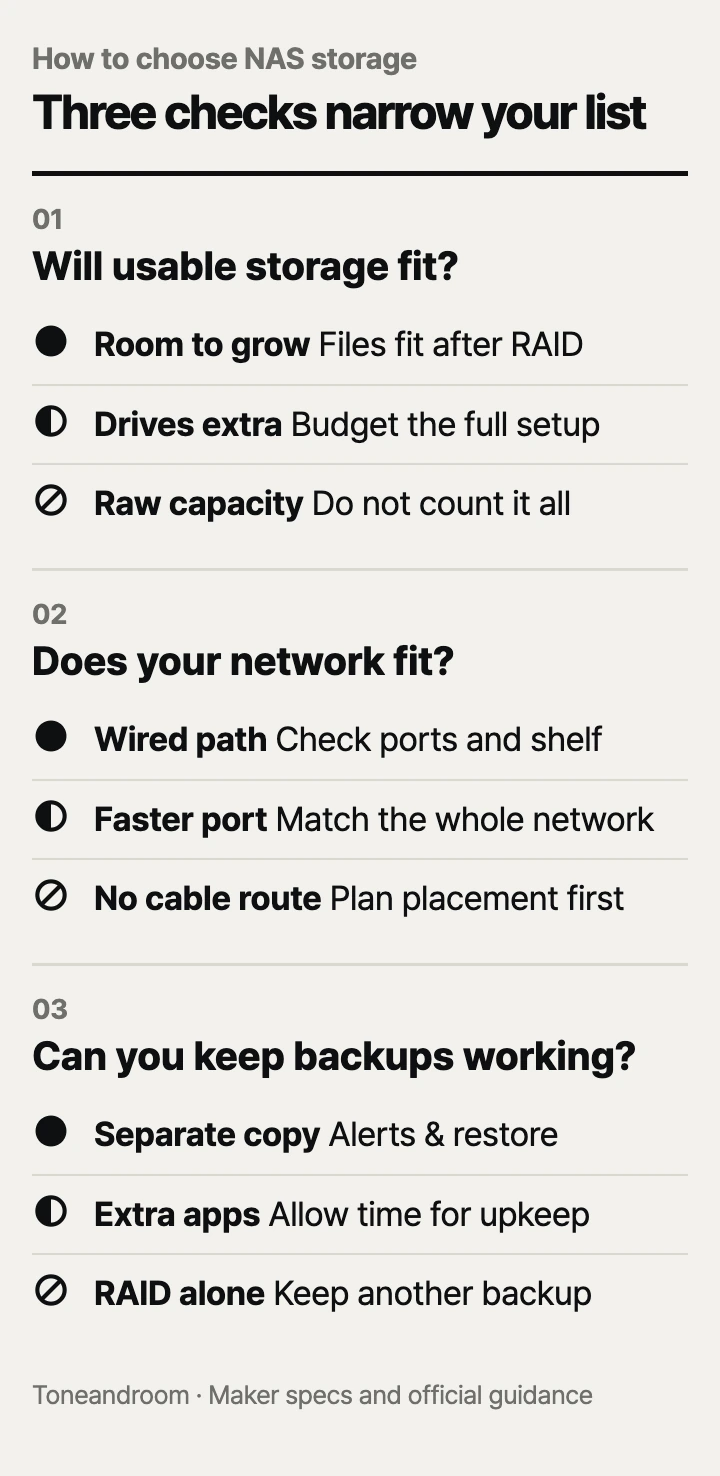
Buying a NAS by its advertised terabytes is a common mistake: the drives may cost extra, and that headline capacity is not what remains after adding redundancy. Before choosing a box for your home, check these three things, in order
How much usable storage does your household need?
Choose the drive layout and usable capacity before comparing enclosure prices. UGREEN identifies the DXP2800 and DXP4800 Plus as diskless, and Amazon identifies the Synology DS225+ the same way: storage drives are separate purchases. A NAS enclosure contains the networked computer and drive bays; an internal NAS hard drive alone cannot provide that service. UGREEN DXP2800 specifications, Synology DS225+ on Amazon.
Start by checking how much space your computers, phone photo libraries, and existing backup drives use. Include the files you expect to keep, then leave room for new photos and older backup versions. Do not count a phone library and its existing computer copy as separate collections unless you intend to store both.
Swipe sideways to see the full table →
| If your home ... | Our take | What to check |
|---|---|---|
| Shares photos and computer backups across devices | Worth it | Usable space after redundancy and backup versions |
| Stores files for a single computer with little sharing | It depends | Whether an external drive covers the need |
| Will keep growing a large video archive | Only some models | Extra bays and the planned drive layout |
| Expects RAID to replace a separate backup | Skip it | A backup destination outside the NAS |
UGREEN lists two SATA bays for the DXP2800 and four for the DXP4800 Plus. Its larger model also supports RAID 5 and RAID 6, giving you more layout choices as the collection grows. That makes it the more flexible enclosure for a household keeping original video projects or a shared media archive. UGREEN DXP4800 Plus specifications.
Mirroring stores matching data on drives rather than combining all their space into usable storage. Synology specifically says usable capacity depends on the drives and RAID configuration. Compare the space left for your files, rather than adding every drive label together. Neither spare bays nor RAID remove the need to recover deleted or damaged files from another copy. Synology storage specifications.
- List the folders and devices you actually want to back up.
- Check the exact drive model against the NAS maker's compatibility guidance.
- Budget for the enclosure, storage drives, and a separate backup destination.
- Decide how you will expand when the original drives fill up.
Can your network and room support the NAS you want?
Choose a place with an Ethernet connection before paying for a faster network port. UGREEN lists a 2.5GbE port on the DXP2800 and both 10GbE and 2.5GbE on the DXP4800 Plus; neither model lists built-in Wi-Fi. Synology lists both 2.5GbE and 1GbE on the DS225+. These are wired network connections, so check the route from the NAS to your router or switch. UGREEN DXP2800 specifications, UGREEN DXP4800 Plus specifications, Synology port specifications.
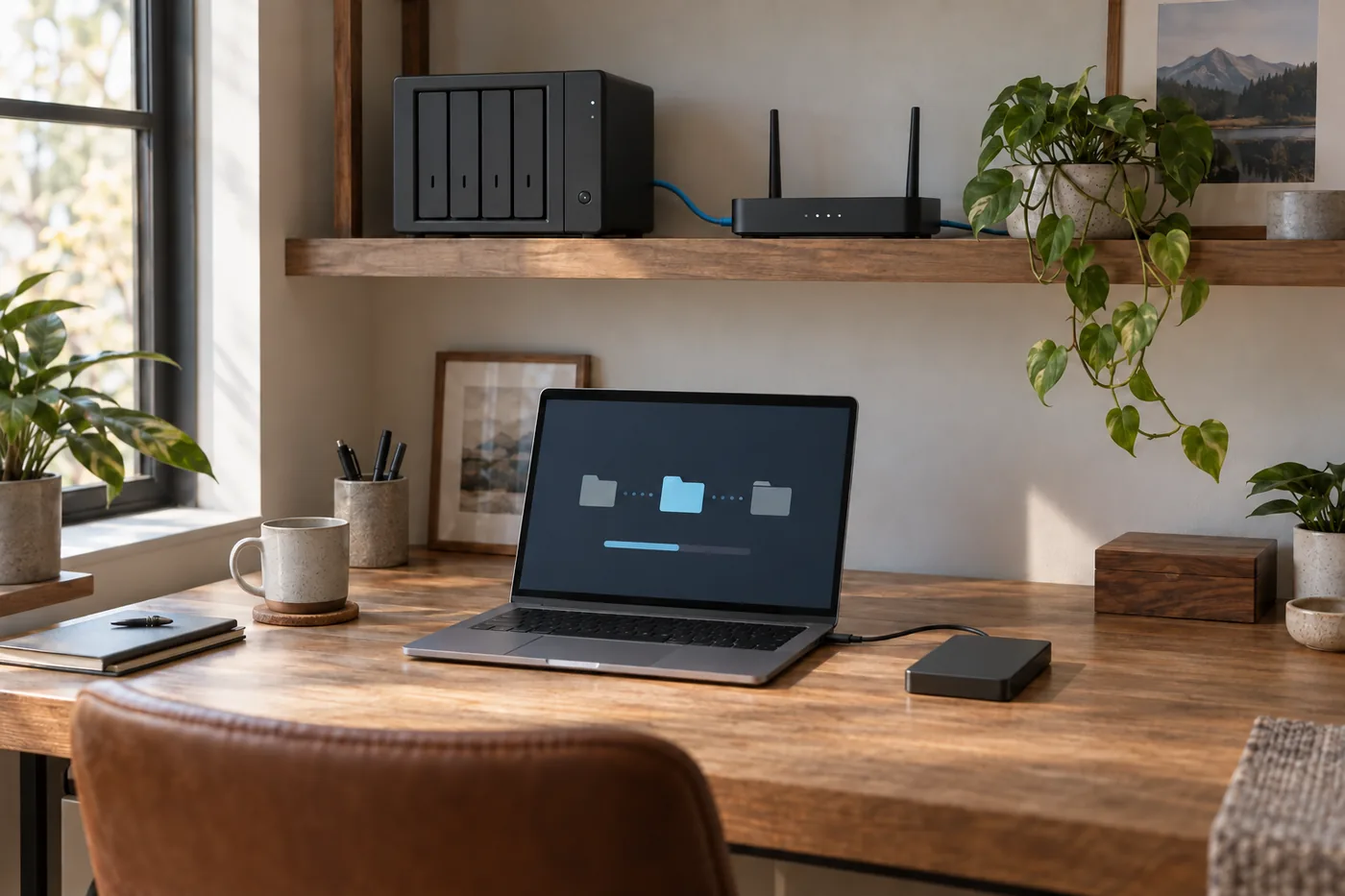 AI-generated illustration for explanation. Not a specific product.
The faster port is useful only when the rest of the connection supports it. Check the computer's Ethernet adapter and the switch ports between it and the NAS. A laptop using Wi-Fi is another part of that path. UGREEN's Amazon guidance says actual transfers depend on the router, processor, drives, and file size, so a port rating is not a promise of copying speed. UGREEN DXP4800 Plus on Amazon.
For overnight backups and occasional photo browsing, replacing network hardware may have little practical value. For frequent large project transfers, price the network upgrade alongside the enclosure. The DXP2800 offers a compact middle option if you want extra applications without building a faster wired workstation setup. UGREEN's Amazon listing specifies an Intel N100 processor, 8GB DDR5 memory, and support for Docker and virtual machines. Check the requirements of each application before assuming those features cover your workload. UGREEN DXP2800 on Amazon.
Measure the shelf and leave room for the power adapter, cable bends, and access to the drive trays. UGREEN lists the DXP2800 at 9.1 by 4.3 by 7.0 inches and the DXP4800 Plus at 10.1 by 7.0 by 7.0 inches. Amazon lists the DS225+ at 9.14 inches deep, 4.25 inches wide, and 6.5 inches high. Those enclosure dimensions are only the starting point for placement. A spot beside your pillow or microphone also deserves more thought than a utility shelf away from daily seating. UGREEN enclosure specifications, Synology dimensions on Amazon.
Who will keep backups and maintenance working?
A NAS is a good fit when someone will check backups, updates, and recovery. Synology describes scheduled backups to external drives, remote servers, and cloud destinations for the DS225+. That supports a household backup plan, but you still need to choose the destination and schedule. Synology also notes that its C2 cloud storage requires a subscription; owning the enclosure does not make every backup service free. Synology backup guidance.
Decide who will receive drive-health and backup alerts. Keep a record of which folders are covered, and restore a small file periodically to confirm that recovery works. If a phone's photos are central to the purchase, check the app's permissions and background-upload settings during setup. Do not erase the old copies simply because the NAS now shows the files.
- Assign someone to check failed backup jobs and available space.
- Include NAS software updates in your regular computer-maintenance routine.
- Keep an independent copy of irreplaceable photos and documents.
- Review shared-folder access when household members or work arrangements change.
How do the popular picks compare side by side?
Choose the DS225+ for household backups, the DXP2800 for a compact app-focused setup, or the DXP4800 Plus for more bays and faster wired transfers. Amazon showed “1K+ bought in past month” for each on Oct 14, 2026. That is a popularity signal, not a measure of reliability or suitability. DS225+, DXP2800, DXP4800 Plus.
Swipe sideways to see the full table →
| Model | SATA drive bays | Processor / included RAM | Wired network ports | Price (Amazon.com, Oct 14, 2026) | Buy |
|---|---|---|---|---|---|
| Synology DS225+ | 2; diskless | Intel Celeron J4125 / 2GB DDR4 | 2.5GbE + 1GbE | about $247.00 on Amazon.com (Oct 14, 2026) | View on Amazon |
| UGREEN NASync DXP2800 | 2; diskless | Intel N100 / 8GB DDR5 | 2.5GbE | about $389.99 on Amazon.com (Oct 14, 2026) | View on Amazon |
| UGREEN NASync DXP4800 Plus | 4; diskless | Intel Pentium Gold 8505 / 8GB DDR5 | 10GbE + 2.5GbE | about $656.99 on Amazon.com (Oct 14, 2026) | View on Amazon |
Prices are what Amazon.com showed on Oct 14, 2026 and change often.
UGREEN and Synology publish the hardware specifications above; drives are extra for all three. The cheaper DS225+ makes sense when sharing and scheduled backups are the main jobs. Spend more when you can name the applications, extra drive bays, or wired transfer needs that justify the larger budget. UGREEN hardware specifications, Synology hardware specifications.
A closer look at each product
If you mainly share files and back up household devices · Synology DS225+
The diskless enclosure has two SATA bays and a 2.5GbE port. Synology describes scheduled backup options for external drives, remote servers, and cloud destinations.
- Two SATA bays with RAID 1 support
- 2.5GbE and 1GbE ports
- Scheduled backup options outside the NAS
- Storage drives cost extra
- Included 2GB DDR4 memory limits application headroom
If you want extra apps in a compact setup · UGREEN NASync DXP2800
Intel N100 and 8GB DDR5 memory support an app-focused home setup with Docker and virtual machines. Two SATA bays keep the enclosure compact, with 2.5GbE for a compatible wired network.
- Intel N100 with 8GB DDR5 memory
- Two SATA bays and two M.2 NVMe slots
- Docker and virtual-machine support
- Storage drives cost extra
- Only two SATA bays for future growth
If your media archive is growing and transfers are frequent · UGREEN NASync DXP4800 Plus
Four SATA bays and RAID 5/6 support offer more storage-layout choices. Built-in 10GbE benefits large transfers when the computer and network equipment also support it.
- Four SATA bays with RAID 5/6 support
- 10GbE and 2.5GbE ports
- Intel Pentium Gold 8505 with 8GB DDR5 memory
- Drives and network upgrades add to the budget
- Larger enclosure needs more shelf space
In one sentence
Choose NAS storage by usable capacity, wired network and placement, and the backup routine you can maintain.
Synology DS225+
View on AmazonUGREEN NASync DXP2800
View on AmazonUGREEN NASync DXP4800 Plus
View on AmazonWhat to check
- Usable capacity · Match drive layout to files and growthCheck current storage use and the space left after your chosen redundancy layout.
- Wired network and placement · Match Ethernet ports and shelf spaceMeasure the shelf and check the router, switch, and computer connections along the cable route.
- Backup routine · Choose an independent copy and an ownerChoose a backup destination outside the NAS and assign someone to check alerts and restore files.
- Usable capacity after redundancy
- Ethernet connection and shelf space
- Independent backup destination and maintenance owner
Frequently asked questions
Do these NAS systems come with hard drives?
All three are diskless enclosures, so storage drives are separate purchases. Check the exact drive model against the maker's compatibility guidance and include an independent backup destination in the budget.
Can I use a NAS with a Wi-Fi router?
You can connect these NAS systems to a router or switch with Ethernet while accessing them from a laptop or phone over Wi-Fi. Neither selected UGREEN model lists built-in Wi-Fi, and the wireless connection can limit transfers.
Is RAID enough to back up family photos?
RAID redundancy does not replace an independent backup. Keep another copy outside the NAS and periodically restore a file to confirm that your recovery process works.
Is a two-bay or four-bay NAS better for home use?
Two bays can suit a household whose shared files and backups fit its planned mirrored storage. Four bays provide more layout choices for a growing archive; the DXP4800 Plus supports RAID 5 and RAID 6.
Sources
- UGREEN NASync DXP2800 specifications · Oct 14, 2026
Two SATA bays, two M.2 slots, Intel N100, 8GB DDR5, 2.5GbE, diskless status, and 9.1 by 4.3 by 7.0 inch dimensions; redirects to UGREEN's current official store.
- UGREEN NASync DXP4800 Plus specifications · Oct 14, 2026
Four SATA bays, Intel Pentium Gold 8505, 8GB DDR5, 10GbE and 2.5GbE, RAID 5/6 support, diskless status, and 10.1 by 7.0 by 7.0 inch dimensions; redirects to UGREEN's current official store.
- Synology DS225+ specifications and backup guidance · Oct 14, 2026
Two SATA bays, Intel Celeron J4125, 2GB DDR4, 2.5GbE and 1GbE, RAID 1, variable usable capacity, scheduled backup destinations, and paid C2 storage.
Read next
Best Monitor Arm on Amazon.com (2026): Desk Fit, Screen Fit, and Movement Room
Best Gaming Mouse on Amazon.com (2026): Check Grip, Connection, and Controls First
Best Mechanical Keyboards on Amazon.com (2026): Check Desk Fit, Switches, and Setup First
Best USB-C Hub on Amazon.com (2026): Check Your Laptop, Ports, and Charging First
Other topics
Best Baby Bouncers on Amazon.com (2026): Check Baby Fit, Floor Space, and Upkeep First
Best memory foam mattress on Amazon.com (2026): check fit, feel, and care first
Best Stand Mixer on Amazon.com (2026): Check Counter Clearance, Batch Size, and Cleanup First