Conclusion
The lower-cost Deco X15 suits households that need wider everyday coverage and are comfortable with Gigabit ports. Choose the Deco BE25 for faster wired links or the Deco BE63 when an extra radio band and more ports meet a specific need.
3 selected products
The common mistake is buying the biggest coverage number without finding good places for the nodes. Before paying for a faster mesh system, check these three things, in order
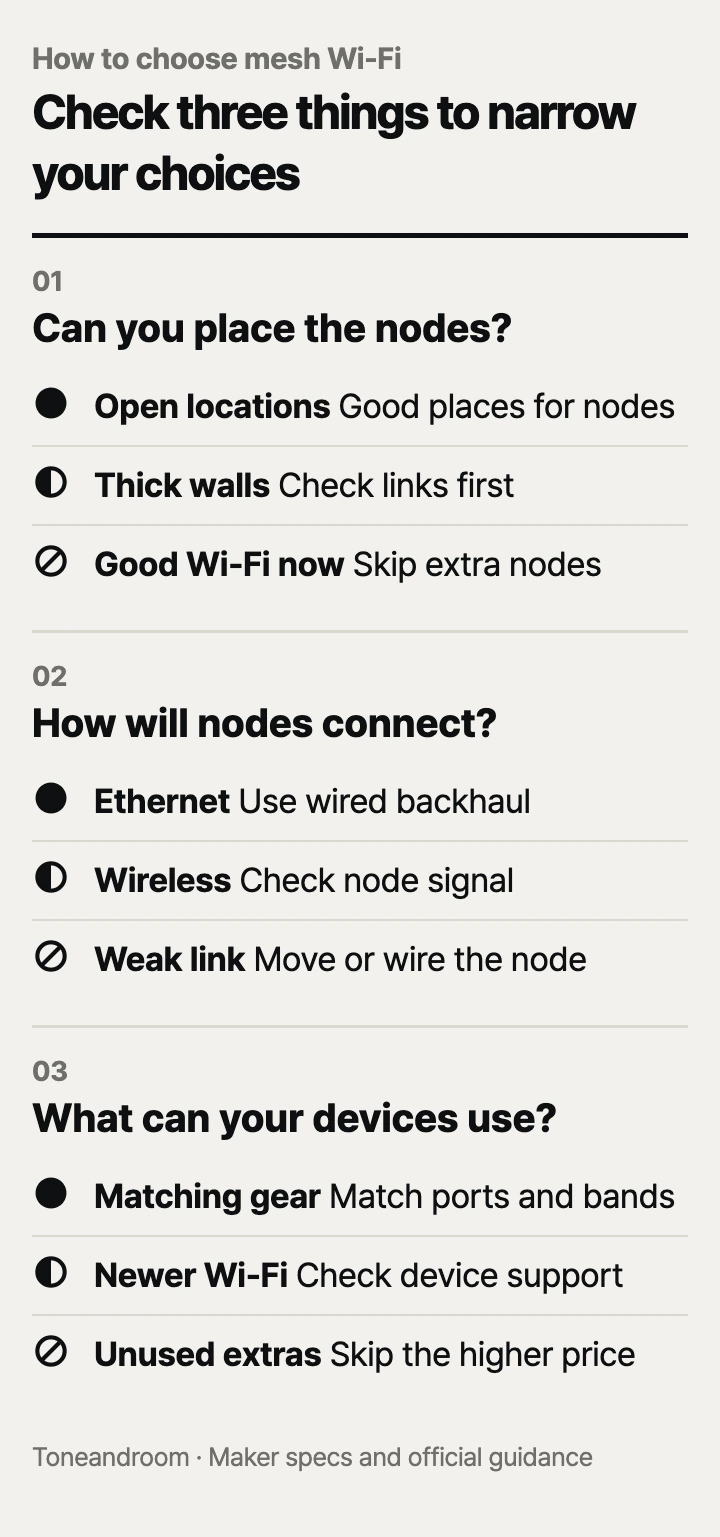
Can you place the nodes where they can connect well?
Mesh is worth considering when distant rooms need better coverage and you have practical places for the nodes. TP-Link's Deco placement guide recommends open locations and checking each satellite's connection to its source node in the app. A node tucked behind furniture or placed at the far end of a weak connection can undermine the purchase.
Start with the rooms where you actually need a steady connection: the upstairs office, the living room TV, or the bedroom beyond the kitchen. Mark the modem or internet terminal, available outlets, and possible node locations on your floor plan. The route between those locations matters more than simply adding up floor area.
Swipe sideways to see the full table →
| If your home ... | Our take | What to check |
|---|---|---|
| Has weak Wi-Fi in distant rooms and usable node locations | Worth it | The connection between nodes along that route |
| Already has reliable Wi-Fi everywhere you use it | Skip it | Whether there is a coverage problem to solve |
| Has thick walls and no practical cable route | It depends | Whether intermediate locations give the nodes a strong link |
| Needs faster connections than Gigabit Ethernet supports | Only some models | Port speeds throughout the connection path |
- Identify the rooms where calls or streaming lose their connection.
- Find locations you can leave accessible after setup.
- Check the exact package size before ordering; a single node and a mesh kit serve different needs.
For a small apartment with good existing coverage, a mesh kit may add expense and equipment without solving a problem. For a multistory house, plan around floors and intervening walls before choosing a larger advertised coverage figure.
Will the nodes connect by Ethernet or by Wi-Fi?
Choose the backhaul path before choosing the speed class. Backhaul is the connection carrying traffic between mesh nodes. TP-Link recommends Ethernet where the home is already wired because it provides a more stable connection than wireless backhaul. That makes existing Ethernet outlets a useful part of your shopping decision.
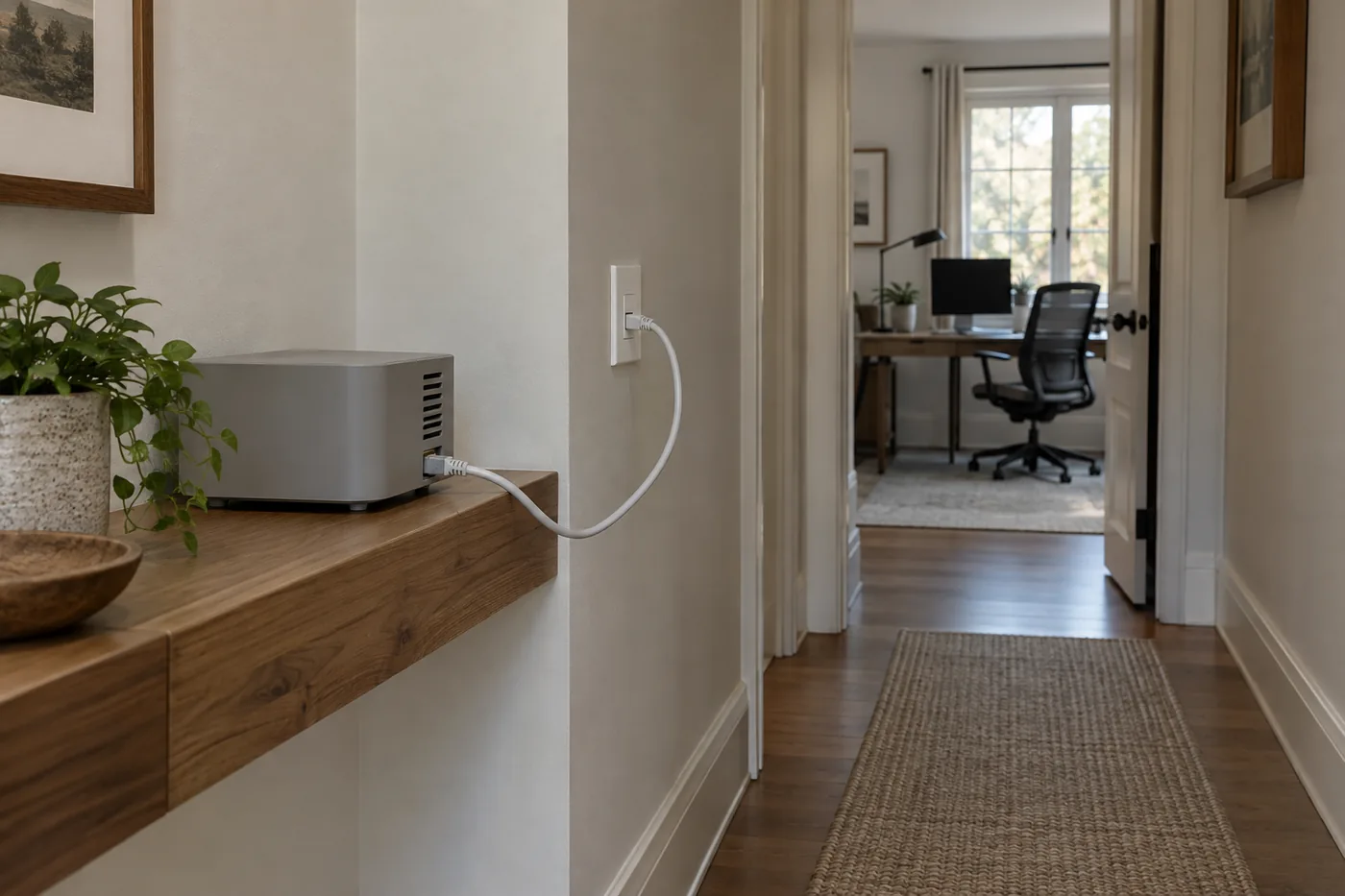 AI-generated illustration for explanation. Not a specific product.
The TP-Link Deco X15 three-pack supports Ethernet backhaul and has two Gigabit ports per unit. It is the lower-cost option here when the priority is extending everyday coverage. Wiring its nodes does not turn those ports into faster connections, so skip it if your main goal is carrying an internet plan above Gigabit speed through Ethernet.
The TP-Link Deco BE25 three-pack has two 2.5 Gbps ports per unit. It is a better fit when you have Ethernet between rooms and want faster wired links. Count the connections at the main node: the incoming internet cable and a cable to another node can occupy both ports, leaving no direct socket for a desktop. A compatible Ethernet switch may be an additional purchase.
The BE63 adds more flexibility for wired equipment. TP-Link's BE63 specifications confirm four 2.5 Gbps ports per unit. Do not plan around a 10 Gbps Ethernet connection for this model; its published port specification is 2.5 Gbps.
Without Ethernet, look for usable locations along the route to the weak room. An extra radio band can add options, but it cannot guarantee a strong connection through your particular walls. Our take: spend on the BE63 when its added band or ports solve a clear need, while keeping placement central to the decision.
Do your internet plan, devices, and setup needs justify the upgrade?
Pay for capabilities your connection and devices can use, and check the app and upkeep before ordering. TP-Link lists the Deco BE25 as dual-band Wi-Fi 7 with 2.4 GHz and 5 GHz radios. The Wi-Fi 7 label alone does not mean it includes a 6 GHz band.
The Deco BE63 on Amazon.com is tri-band Wi-Fi 7 with 2.4 GHz, 5 GHz, and 6 GHz radios. Its extra band makes it the more flexible choice for households with compatible newer devices and demanding local transfers. TP-Link says clients must support the corresponding Wi-Fi features to use them. Check your laptop or phone's specifications rather than assuming an older device gains every capability from a new router.
The Deco X15's official specifications describe dual-band Wi-Fi 6 and Gigabit Ethernet. That is a reasonable starting point when your concern is reaching the home office or TV without paying for ports and radios you do not need. It remains a coverage purchase, with results dependent on how you connect and position the nodes.
Advertised wireless speed classes combine radio capabilities; they are not promises of download speed on a single device. A faster mesh system also cannot raise the speed your provider delivers. Check both your plan and the port on the modem or internet terminal feeding the main node.
- Confirm whether you will replace the existing router or use the maker's access point mode.
- Check that you can use the Deco app for setup and ongoing management.
- Count wired devices and backhaul cables before choosing a model.
- Check which parental controls you need; TP-Link says advanced HomeShield features require a paid subscription on the BE25 and BE63.
TP-Link's Amazon listings direct owners to keep firmware updated through the Deco app. Leave equipment and cable connections accessible for that ongoing management and for troubleshooting. Before retiring your provider's gateway, confirm whether it also supports services you intend to keep.
How do the popular picks compare side by side?
The X15 suits lower-cost coverage, the BE25 suits faster wired links, and the BE63 suits households needing an extra band and more ports. TP-Link lists complete three-unit packages for these models. Compare the same package size and treat every coverage figure below as an advertised maximum, not a promise for your floor plan.
Swipe sideways to see the full table →
| Model | Wi-Fi standard and bands | Ethernet per unit | Advertised coverage, three-pack | Price (Amazon.com, Oct 14, 2026) | Buy |
|---|---|---|---|---|---|
| TP-Link Deco BE25 (3-Pack), Deco 7 BE5000 | Wi-Fi 7; 2.4 and 5 GHz | Two 2.5 Gbps ports | Up to 6,600 sq. ft. | about $208.73 on Amazon.com (Oct 14, 2026) | View on Amazon |
| TP-Link Deco BE63 (3-Pack), Deco 7 Pro BE10000 | Wi-Fi 7; 2.4, 5, and 6 GHz | Four 2.5 Gbps ports | Up to 7,600 sq. ft. | about $396.50 on Amazon.com (Oct 14, 2026) | View on Amazon |
| TP-Link Deco X15 (3-Pack), AX1500 | Wi-Fi 6; 2.4 and 5 GHz | Two Gigabit ports | Up to 5,600 sq. ft. | about $105.91 on Amazon.com (Oct 14, 2026) | View on Amazon |
| Prices are what Amazon.com showed on Oct 14, 2026 and change often. |
Amazon's dated popularity labels were 7K+ bought in past month for the BE25, 5K+ for the BE63, and 1K+ for the X15 on Oct 14, 2026. These are shopping signals, not evidence of performance in your home. All three choices are TP-Link systems, so this comparison focuses on distinct equipment needs within the Deco family.
Choose the X15 if reducing coverage gaps is the priority and Gigabit connections fit your needs. Choose the BE25 if Ethernet wiring and faster ports are the reason to upgrade. Choose the BE63 if you can use its extra radio band or need more wired connections at each node. If you cannot identify workable node locations, resolve that first; buying the higher-priced kit does not remove the placement problem.
A closer look at each product
If you have Ethernet and want faster wired links · TP-Link Deco BE25 (3-Pack)
Two 2.5 Gbps ports per unit and Ethernet backhaul suit homes with wired rooms and compatible faster connections. Its dual-band Wi-Fi 7 radios do not include 6 GHz.
- Two 2.5 Gbps ports per unit
- Supports wired and wireless backhaul
- Complete three-unit kit
- No 6 GHz band
- Incoming internet and wired backhaul can occupy both main-node ports
If you need an extra band and more wired connections · TP-Link Deco BE63 (3-Pack)
Tri-band Wi-Fi 7 adds a 6 GHz radio, while four 2.5 Gbps ports per unit provide more connection options. Its higher cost makes sense when those capabilities address actual household needs.
- Tri-band Wi-Fi 7 with 6 GHz
- Four 2.5 Gbps ports per unit
- Supports Ethernet backhaul
- Highest price of these three kits
- Newer Wi-Fi features require compatible clients
If you want lower-cost coverage for everyday devices · TP-Link Deco X15 (3-Pack)
A complete Wi-Fi 6 kit with Ethernet backhaul offers a lower-cost route to extending coverage. Gigabit ports fit households that do not need faster wired connections.
- Lowest price of these three kits
- Two Gigabit ports per unit
- Supports Ethernet backhaul
- No 6 GHz band
- Gigabit ports limit faster wired connection plans
In one sentence
Start with node placement, choose a backhaul path, then match the ports and radio bands to your plan and devices.
TP-Link Deco BE25 (3-Pack)
View on AmazonTP-Link Deco BE63 (3-Pack)
View on AmazonTP-Link Deco X15 (3-Pack)
View on AmazonWhat to check
- Node placementMap weak rooms, outlets, and accessible node locations, then check the wireless connection along the route.
- BackhaulCheck for working Ethernet between rooms or usable locations for a strong wireless connection between nodes.
- Plan and devicesMatch your provider connection, wired devices, and supported Wi-Fi bands to the ports and radios you will use.
- Node placement
- Backhaul
- Plan and devices
Frequently asked questions
Does a mesh Wi-Fi system replace my modem?
It can replace the router role, but it does not replace the equipment that delivers your provider connection. TP-Link says most providers still require a separate modem; confirm the setup with your provider before disconnecting an existing gateway.
Does every Wi-Fi 7 mesh system have 6 GHz?
No. TP-Link lists the Deco BE25 as dual-band with 2.4 GHz and 5 GHz, while the Deco BE63 adds 6 GHz. Check the bands and your device compatibility separately from the Wi-Fi generation.
Can I connect mesh Wi-Fi nodes with Ethernet?
Yes, TP-Link lists Ethernet backhaul for all three systems compared here. Check the cable route and port speeds at both ends; wiring the nodes does not increase the rated speed of their Ethernet ports.
How many mesh Wi-Fi nodes do I need for my house?
Start with the rooms that need coverage and the locations where nodes can connect well. TP-Link recommends checking the satellite connection in the Deco app before settling on a location. Advertised square footage alone cannot tell you how your walls and floors will affect coverage.
Sources
- TP-Link Deco BE25 specifications · Oct 14, 2026
Confirms dual-band Wi-Fi 7, two 2.5 Gbps ports per unit, package contents, and HomeShield subscription limitations.
- TP-Link Deco BE63 specifications · Oct 14, 2026
Confirms tri-band Wi-Fi 7 with 6 GHz, four 2.5 Gbps ports per unit, client compatibility requirements, and HomeShield subscription limitations; port specifications resolve conflicting Amazon feature text.
- TP-Link Deco X15 specifications · Oct 14, 2026
Confirms dual-band Wi-Fi 6, two Gigabit ports per unit, Ethernet backhaul, and advertised three-pack coverage up to 5,600 sq. ft.
- TP-Link Deco placement guide · Oct 14, 2026
Guidance on open node locations, checking satellite signal strength in the app, and choosing Ethernet backhaul where available.
Read next
Best Wi-Fi Router on Amazon.com (2026): Check Internet Fit, Coverage, and Upkeep First
Best NAS Storage on Amazon.com (2026): 3 Things to Check First
Best Monitor Arm on Amazon.com (2026): Desk Fit, Screen Fit, and Movement Room
Best Gaming Mouse on Amazon.com (2026): Check Grip, Connection, and Controls First
Other topics
Best Dog Stairs on Amazon.com (2026): Check Furniture Fit, Dog Fit, and Cover Care First
Best baby wipe warmers on Amazon.com (2026): check space, wipe fit, and upkeep first
Best bed frames on Amazon.com (2026): 3 things to check first