Conclusion
The cheaper Gaiatop TF30 suits close personal airflow with suitable USB power. Consider the higher-priced Dreo DR-HAF002 when you have room for a larger circulator and need its wider tilt range.
3 selected products
Buying for maximum airflow before checking where a fan will sit is the most common desk-fan mistake. Before you choose, check these three things, in order
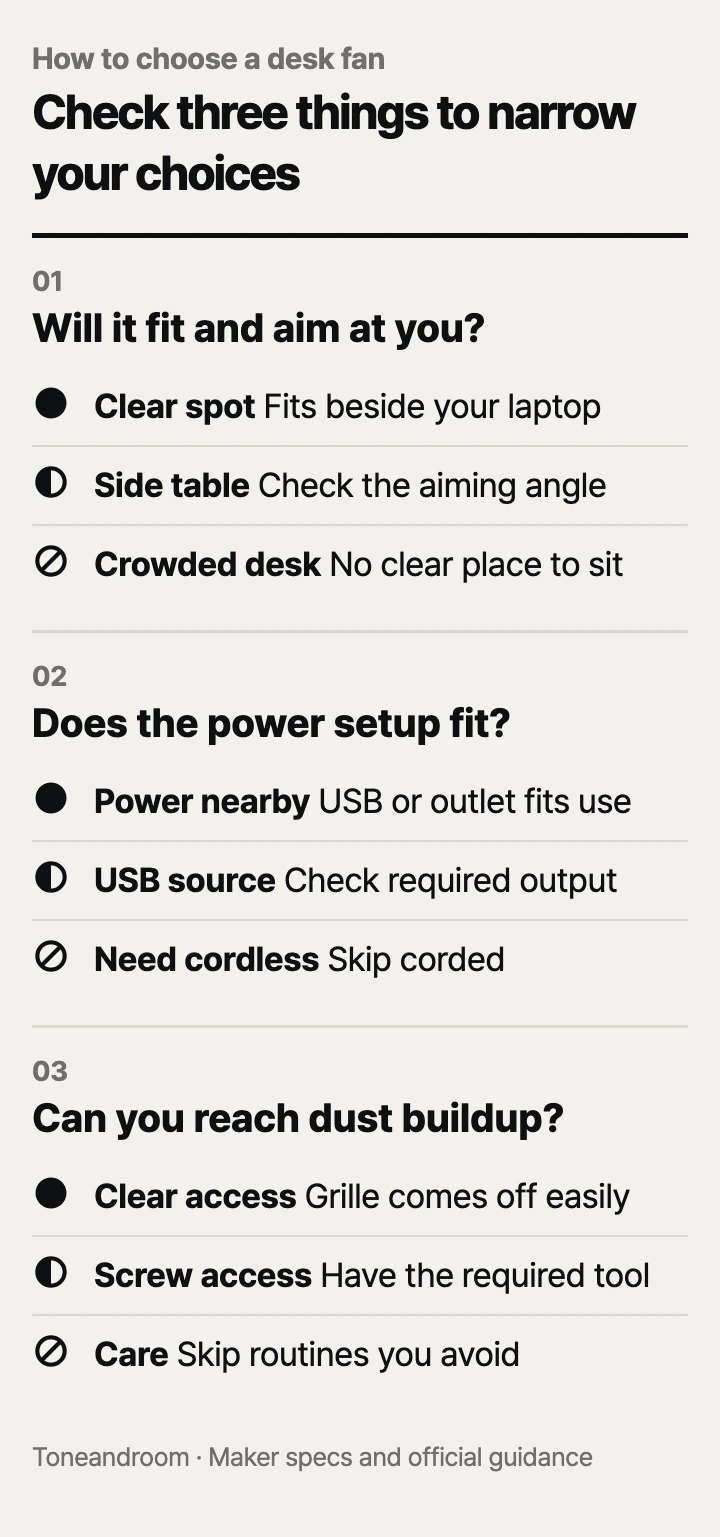
Will it fit your desk and aim where you sit?
Choose the fan's position and airflow direction before comparing its strongest setting. Honeywell lists the TurboForce HT-900 at 8.94 inches wide, 6.3 inches deep, and 10.9 inches tall, with a 90-degree pivoting head. That gives you a concrete shape to measure beside your monitor, rather than relying on the word “small.” Honeywell product details
For a crowded apartment desk, Gaiatop's TF30 is the closer fit on paper: its Amazon listing gives dimensions of 4.6 inches wide, 3 inches deep, and 5.4 inches tall. Gaiatop specifies a 30-degree vertical tilt. Decide whether that angle reaches your seated position from the actual spot available beside your laptop. A compact body loses its advantage if you have to put it in your mouse space. Gaiatop on Amazon
Swipe sideways to see the full table →
| If your home … | Our take | What to check |
|---|---|---|
| Has a crowded desk and you want personal airflow | Worth it | Whether the TF30 fits beside your laptop and aims at your chair |
| Has a fixed workspace with room beside the monitor | Worth it | HT-900 dimensions and the path to a wall outlet |
| Has a side table farther from your chair | It depends | Dreo's larger footprint and an open airflow path |
| Needs cordless operation between rooms | Skip it | These particular models need continuous external power |
Measure the usable space with your keyboard, notebook, and charging cables already in place. Then sit normally and look at the proposed fan position. A head that tilts upward does not automatically sweep from side to side, and the angle printed on the box does not tell you whether a monitor blocks the breeze.
Dreo advertises airflow reaching up to 70 feet for its DR-HAF002. Treat that as the maker's reach claim, not a promise of equal airflow throughout your home; its Amazon listing does not establish that result for your layout. Our take is to consider it when you can place a circulator away from the keyboard. Dreo on Amazon
Will the power setup suit your workday?
Choose continuous USB power for a desk with a suitable port, or a plug-in model where a wall outlet is convenient. Gaiatop says its TF30 operates without batteries. Its Amazon listing specifies a 5V/1A power source for the highest speed, so check the output on your intended adapter or hub before ordering. A USB connector alone does not establish that the fan is rechargeable. Gaiatop specifications, TF30 power requirements
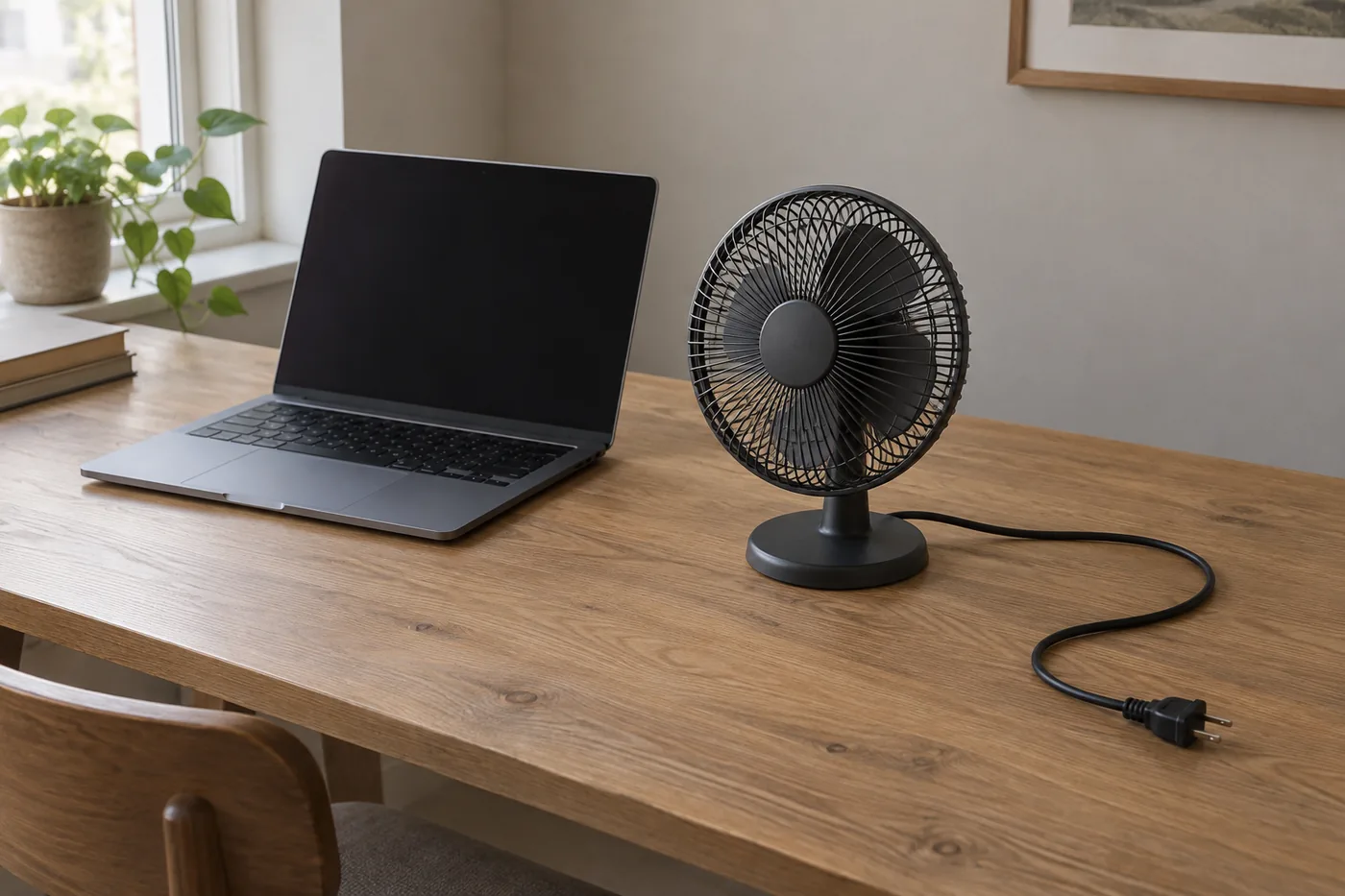 AI-generated illustration for explanation. Not a specific product.
For a permanent home office, the HT-900 avoids a charging routine. Honeywell's manual calls for a 120-volt AC wall outlet and specifically prohibits using an extension cord or power strip with this fan. Check that instruction against your setup if your desk currently relies on an under-desk power strip. Honeywell owner's manual
Dreo's DR-HAF002 also uses AC power, and its manual shows a rotary control and manual head adjustment. Paying more therefore gets you a different circulation option and tilt range; it does not automatically add cordless convenience. Dreo owner's manual
For calls, look beyond the word “quiet.” The published information does not give a comparable noise measurement across these models at the same speed and distance. A reliable cross-model noise comparison is not listed by the makers. Keep the microphone position in mind when choosing where the fan will sit, and check the seller's return terms if sound is your deciding factor.
- Identify the port or outlet you will actually use.
- Trace the cable route with the desk arranged for work.
- Decide whether moving between rooms would make a continuously powered fan inconvenient.
Can you reach the parts that collect dust?
Choose a cleaning process you are willing to repeat, including opening and reassembling the grille. Gaiatop describes a detachable front cover on the TF30. That is useful information for a small fan that may live beside your computer all season, though the product page does not provide a detailed cleaning interval. Gaiatop product details
Honeywell's manual describes loosening screws with a Phillips screwdriver to remove the HT-900 grille. Dreo's manual describes removing a grille screw, rotating the grille, and removing the blade assembly. Both involve more than wiping the outside, so account for where you will put the fan and its loose parts during cleaning. Honeywell cleaning instructions, Dreo cleaning instructions
Dreo's safety guidance says to unplug before maintenance, keep water out of the motor housing, and dry the removed parts before reassembly. Follow the instructions for the exact model; removable parts do not mean the assembled fan can be washed. Dreo maintenance guidance
Before purchasing, check whether you have a clear place to open the grille, the required tool, and somewhere to keep the instructions. If that sounds inconvenient, prioritize straightforward access over extra airflow claims. Dusting the outside may be easy, but the buying decision should account for the full care routine.
How do the popular picks compare side by side?
Gaiatop suits close personal airflow, Honeywell suits a fixed desk, and Dreo suits a larger placement with more tilt. The specifications below are published product information. All three offer three speeds; their power connections, size, and aiming range make the more useful distinctions.
Swipe sideways to see the full table →
| Model | Power | Published width/depth footprint | Speeds and vertical tilt | Price (Amazon.com, Oct 14, 2026) | Buy |
|---|---|---|---|---|---|
| Honeywell TurboForce HT-900 | Corded AC | 8.94 × 6.3 in. | 3; 90° | about $18.79 on Amazon.com (Oct 14, 2026) | View on Amazon |
| Gaiatop USB Desk Fan TF30 | Continuous USB; no battery | 4.6 × 3 in. | 3; 30° | about $7.99 on Amazon.com (Oct 14, 2026) | View on Amazon |
| Dreo Air Circulator DR-HAF002 | Corded AC | 10.8 × 9.5 in. | 3; 120° | about $39.84 on Amazon.com (Oct 14, 2026) | View on Amazon |
Prices are what Amazon.com showed on Oct 14, 2026 and change often.
Dreo's Amazon bullets and detail table reverse the width and depth labels, so allow space for both footprint dimensions. Start with the Gaiatop if you only need nearby airflow and have suitable USB power. Choose Honeywell for a fixed plug-in setup, or consider Dreo when its wider aiming range fits a position farther from your work surface.
A closer look at each product
If you have a fixed desk near a wall outlet · Honeywell TurboForce HT-900
Its corded design and pivoting head suit a permanent workspace with room beside the monitor.
- Three speed settings
- 90-degree head pivot
- Published dimensions make desk fit easy to check
- Requires a wall outlet under Honeywell's instructions
- Grille cleaning requires a Phillips screwdriver
If you need close airflow on a crowded desk · Gaiatop USB Desk Fan TF30
Its compact body suits personal airflow beside a laptop. Continuous USB power fits a desk with a suitable power source.
- Compact published footprint
- Three speed settings
- Detachable front cover
- No battery for cordless use
- Limited vertical tilt
If you can place a circulator farther from your chair · Dreo Air Circulator DR-HAF002
Its 120-degree manual tilt offers more aiming range for a side table or a larger workspace.
- Wider manual tilt range
- Three speeds with rotary control
- Removable grille and blade assembly
- Larger published footprint
- Needs continuous AC power
In one sentence
Choose a desk fan by where it fits, how it gets power, and how you will clean it.
Honeywell TurboForce HT-900
View on AmazonGaiatop USB Desk Fan TF30
View on AmazonDreo Air Circulator DR-HAF002
View on AmazonWhat to check
- Desk fit · Footprint and airflow directionMeasure the available spot with your normal work items in place and check whether the head can aim at your chair.
- Power setup · Continuous USB or wall powerIdentify the actual power source and trace the cable route before choosing a model.
- Cleaning access · Grille access and required toolsRead the model's cleaning instructions and decide where you will open and reassemble the grille.
- Desk fit and airflow direction
- Power source and cable route
- Access to the grille and blades
Frequently asked questions
Is the Gaiatop TF30 USB desk fan rechargeable?
No. Gaiatop says the TF30 operates without batteries and needs continuous USB power; its Amazon listing specifies 5V/1A for the highest speed.
Which desk fan is quiet enough for video calls?
The makers do not publish comparable noise measurements across these models at the same speed and distance. Consider the fan's position relative to your microphone and check return terms if sound is the deciding factor.
How do you clean a Honeywell HT-900?
Honeywell's guidance says to turn it off and unplug it before cleaning, then use a Phillips screwdriver to loosen the grille screws. Its manual specifies a soft, damp cloth and says to keep water out of the motor housing.
Is a larger air circulator better for a small home office?
It depends on placement. Dreo's wider tilt range can suit a side table, while the compact Gaiatop is easier to fit beside a laptop; compare the available space before paying for a larger body.
Sources
- Honeywell TurboForce HT900 official product page · Oct 14, 2026
Three speeds, 90-degree pivot, and dimensions of 8.94 inches wide, 6.3 inches deep, and 10.9 inches tall.
- Gaiatop TF-30 official product page · Oct 14, 2026
Three speeds, 30-degree tilt, continuous USB operation without batteries, and detachable front cover. Detailed cleaning interval: Not listed by the maker.
- Honeywell TurboForce owner's manual · Oct 14, 2026
120-volt AC outlet instruction, prohibition on extension cords and power strips, unplugging guidance, grille screws, Phillips screwdriver, and cleaning precautions.
- Dreo DR-HAF002 maker's manual hosted on Amazon · Oct 14, 2026
Maker-authored manual linked from the Amazon product page: AC power, rotary control, manual tilt, removable grille and blades, and maintenance precautions.
Read next
Best tower fans on Amazon.com (2026): 3 things to check first
Best electric air duster on Amazon.com (2026): check access, runtime, and upkeep first

Best carpet cleaners on Amazon.com (2026): check cleaning area, storage, and upkeep first
Best window cleaning robot on Amazon.com (2026): check glass fit, setup, and upkeep first
Other topics
Best Waffle Makers on Amazon.com (2026): Check Batch Size, Counter Space, and Cleanup First
Best Dog Stairs on Amazon.com (2026): Check Furniture Fit, Dog Fit, and Cover Care First
Best Mesh Wi-Fi Systems on Amazon.com (2026): Check Layout, Backhaul, and Devices First