Conclusion
The cheaper SanDisk High Endurance suits compatible cameras that repeatedly record footage, while Amazon Basics fits everyday storage. Switch 2 owners expanding game storage need an Express card such as the higher-capacity Samsung model.
3 selected products
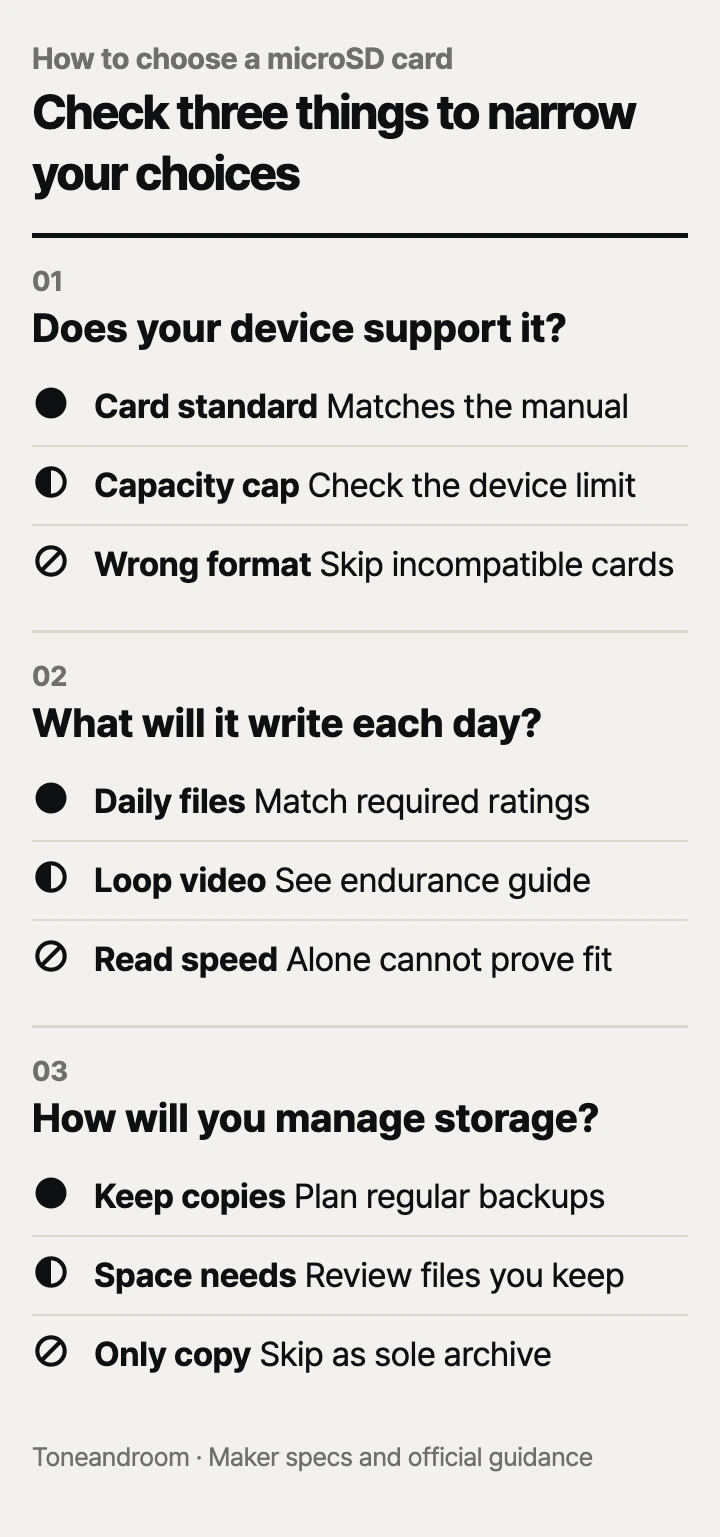
The most common mistake is buying a microSD card for its capacity or headline speed before checking whether the device supports it. Before you spend money, check these three things, in order
Will it work in the device you already own?
Match the device's card standard and capacity limit before comparing prices. Nintendo says Switch 2 needs microSD Express for expanded game storage; conventional microSD cards have only a limited role for viewing screenshots and videos from an original Switch. A familiar card shape does not settle compatibility. Nintendo compatibility guidance.
Start with the exact model on your phone, tablet, camera, or console. Open its storage instructions and look for the supported card type, maximum capacity, and any required speed symbols. For a household with several devices, write those requirements beside each device's name. That small note prevents a card intended for the living room console from ending up in a camera that needs a different fit.
Swipe sideways to see the full table →
| If your home ... | Our take | What to check |
|---|---|---|
| Has a supported phone or tablet with a microSD slot | Worth it | Card standard, capacity limit, and where downloads can be stored |
| Needs more space for Switch 2 games | Only some models | The microSD Express designation |
| Has a camera that records repeatedly | It depends | Approved card types and the maker's endurance guidance |
| Has a device with no supported card slot | Skip it | Whether the device actually accepts removable storage |
Amazon lists its Basics card as compatible with the original Nintendo Switch, excluding Switch 2. SanDisk identifies its 128GB High Endurance card as microSDXC, requiring a microSDXC host. Those restrictions matter before any speed comparison. Amazon Basics details, SanDisk compatibility.
Check the connection to your computer, too. If you plan to copy files at a desk, identify the reader you will use and whether it supports the card's interface. Treat a reader purchase as part of the setup decision, rather than discovering the extra step after delivery.
Does the speed rating match your daily workload?
Choose for the work the card will do, rather than treating the largest read-speed number as an overall score. The SD Association explains that speed classes describe minimum sequential performance under defined conditions, and recommends matching the device's required class symbol with the same or a higher class in that system. SD Association speed guidance.
Reading files and recording them are different jobs. A large advertised read number helps describe transfers from the card; a camera's recording requirement concerns writes to it. When the manual specifies a video class, use that requirement as your filter before looking at advertised transfer speeds.
Amazon lists the Basics 128GB card with U3, V30, and A2 markings and reads up to 100 MB/s. Its mix of ratings makes it a reasonable everyday option for a compatible device, but does not establish that every app can move onto removable storage. Check the device's own storage settings before buying specifically for apps. Amazon Basics specifications.
Samsung's data sheet lists reads up to 800 MB/s through SD Express and 90 MB/s through UHS-I. That interface difference is a reason to check your reader before paying for a transfer-speed upgrade. These are published limits under the maker's conditions, rather than a promise for your home setup. Samsung data sheet.
For a camera, make a short checklist:
- Find the card class required for your chosen recording mode.
- Check whether the maker recommends cards designed for repeated recording.
- Confirm that your computer reader supports the connection you want to use.
How much space do you need, and how will you maintain it?
Choose enough capacity for your routine, then make saving and checking files part of that routine. SanDisk positions High Endurance for dash cams and home monitoring, with an up-to-10,000-hour Full HD recording endurance rating for the 128GB version. Its footnote says actual video saved is less and endurance hours are lower with 4K recording. That rating concerns cumulative recording work, rather than footage held at once. SanDisk endurance guidance.
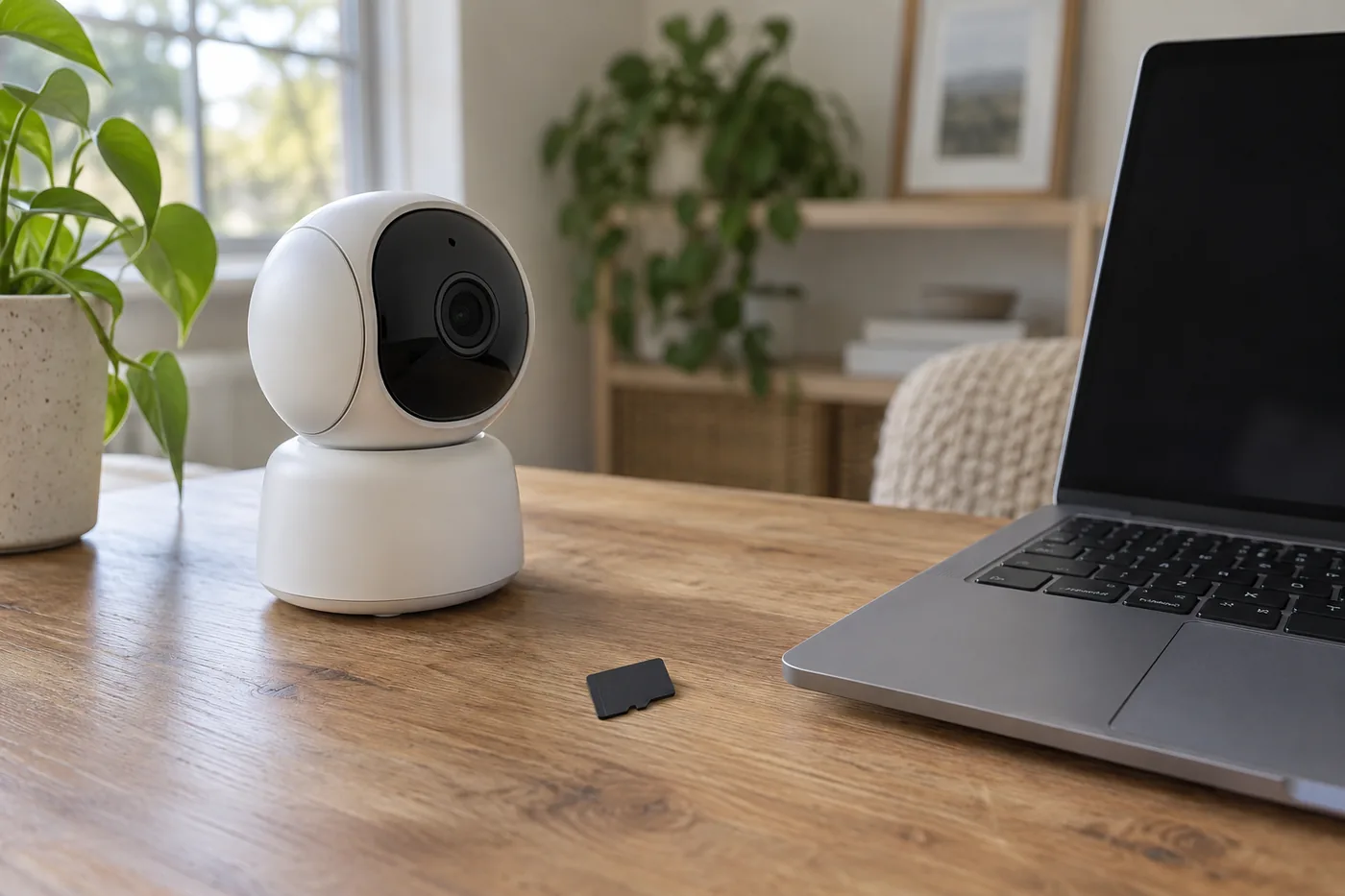 AI-generated illustration for explanation. Not a specific product.
For an entryway camera, decide how far back you want to look and check the camera's storage estimate at your preferred recording settings. For a tablet used on the couch or during road trips, look at the downloads you actually keep. For a console, check the installed games you want available together. These are better starting points than buying the biggest card automatically.
The capacity you need also depends on how often you are willing to move files. A card that fits today's library may feel cramped if you keep every new download. A larger card may offer little benefit if the device accepts less capacity or you regularly remove content you no longer need. Make that decision before comparing checkout totals.
SanDisk lists a limited warranty for High Endurance, while Samsung's Express data sheet excludes continuous recording and other write-intensive uses from its warranty coverage. For a camera that rewrites footage, that distinction supports choosing the endurance model instead of repurposing the gaming card. SanDisk warranty, Samsung warranty conditions.
Use a simple upkeep checklist:
- Copy footage you want to keep before it is overwritten.
- Open a saved file to confirm the backup is usable before clearing the card.
- Follow the device maker's formatting instructions after saving important files.
- Check occasional recordings rather than assuming the camera is still saving them.
The SD Association notes that repeated file deletion and writing can fragment storage and affect speed. If the device calls for reformatting, save what matters first. Treat a card as working storage and keep irreplaceable files elsewhere as well. SD Association storage guidance.
How do the popular picks compare side by side?
Choose Amazon Basics for everyday storage, SanDisk for repeated camera recording, or Samsung for Switch 2 game expansion. Amazon's product details and the makers' specifications describe different strengths, so these popular sellers are compared using the same capacity, read-speed, and workload fields. Amazon Basics, SanDisk High Endurance, Samsung Express.
Swipe sideways to see the full table →
| Model | Capacity and interface | Advertised read speed | Workload fit | Price (Amazon.com, Oct 14, 2026) | Buy |
|---|---|---|---|---|---|
| Amazon Basics microSDXC 128GB, LSMICRO128GU3 | 128GB; UHS-I | Up to 100 MB/s | Everyday storage; A2, U3, V30 | about $39.43 on Amazon.com (Oct 14, 2026) | View on Amazon |
| SanDisk High Endurance 128GB, SDSQQNR-128G-GN6IA | 128GB; UHS-I | Up to 100 MB/s | Repeated video recording; U3, V30 | about $36.99 on Amazon.com (Oct 14, 2026) | View on Amazon |
| Samsung microSD Express Card 256GB for Nintendo Switch 2 | 256GB; microSD Express | Up to 800 MB/s in Express mode; 90 MB/s in UHS-I mode | Switch 2 game storage | Price varies; check Amazon | View on Amazon |
Prices are what Amazon.com showed on Oct 14, 2026 and change often.
Our take: choose the job first. The less expensive SanDisk has the clearest recording purpose, Amazon Basics offers a general storage option, and Samsung addresses a console requirement the other cards cannot meet. Confirm the exact capacity and model at checkout, especially when a listing offers several versions. SanDisk Amazon listing, Samsung Amazon listing.
A closer look at each product
If you need everyday removable storage · Amazon Basics microSDXC 128GB, LSMICRO128GU3
Amazon lists A2, U3, and V30 ratings for this general storage card. Confirm that your device supports its capacity and card standard.
- 128GB capacity
- A2, U3, and V30 ratings
- Full-size adapter included
- Does not support Switch 2 game storage
- Cumulative recording endurance: Not listed by the maker
If your camera repeatedly records footage · SanDisk High Endurance 128GB, SDSQQNR-128G-GN6IA
Designed for dash cams and home monitoring with repeated recording. Check your camera's approved card requirements before ordering.
- Designed for repeated video recording
- U3 and V30 ratings
- Full-size adapter included
- Does not support Switch 2 game storage
- Endurance rating does not describe footage held at once
If you need Switch 2 game storage · Samsung microSD Express Card 256GB for Nintendo Switch 2
Its Express interface meets Nintendo's card-standard requirement for Switch 2 game expansion. This is the console-focused choice.
- 256GB capacity
- microSD Express interface
- Up to 800 MB/s reads in Express mode
- UHS-I reads are limited to the published 90 MB/s
- Samsung excludes continuous recording from warranty coverage
In one sentence
Check device support, daily workload, and capacity with upkeep before choosing a microSD card.
Amazon Basics microSDXC 128GB, LSMICRO128GU3
View on AmazonSanDisk High Endurance 128GB, SDSQQNR-128G-GN6IA
View on AmazonSamsung microSD Express Card 256GB for Nintendo Switch 2
View on AmazonWhat to check
- Device supportFind the supported card standard and capacity limit in your exact device's storage instructions.
- Daily workloadMatch the required speed class and check for repeated-recording guidance before choosing a card.
- Capacity and upkeepReview what you keep on the device and decide when you will back up files and check recordings.
- Device card standard and capacity limit
- Speed class and repeated-recording needs
- Storage needs and a backup routine
Frequently asked questions
Can I use my original Switch microSD card in a Switch 2?
Nintendo requires microSD Express for Switch 2 game storage. A conventional card from an original Switch has only a limited role for viewing existing screenshots and videos.
Is a high-endurance microSD card better for a dash cam?
SanDisk designs High Endurance for repeated recording in dash cams and home monitoring. Choose it only when its capacity and card class meet your camera's requirements.
Will an A2 microSD card let me move Android apps to it?
Amazon lists the Basics card as A2, but that marking does not establish what your phone permits. Check the phone maker's storage instructions and the individual app's available storage settings.
Do I need 128GB or 256GB for a microSD card?
Start with your device's supported capacity and the files or games you want available together. The compared everyday and endurance cards are 128GB, while the Samsung Express card is 256GB; choose for compatibility and workload before capacity.
Sources
- SanDisk High Endurance official specifications · Oct 14, 2026
128GB specifications, UHS-I, up to 100 MB/s reads and 40 MB/s writes, cumulative Full HD endurance conditions, compatibility, and limited warranty.
- Samsung Switch 2 microSD Express official data sheet · Oct 14, 2026
256GB, Express reads up to 800 MB/s, UHS-I reads up to 90 MB/s, and warranty exclusions for continuous recording.
- Nintendo Switch and Switch 2 compatibility · Oct 14, 2026
Express requirement for Switch 2 game storage and conventional-card limitations; no price figures.
- SD Association speed classes and storage guidance · Oct 14, 2026
Minimum-performance class definitions, matching host requirements, and fragmentation guidance; no product price figures.
Read next
Best label printers on Amazon.com (2026): Check label format, device setup, and refills first
Best home printer on Amazon.com (2026): Check print tasks, space, and supplies first

Best Mesh Wi-Fi Systems on Amazon.com (2026): Check Layout, Backhaul, and Devices First
Best Wi-Fi Router on Amazon.com (2026): Check Internet Fit, Coverage, and Upkeep First
Other topics

Best Baby Lotion on Amazon.com (2026): Check Fragrance, Texture, and Bottle Fit First
Best velvet hangers on Amazon.com (2026): check garment fit, load, and care first
Best electric pressure cookers on Amazon.com (2026): 3 things to check first