Conclusion
The cheaper Brother bundle suits simple organizing labels typed directly on a keyboard. The higher-priced KNAON fits households that need full shipping labels, while Nelko suits small labels made on a phone.
3 selected products
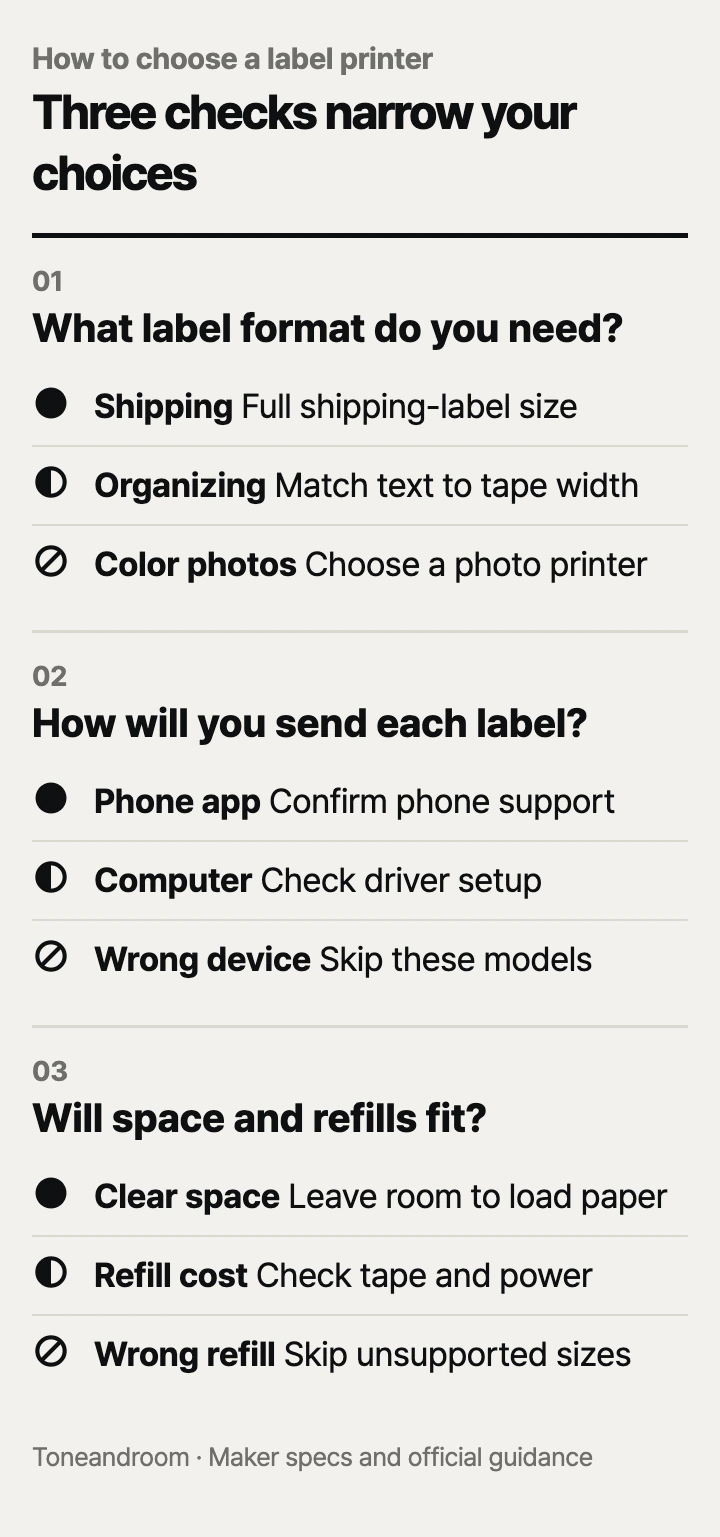
A common mistake is buying a label printer for its price or Bluetooth logo before checking whether it prints the labels your household actually needs. To match the printer to your space and routine, check these three things, in order
What kind of labels will you actually print?
Choose the label format first: shipping labels, small organizing stickers, and laminated tape serve different jobs.
KNAON describes its Y813BT as a thermal shipping printer for 4 x 6-inch labels, while Nelko's P21 listing describes small organizing labels. Brother's PT-D210 uses TZe tape up to 0.47 inch wide. That difference matters more than a long menu of fonts: a narrow name label cannot replace a full shipping label. See the KNAON listing, Nelko listing, and Brother specifications.
Swipe sideways to see the full table →
| If your home ... | Our take | What to check |
|---|---|---|
| Has a regular packing area for online orders | Worth it | Shipping-label dimensions and the path from your label file to the printer |
| Needs short names on drawers, folders, and storage bins | Worth it | Small-label sizes and whether you prefer a phone or keyboard |
| Needs long labels with custom text lengths | Only some models | Continuous-tape support for the exact model and refill |
| Would use the printer for occasional return packages only | It depends | Whether an existing printer already covers the task |
| Needs full-color pictures on ordinary paper | Skip it | Whether a different kind of printer better fits the job |
Start with the objects you want to label. Write out a typical drawer name, folder title, or shipping address, then picture it on the available label size. A label that looks tidy in a product photo may leave too little room for the wording your family uses.
Nelko's Amazon listing specifies fixed label formats, including 14 x 40 mm, and says continuous tape is unsupported. However, Nelko's current P21 support page says it supports continuous labels. Confirm the exact version and refill compatibility with Nelko before buying for custom-length labels. For short organizing stickers, that conflict matters less; for long bin descriptions, it can decide the purchase.
Will it work with the device you use at home?
Choose a setup you can repeat comfortably whenever you need another label.
Nelko's support guidance puts label creation in the NELKO smartphone app over Bluetooth. Its Amazon listing excludes computer printing and flags Google Pixel phones running Android 14 as incompatible. If you work mainly from a laptop, or own that phone configuration, resolve compatibility before ordering. Bluetooth alone does not establish that a printer works with your device. Nelko product details
KNAON's Y813BT manual gives separate USB setup instructions for Windows, macOS, and Chromebook, plus smartphone setup through FlashLabel Pro. Its Amazon listing tells phone users to save shipping labels as PDFs and import them into that app. Trace that route with the shipping service you already use: finding the download button is part of the buying decision. KNAON manual
Brother's PT-D210 has a QWERTY keyboard and a preview function, according to Brother. It suits a shared household where someone wants to type a label directly without reaching for a phone. The tradeoff is entering text on the printer rather than using a familiar phone keyboard. Brother product guidance
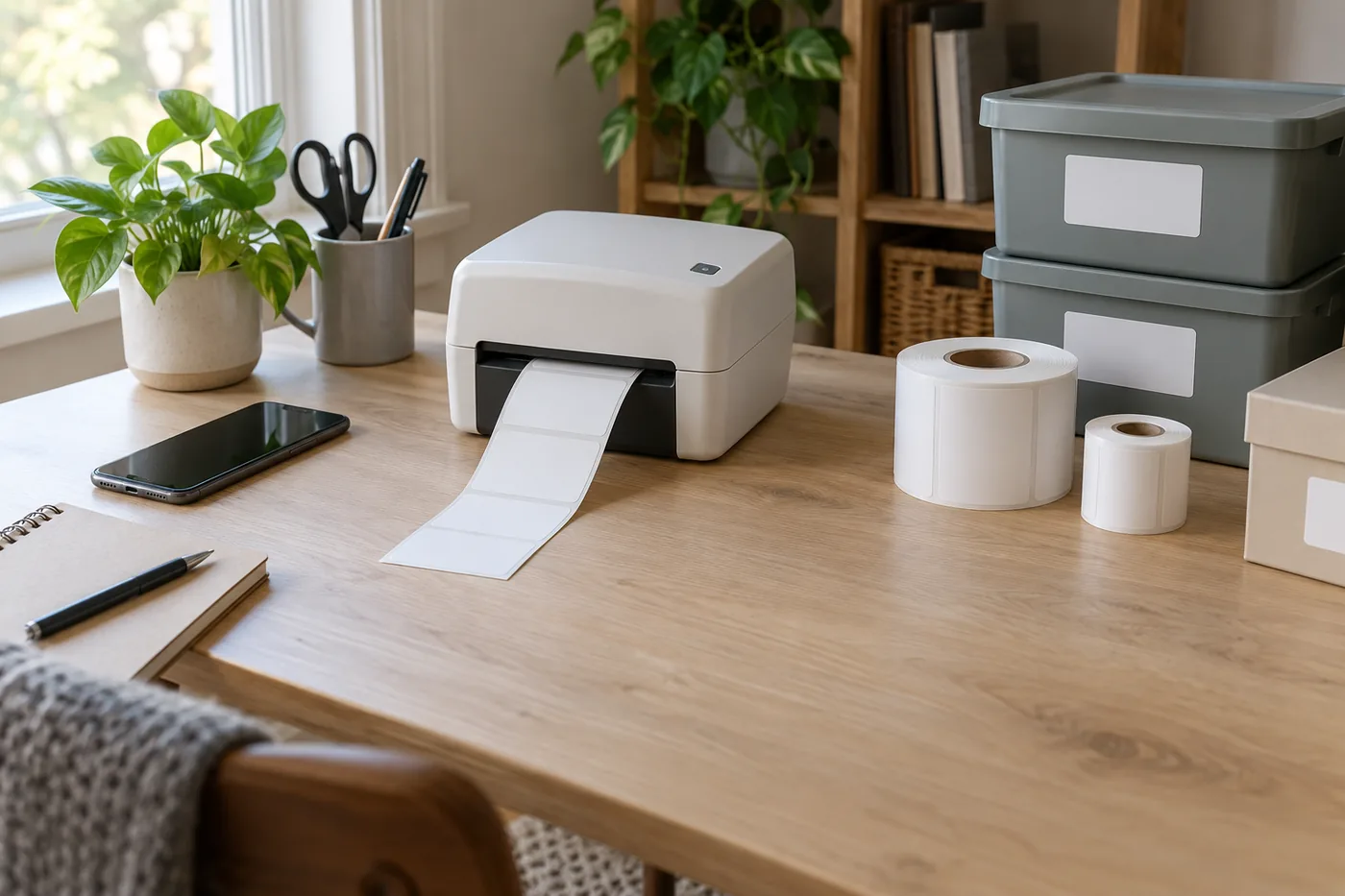 AI-generated illustration for explanation. Not a specific product.
Before ordering:
- Find the required app and check its current device requirements.
- Decide whether label files will come from your phone or computer.
- Check whether your computer allows driver or browser-extension installation.
- Confirm that everyone who will print can follow the same setup.
A household printer is easier to keep using when its controls match the person doing the organizing. App templates can help with repeated designs, while a keyboard can be convenient for changing folder names on the spot.
Where will it live, and what will you replace?
Plan for the printing area, power source, and compatible refills before comparing the sticker price.
Measure the intended shelf or desk, then account for opening the cover, loading supplies, and removing printed labels. Keep the label supply and backing-paper waste in that plan. A printer stored away after every task also needs a convenient place for its cable or charger.
Brother lists the PT-D210 at approximately 6.2 x 5.9 x 2.7 inches and specifies six AAA batteries or an optional AC adapter. Brother's product page says neither power option is included. Nelko's listing specifies a rechargeable battery and a charging cable, with no charging adapter included. KNAON's package includes a power adapter and cord. Brother size and power specifications
For upkeep, KNAON's manual instructs owners to recalibrate after changing label sizes. Its safety guidance also says to power off the printer and let the head cool before cleaning, using printer-head cleaning wipes without applying water or other liquid. Follow that maker guidance when planning a cleaning routine. KNAON maintenance instructions
Refills deserve their own check:
- Match the refill family and size to the exact model.
- Look up replacement supplies before buying a large starter bundle.
- Compare refill cost against the amount of labeling you expect to do.
- Choose label material for the surface and use conditions.
Brother says standard laminated TZe tape is water-resistant and suitable for dishwasher use; that guidance applies to the specified tape, so check the refill rather than extending the claim to every label. Brother also marks the PT-D210 as discontinued, making seller condition and bundle contents worth checking. Brother tape and model guidance
How do the popular picks compare side by side?
These popular models fit distinct situations, so choose by label format and setup before using price to break a tie.
Amazon's Oct 14, 2026 popularity labels showed “10K+ bought in past month” for KNAON and Nelko and “9K+ bought in past month” for Brother. Those labels signal shopping activity, not durability or suitability for your home.
Swipe sideways to see the full table →
| Model | Label format | Setup | Power | Price (Amazon.com, Oct 14, 2026) | Buy |
|---|---|---|---|---|---|
| KNAON Y813BT | 4 x 6-inch shipping labels | FlashLabel Pro on phones; computer USB setup | Included power adapter | about $44.99 on Amazon.com (Oct 14, 2026) | View on Amazon |
| Nelko P21 | Small fixed-format labels; confirm continuous support | NELKO app; no computer printing | Rechargeable battery; charging adapter excluded | about $16.99 on Amazon.com (Oct 14, 2026) | View on Amazon |
| Brother P-touch PT-D210BP bundle | TZe tape up to 0.47 inch wide | Built-in keyboard and preview | Six AAA batteries or optional adapter, excluded | about $9.90 on Amazon.com (Oct 14, 2026) | View on Amazon |
Prices are what Amazon.com showed on Oct 14, 2026 and change often.
The Brother bundle fits direct keyboard labeling and includes a starter tape plus three full-length tapes. The Nelko P21 fits small organizing labels made on a compatible phone. The KNAON Y813BT fits a home packing station where full shipping labels are the main job.
A closer look at each product
If you ship orders from home · KNAON Y813BT
Prints full shipping labels and offers phone-app and computer USB workflows. Check how your shipping service exports label files before ordering.
- Supports 4 x 6-inch shipping labels
- Phone-app and computer USB setup options
- Power adapter and cord included
- Phone printing requires FlashLabel Pro
- Needs desk space for labels and cables
If you organize with your phone · Nelko P21
A rechargeable label maker for small organizing stickers created in the NELKO phone app. Confirm the exact version's tape support before buying continuous refills.
- Bluetooth phone-app label creation
- Rechargeable battery
- Label roll and charging cable included
- No computer printing; listing excludes Google Pixel with Android 14
- Charging adapter excluded; continuous-tape guidance conflicts
If you prefer a built-in keyboard · Brother P-touch PT-D210BP bundle
The PT-D210 keyboard and preview function suit direct household labeling. This bundle adds a starter tape and three full-length tapes.
- Built-in QWERTY keyboard and label preview
- Compatible with TZe tape up to 0.47 inch wide
- Four label tapes in the bundle
- Batteries and optional AC adapter excluded
- Brother marks the PT-D210 as discontinued
In one sentence
Choose label format first, then device setup, then space and refills.
KNAON Y813BT
View on AmazonNelko P21
View on AmazonBrother P-touch PT-D210BP bundle
View on AmazonWhat to check
- Label formatWrite a typical label and check whether its wording or shipping layout fits the supported format.
- Device setupCheck the required app or driver against the phone or computer you will use at home.
- Space and refillsMeasure the printing area and confirm the power source, cover access, and compatible replacement supplies.
- Label format and refill compatibility
- Required phone app or computer setup
- Space, power source, and replacement supplies
Frequently asked questions
Do label printers need ink or toner?
KNAON's Y813BT and Nelko's P21 use direct thermal printing without ink or toner. Brother specifies thermal transfer using TZe tape cassettes for the PT-D210. Compatible label supplies remain a recurring purchase.
Can I print shipping labels from my iPhone?
KNAON's Y813BT supports phone printing through FlashLabel Pro. Its listing instructs users to download shipping labels as PDFs and import them into the app. Confirm that you can export the label file from the shipping service you use.
Can the Nelko P21 print from a computer?
Nelko's Amazon listing says the P21 does not work with computers. It uses the NELKO app on compatible phones. Choose a model with confirmed computer support if your labeling routine starts on a laptop.
Can a small label maker print 4 x 6 shipping labels?
The Brother PT-D210 and Nelko P21 use narrow organizing-label formats rather than full shipping labels. KNAON's Y813BT supports 4 x 6-inch labels. Match the printer's label format to your shipping file before buying supplies.
Sources
- KNAON Y813BT official user manual · Oct 14, 2026
Phone-app and computer USB setup, label calibration, included power adapter, and print-head cleaning and safety guidance.
- Nelko P21 official support · Oct 14, 2026
Bluetooth smartphone app setup. Current support guidance allows continuous labels, conflicting with this Amazon listing; confirm the exact version.
- Brother PT-D210 official product page · Oct 14, 2026
Keyboard, preview function, thermal-transfer technology, excluded power accessories, laminated TZe tape guidance, and discontinued status.
- Brother PT-D210 U.S. specifications · Oct 14, 2026
Approximate dimensions of 6.2 x 5.9 x 2.7 inches, six AAA batteries or optional AC adapter, and TZe widths up to 0.47 inch.
Read next
Best home printer on Amazon.com (2026): Check print tasks, space, and supplies first
Best Mesh Wi-Fi Systems on Amazon.com (2026): Check Layout, Backhaul, and Devices First
Best Wi-Fi Router on Amazon.com (2026): Check Internet Fit, Coverage, and Upkeep First
Best NAS Storage on Amazon.com (2026): 3 Things to Check First
Other topics
Best disposable diapers on Amazon.com (2026): check fit, care features, and pack size first
Best silk pillowcase on Amazon.com (2026): check fabric, fit, and care first
Best Electric Indoor Grills on Amazon.com (2026): 3 Things to Check First