Conclusion
Solo callers with a compatible desk edge can choose the cheaper TONOR TC310+ for its included arm and mute control. People who need selectable pickup patterns for different recording layouts have a clearer reason to pay more for the Logitech Blue Yeti.
3 selected products
The common mistake is buying a USB microphone for its lights or low price before checking where it will sit and what it will pick up. Before choosing one, check these three things, in order
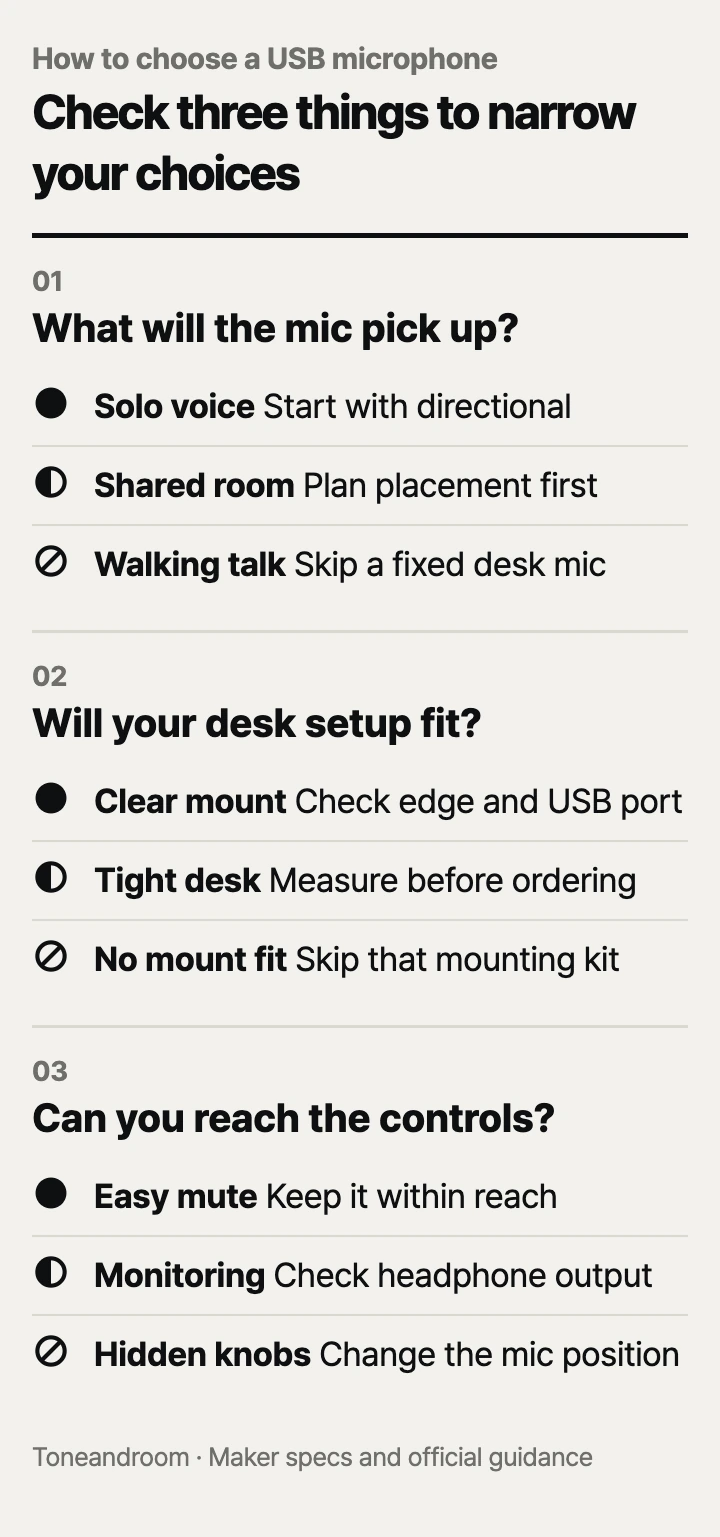
Will the microphone fit the way your room sounds?
Match the pickup pattern to the people speaking before paying for extra features.
Logitech lists cardioid, bidirectional, omnidirectional, and stereo patterns for the Blue Yeti. ZealSound describes the K66 as unidirectional on its official page, and its Amazon listing specifies cardioid pickup; TONOR's TC310+ listing describes unidirectional pickup. Those differences matter more to your recording layout than decorative lighting. Logitech specifications, ZealSound K66, K66 on Amazon, TC310+ on Amazon.
For a solo voice at a desk, a directional pattern is a sensible starting point. If you also record someone across the table, the Yeti's bidirectional setting gives you another layout to consider. Treat that flexibility as a reason to pay more only when you expect to use it.
Swipe sideways to see the full table →
| If your home … | Our take | What to check |
|---|---|---|
| Has a quiet corner for solo calls or narration | Worth it | Directional pickup and a reachable mic position |
| Shares the desk area with a running fan or frequent conversation | It depends | Whether you can change placement or recording time |
| Hosts interviews with speakers across a table | Only some models | A suitable pattern, such as the Yeti's bidirectional mode |
| Requires you to walk around while speaking | Skip it | Whether a desk microphone matches your routine |
Our take: make a list of the sounds present during your actual call hours. Include the HVAC vent, computer fan, hallway conversation, and keyboard. Then sketch where your mouth, microphone, and those sounds would be. This is a placement exercise, not a promise that any pattern will erase the room.
ZealSound says the K66's noise cancellation starts disabled and activates when you hold mute until the indicator turns blue. That gives you a processing option, but the maker does not quantify how much household noise it removes. Plan around the room first. ZealSound K66 guidance.
Will it fit your desk and connect to your computer?
Check the mounting surface and the complete USB connection before choosing a stand or boom arm.
TONOR says the TC310+ includes a boom mounting kit with a clamp for tabletops up to 2.36 inches thick. Its Amazon guidance also says a curved, non-flat underside prevents installation. Look underneath the intended clamping spot: a drawer frame, beveled edge, or rear support rail can matter even when the top is thin enough. TONOR boom arm kit, TC310+ mounting guidance.
The arm is useful when your keyboard and notebook already fill the work surface. Before ordering, sit normally and imagine the microphone within speaking reach. Check whether the arm would cross your monitor, block a cabinet, or occupy the spot where you move your laptop at the end of the day. An included arm has little value if you cannot position it comfortably.
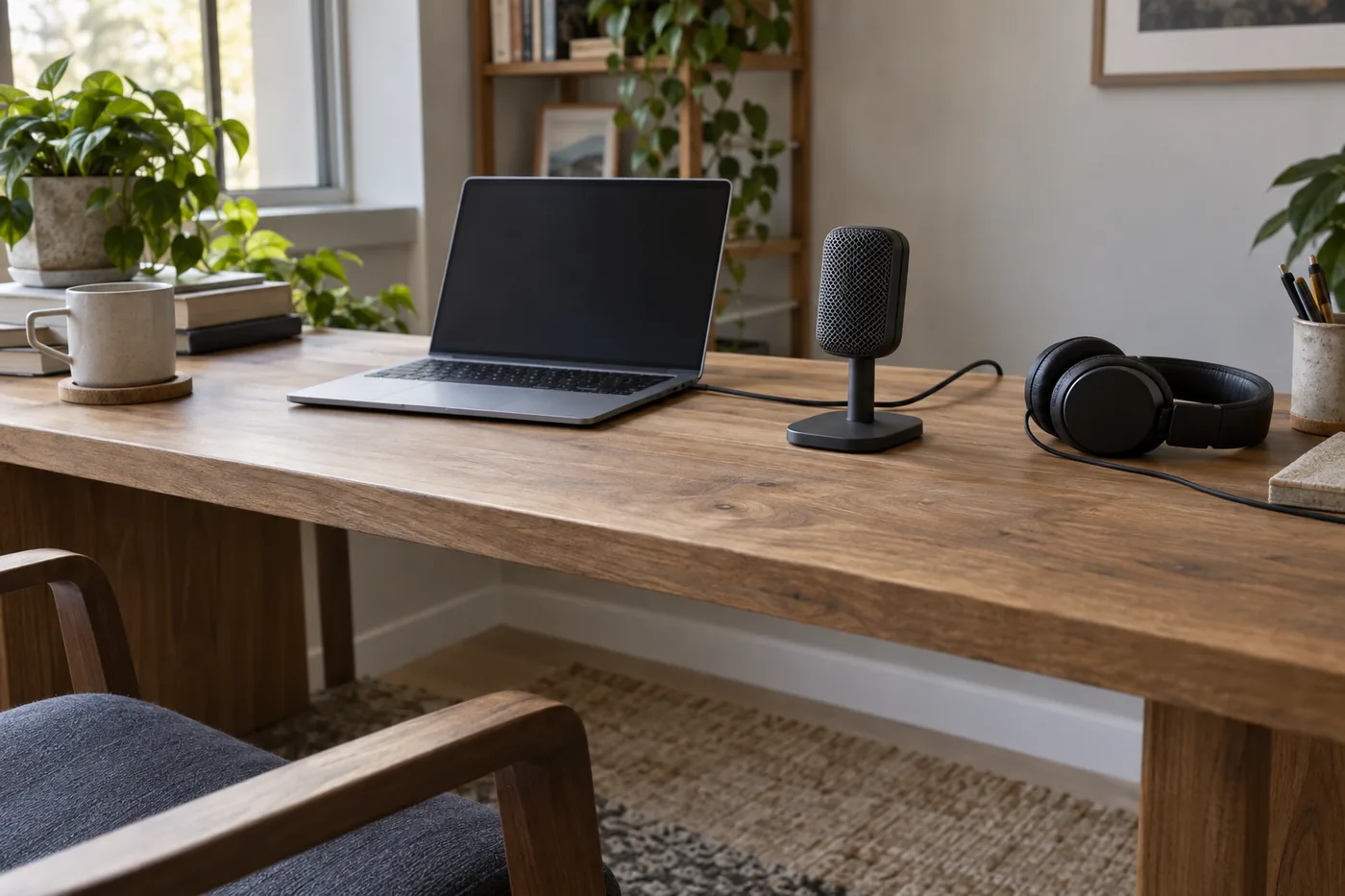 AI-generated illustration for explanation. Not a specific product.
Logitech lists the Yeti's dimensions in its extended stand as 4.72 by 4.92 by 11.61 inches. Mark that footprint on your desk, then consider the height against your screen and webcam view. The K66 includes a metal desktop stand; its base dimensions are not listed by the maker on the official product page. Leave room for its controls and cable rather than assuming a photo shows scale. Yeti dimensions, K66 included components.
ZealSound lists USB-C and iPhone adapters with the K66, while TONOR's listing identifies USB-A connectivity. Check the connector at the computer end of the cable, especially on a laptop with only USB-C ports. A microphone's USB-C socket does not by itself tell you what plugs into your laptop. K66 connection options, TONOR connection details.
- Measure the desk edge where the clamp would actually attach.
- Trace the cable route with the laptop in its usual position.
- Check that your computer and calling app can select the microphone as an input.
- Include any needed adapter or separate mount in your budget.
Which controls will make daily use easier?
Prioritize reachable mute and gain controls, then decide whether headphone monitoring belongs in your routine.
TONOR confirms tap-to-mute and a rotating top control for gain on the TC310+. ZealSound lists mute, gain, and echo controls for the K66; its Amazon page also specifies direct monitoring through a 3.5mm headphone jack with separate listening-volume adjustment. Logitech's Yeti listing includes mute, gain, headphone volume, and direct monitoring. TONOR controls, K66 monitoring, Yeti controls.
For meetings, think about where your hand will go when someone enters the room. A mute control hidden behind the monitor is awkward even if the microphone otherwise fits. For narration or podcasting, monitoring is worth considering because you can listen to the microphone signal while speaking. Still play back a short recording in the app you intend to use; direct monitoring alone does not confirm what that app saved.
Keep microphone gain and headphone volume separate in your thinking. Gain changes the recording input; listening volume changes what you hear. Raising the latter does not fix a low recording level. For ordinary speech, start with the K66's echo effect turned down, as ZealSound's Amazon guidance recommends for natural speech. K66 control guidance.
Logitech says its optional voice filters and effects require G HUB installation. If you use a work-managed computer, check whether you can install it before paying for that feature. Logitech software requirement.
For a shared work surface, make putting the microphone away part of the buying decision. Choose a place for the cable, adapters, and headphones so setting up tomorrow does not become a search. Check the maker's care instructions before cleaning the grille or removable covers.
How do the popular picks compare side by side?
Choose TONOR for an included arm, ZealSound for monitoring and adapters, or Logitech for different recording layouts.
Swipe sideways to see the full table →
| Model | Pickup | Mount and fit | Everyday controls | Price (Amazon.com, Oct 14, 2026) | Buy |
|---|---|---|---|---|---|
| TONOR TC310+ | Unidirectional | Included boom arm; clamp up to 2.36 inches | Tap mute; gain adjustment | about $29.99 on Amazon.com (Oct 14, 2026) | View on Amazon |
| ZealSound K66 USB Microphone | Cardioid, per Amazon listing | Included metal desktop stand; USB-C and Lightning adapters | Mute; gain; headphone volume; echo | about $34.99 on Amazon.com (Oct 14, 2026) | View on Amazon |
| Logitech Creators Blue Yeti USB Microphone, Blackout | Cardioid, bidirectional, omnidirectional, stereo | Included desktop stand; 4.72 × 4.92 × 11.61 inches extended | Mute; gain; headphone volume; pattern selector | about $100.76 on Amazon.com (Oct 14, 2026) | View on Amazon |
| Prices are what Amazon.com showed on Oct 14, 2026 and change often. |
The TC310+ makes sense for a solo computer setup with a compatible desk edge. The K66 suits someone who wants to listen through wired headphones and keep adapters available for other devices. The Yeti's higher price is easiest to explain when selectable patterns serve a planned recording layout. For a single voice in the same seat every day, those extra patterns may add little practical value. Compare the same pickup, mounting, and control needs before choosing among these popular Amazon.com sellers.
A closer look at each product
If you need an arm for a crowded desk · TONOR TC310+
The included boom arm can move the microphone off the work surface. TONOR specifies a clamp limit of 2.36 inches, so check the mounting spot first.
- Included boom mounting kit
- Tap-to-mute control
- On-microphone gain adjustment
- Clamp fit depends on desk thickness and underside shape
- Unidirectional pickup offers fewer recording layouts than the Yeti
If you want monitoring and device adapters · ZealSound K66 USB Microphone
Direct headphone monitoring and a separate listening-volume control suit narration at a desk. The included USB-C and Lightning adapters add connection options.
- Direct headphone monitoring
- Separate gain, monitoring volume, and echo controls
- Included USB-C and Lightning adapters
- Desktop stand takes work-surface space
- Cardioid pickup lacks the Yeti's selectable patterns
If you record different seating layouts · Logitech Creators Blue Yeti USB Microphone, Blackout
Logitech lists four pickup patterns, including bidirectional for a front-and-back recording layout. The microphone also provides gain, mute, and headphone controls.
- Four selectable pickup patterns
- Direct headphone monitoring
- Included adjustable desktop stand
- Higher price than the other two models
- Optional voice effects require G HUB installation
In one sentence
Match a USB microphone to room pickup, desk fit, and daily controls before choosing by price.
TONOR TC310+
View on AmazonZealSound K66 USB Microphone
View on AmazonLogitech Creators Blue Yeti USB Microphone, Blackout
View on AmazonWhat to check
- Room pickup · Match pickup direction to speakers and nearby soundsList the sounds present during your usual recording hours and sketch the positions of the speakers.
- Desk fit · Check the mounting surface and USB connectionMeasure the mounting spot, check its underside, and trace the cable to the computer port.
- Daily controls · Prioritize mute, gain, and any monitoring needsSit at the desk and check whether you can reach the controls and connect headphones comfortably.
- Room pickup
- Desk fit
- Daily controls
Frequently asked questions
Which USB microphone is best for Zoom calls at home?
For a solo caller, start with a directional microphone that fits within comfortable speaking reach and has accessible mute controls. TONOR TC310+ includes an arm; ZealSound K66 includes a desktop stand. Choose the mounting arrangement your desk can support.
Can I use a USB microphone with a USB-C laptop?
Check the computer end of the included cable and any adapters before ordering. ZealSound lists a USB-C adapter with the K66, while TONOR lists USB-A connectivity for the TC310+. Also confirm that your calling or recording app recognizes the microphone.
Does a USB microphone remove keyboard and fan noise?
ZealSound says the K66 offers noise reduction, but its official page does not quantify household-noise removal. Treat it as an option to compare during setup and plan the microphone position around nearby sound sources. A directional pattern alone does not guarantee silence.
Is the Blue Yeti worth the extra money for podcasting?
The Yeti has a stronger case when you need its selectable pickup patterns for different recording layouts. A solo narrator may get the needed controls and direct monitoring from the less expensive K66. Budget for the features your recording plan will use.
Sources
- TONOR TC310+ official product page · Oct 14, 2026
Confirms included boom mounting kit, clamp limit of 2.36 inches, tap mute, and rotating gain control.
- ZealSound K66 official product page · Oct 14, 2026
Confirms metal desktop stand, USB-C and iPhone adapters, directional pickup, mute, gain, echo, and noise-reduction activation guidance. Base dimensions and quantified noise removal: Not listed by the maker.
- Logitech Yeti official specifications · Oct 14, 2026
Lists four pickup patterns and dimensions in the extended stand: 4.72 by 4.92 by 11.61 inches.
- Logitech Yeti official product page · Oct 14, 2026
Confirms that optional voice filters and effects require downloading and installing G HUB.
Read next
Best gaming headset on Amazon.com (2026): check connection, comfort, and care first
Best computer speakers on Amazon.com (2026): check connections, desk space, and daily controls first
Best soundbar on Amazon.com (2026): Check TV connection, placement space, and everyday controls first
Best indoor security cameras on Amazon.com (2026): 3 things to check first
Other topics

Best Child Safety Cabinet Locks on Amazon.com (2026): 3 Things to Check First
Best shower caddy on Amazon.com (2026): Check mounting, bottle fit, and cleanup first
Best mandoline slicer on Amazon.com (2026): check cuts, space, and cleanup first