Conclusion
Amazon Basics V620BLACK is enough for basic listening when your computer has USB power and a headphone output. Choose Creative Pebble V3 for USB audio flexibility or Edifier R1280T for a larger permanent setup with tone controls.
3 selected products
Buying computer speakers by wattage alone can leave you with a pair that needs an audio jack your laptop lacks or crowds your keyboard. Before choosing, check these three things, in order
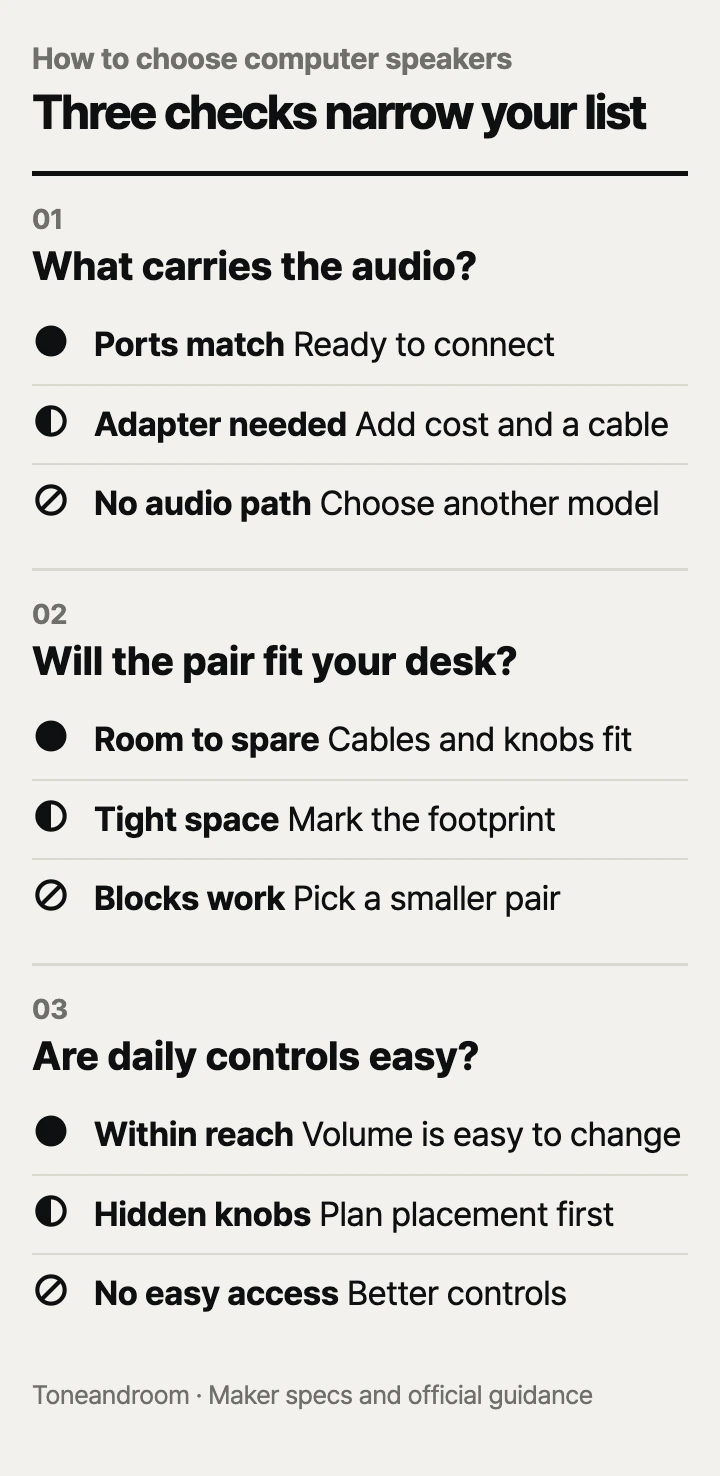
Will the speakers connect to your computer without extra adapters?
Match the audio connection first, then check how the speakers receive power. Amazon Basics describes the V620BLACK as USB-powered with a 3.5mm auxiliary input: the USB plug supplies power, while the audio plug carries sound. That makes it a straightforward choice for a desktop with both connections, but adds an adapter requirement for a laptop without a headphone jack. Its in-line volume control is useful when the computer's audio port sits behind a tower. Amazon Basics product details
Creative's Pebble V3 supports actual USB audio, plus Bluetooth and an auxiliary input. Creative's quick start guide identifies separate source modes and a source button. This is the more flexible fit for a laptop that regularly moves between a desk and the couch, especially when you want computer audio without a separate analog cable. Bluetooth changes the audio connection; the speakers still need USB power. Creative quick start guide
Edifier lists dual RCA inputs for the R1280T and explicitly says this model has no Bluetooth. Its manual shows a wall outlet connection and an included 3.5mm-to-RCA audio cable. Choose it for a permanent desk with an analog audio output and available outlet, rather than expecting USB audio. Edifier model details, Edifier manual
Swipe sideways to see the full table →
| If your home setup has... | Our take | What to check |
|---|---|---|
| A desktop with USB power and a headphone output | Worth it | A basic wired pair can cover everyday listening. |
| A laptop without a headphone jack | Only some models | Look for USB audio, as on Pebble V3. |
| A permanent music desk with room beside the monitor | It depends | Bookshelf speakers need an outlet and more surface space. |
| A setup that requires battery-powered listening | Skip it | These pairs need an external power connection. |
Before ordering, trace the route from computer to speaker. A USB port on a monitor is useful only if it supplies the needed power or connects appropriately to the computer for USB audio. Check your monitor or dock documentation instead of assuming every USB socket does the same job. If a laptop needs an audio adapter, include that purchase and cable in your setup plan.
Is there enough usable space beside your monitor?
Measure the speaker footprint where it will sit, with room left for cables and controls. Amazon Basics lists the V620BLACK at 2.88 inches wide, 2.6 inches deep, and 3.9 inches high. Its small footprint is the main reason to consider it for a crowded desk devoted to email, videos, and casual listening. The padded base and in-line control are listed features, but do not establish sound quality. Amazon Basics specifications
Creative's Amazon listing gives Pebble V3 a footprint of 4.8 by 4.69 inches and describes upward-angled drivers. Allow space for the cable between the speakers as well as the USB connection. Edifier's Amazon listing gives each R1280T enclosure dimensions of about 5.7 by 7.7 by 9.2 inches; its manual identifies width, depth, and height. The bookshelf pair needs substantially more depth than either compact option. Creative product details, Edifier product details
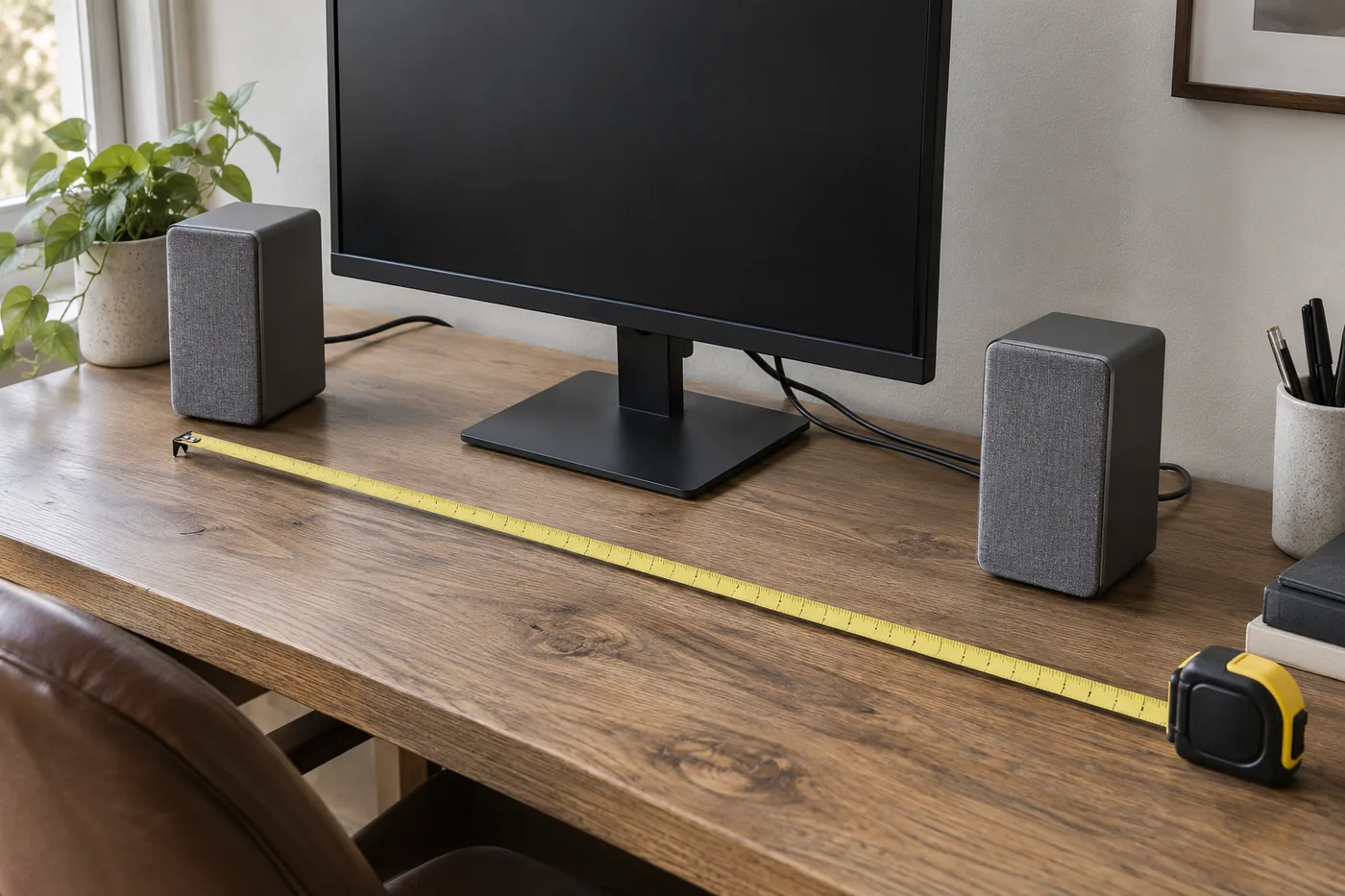 AI-generated illustration for explanation. Not a specific product.
For a practical fit check, mark the footprint with removable tape or a piece of paper. Put the keyboard and mouse where you normally use them. Then check whether a speaker would block a drawer, cover a laptop port, or force your monitor off-center. A pair that fits only after moving your daily work tools may cost more in inconvenience than it saves in price.
- Leave room behind the speakers for the plugs to extend naturally.
- Check access to the volume control from your seated position.
- Include speaker stands in the space plan if you expect to use them.
- Follow Edifier's ventilation guidance: its manual recommends at least 5 cm, about 2 inches, of clearance around the R1280T.
That clearance matters when placing the Edifier pair inside a desk hutch or close to a wall. Treat enclosure dimensions as the starting footprint, then add the maker's recommended space around them.
Are the controls and upkeep convenient for everyday listening?
Choose controls you can reach easily, and compare power figures only when their definitions match. Amazon Basics lists a maximum output of 5 watts for the V620BLACK; its RMS output is not listed by the maker. Creative specifies up to 8 watts RMS for Pebble V3, while Edifier specifies 42 watts RMS for the R1280T. Those figures do not establish how clear each speaker sounds at your normal desk volume. Amazon Basics details, Creative product details, Edifier specifications
Creative's guide specifies a 5V, 2A input and advises using a 10-watt USB port if laptop-powered volume remains low. Check your computer or adapter specification before expecting the full output. Creative's Amazon listing also says the auxiliary cable is not included, so an analog connection can require another purchase. Creative quick start guide, Creative connection details
For daily adjustments, Amazon Basics provides an in-line volume control, Creative provides a speaker-mounted knob, and Edifier offers side volume, bass, and treble knobs plus a remote. Edifier's manual says both connected audio sources play simultaneously; turn down or stop the unwanted source. Dual inputs therefore require some attention when a computer and another device share the pair.
For cleaning, Edifier's safety guidance says to switch off and unplug the R1280T before wiping it with a dry cloth, and warns against exposing it to dripping or splashing. Keep a drink's usual location in mind when arranging the desk. Edifier care and operating guidance
How do the popular picks compare side by side?
Amazon Basics suits basic wired audio, Creative suits flexible laptop connections, and Edifier suits a larger permanent listening setup. The published connection and size differences are more useful than treating price as a single quality ranking.
Swipe sideways to see the full table →
| Model | Audio connection / power source | Listed output | Footprint per speaker, W x D | Price (Amazon.com, Oct 14, 2026) | Buy |
|---|---|---|---|---|---|
| Amazon Basics Stereo 2.0 V620BLACK | 3.5mm aux / USB power | 5W maximum; RMS: Not listed by the maker | 2.88 x 2.6 inches | about $23.99 on Amazon.com (Oct 14, 2026) | |
| Creative Pebble V3 | USB audio, Bluetooth, 3.5mm aux / USB power | Up to 8W RMS with adequate USB power | 4.8 x 4.69 inches | about $42.74 on Amazon.com (Oct 14, 2026) | View on Amazon |
| Edifier R1280T | Dual RCA / wall power | 42W RMS | About 5.7 x 7.7 inches | about $119.99 on Amazon.com (Oct 14, 2026) | View on Amazon |
Prices are what Amazon.com showed on Oct 14, 2026 and change often.
The footprint figures come from the linked Amazon product specifications; Creative and Edifier publish the RMS figures in their official guidance. Choose the least expensive pair that meets your connection, placement, and control needs. Spending more makes sense when it solves a specific limitation in your home setup.
A closer look at each product
If you need basic audio on a crowded desk · Amazon Basics Stereo 2.0 Speakers V620BLACK
USB power, a 3.5mm audio input, and an in-line volume control suit a desktop with both ports. The listed footprint is smaller than the other pairs here.
- Small 2.88 x 2.6-inch listed footprint
- In-line volume control
- Padded base
- Needs a separate 3.5mm audio connection
- RMS output: Not listed by the maker
If your laptop needs USB audio · Creative Pebble V3
USB audio combines computer sound and power in one connection. Bluetooth and an auxiliary input offer additional audio sources.
- USB audio support
- Bluetooth 5.0 and 3.5mm auxiliary input
- USB-A adapter included
- Full output depends on USB power capability
- Auxiliary cable is not included
If you have a permanent music desk · Edifier R1280T
Edifier specifies 42W RMS and dual RCA inputs for this powered bookshelf pair. Side tone controls and a remote suit a setup where the speakers stay in place.
- 42W RMS total output
- Bass and treble controls
- Remote volume control
- Requires wall power and more desk depth
- No Bluetooth or USB audio
In one sentence
Check audio connection, usable desk space, and daily controls before comparing computer speaker prices.
Amazon Basics Stereo 2.0 Speakers V620BLACK
View on AmazonCreative Pebble V3
View on AmazonEdifier R1280T
View on AmazonWhat to check
- Audio connectionCheck your computer ports and confirm which cable carries sound and which supplies power.
- Desk spaceMark each speaker footprint beside the monitor and leave room for plugs, controls, and maker-recommended clearance.
- Daily controlsCheck that you can reach the volume control and follow the maker's cleaning guidance without rearranging the desk.
- Audio connection and power source
- Speaker footprint and cable space
- Accessible controls and cleaning guidance
Frequently asked questions
Do USB-powered computer speakers carry audio through USB?
Check the model: USB power alone does not establish USB audio support. Amazon Basics V620BLACK uses a 3.5mm audio input, while Creative Pebble V3 supports USB audio.
Can I use computer speakers with a laptop that has no headphone jack?
Creative Pebble V3 can receive computer audio over USB. A pair with only an analog input needs a compatible audio adapter or another supported audio output.
Does Edifier R1280T have Bluetooth?
Edifier explicitly lists the R1280T as having no Bluetooth. It uses dual RCA inputs and wall power, with a 3.5mm-to-RCA cable shown in its manual.
How much desk space do bookshelf computer speakers need?
The R1280T listing gives about 5.7 by 7.7 inches of footprint per speaker. Leave additional room for plugs and side controls; Edifier recommends at least 5 cm, about 2 inches, of ventilation clearance around the product.
Sources
- Creative Pebble V3 quick start guide · Oct 14, 2026
USB audio and source modes, Bluetooth 5.0, up to 8W RMS, 5V 2A input, and guidance to use a 10W USB port when laptop-powered volume is low.
- Edifier R1280T US specifications · Oct 14, 2026
42W total RMS output, dual RCA inputs, and volume, bass, and treble controls.
- Edifier R1280T model FAQ · Oct 14, 2026
Confirms dual RCA inputs and explicitly states that the R1280T has no Bluetooth.
- Edifier R1280T user manual · Oct 14, 2026
Wall power, included 3.5mm-to-RCA cable, simultaneous source playback, and cleaning after switching off and unplugging. Ventilation clearance: 5 cm, about 2 inches; dimensions confirm axis order.
Read next
Best soundbar on Amazon.com (2026): Check TV connection, placement space, and everyday controls first
Best indoor security cameras on Amazon.com (2026): 3 things to check first
Best smart plugs on Amazon.com (2026): Check apps, appliance limits, and outlet fit first
Best dash cam on Amazon.com (2026): Check coverage, parking power, and file access first
Other topics
Best Pet Cameras on Amazon.com (2026): Check View, Setup, and Upkeep First
Best baby play gym on Amazon.com (2026): Check floor space, play setup, and daily care

Best Bath Towels on Amazon.com (2026): Check Size, Drying Space, and Laundry Care First