Conclusion
Govee is the economical choice per controlled outlet for several indoor lamps. Pay more per controlled outlet for Kasa EP40 when you need separate outdoor lighting schedules.
3 selected products
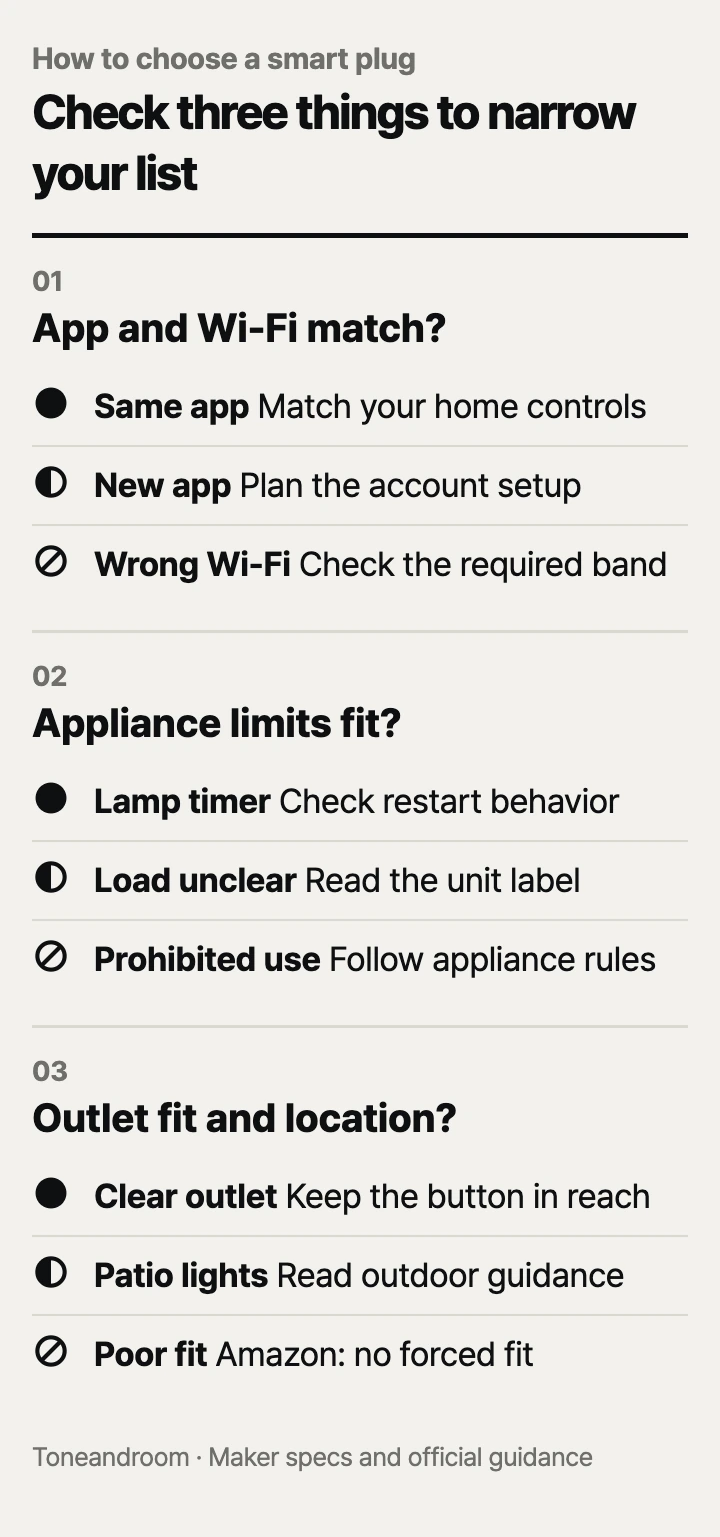
Buying a smart plug by pack price alone can leave you with the wrong app, an unsuitable appliance, or a blocked outlet; check these three things, in order.
Will it work with your app and home Wi-Fi?
Choose the control system first, then confirm that your router supports the plug's Wi-Fi band.
Amazon says its Smart Plug works exclusively with Alexa and requires a 2.4 GHz network. Govee lists Alexa and Google Assistant support for its B5081 four-pack, with setup through Govee Home. Kasa lists Alexa and Google Assistant for the EP40. These compatibility claims make the Amazon model a straightforward choice for an Alexa household, while the other two give Google households an option. They do not establish direct Apple Home support. Amazon Smart Plug, Govee Smart Plug, Kasa EP40.
Swipe sideways to see the full table →
| If your home ... | Our take | What to check |
|---|---|---|
| Already uses Alexa for everyday routines | Worth it | Amazon's Alexa-only setup matches your household |
| Uses Google Assistant and needs several lamp timers | Worth it | Govee Home setup and the number of outlets you need |
| Runs everything through Apple Home | Only some models | Explicit Apple Home or Matter compatibility on the exact model |
| Has Wi-Fi that cannot provide the required band | Skip it | Router settings before ordering |
| Needs independently scheduled patio lights | It depends | Outdoor outlet location and signal strength |
Govee and Kasa also specify 2.4 GHz Wi-Fi. A router advertising faster bands does not answer the important question: can you connect the plug to the band it needs? Check your router's settings or your internet provider's app before buying. Govee's Bluetooth support does not remove its Wi-Fi requirements for the connected features described in its listing. Govee connectivity, Kasa network requirements.
Think about who will manage the setup. An Alexa household may prefer keeping routines in the app everyone already knows. A household adding several lamps may accept another app if it makes grouping them easier. Give each outlet a name tied to its location, such as “reading lamp” or “patio string lights,” so another person can tell what a command will control.
Will your appliance restart, and is its load allowed?
A smart plug fits best when the appliance resumes its intended operation after power returns and its maker permits that setup.
Amazon specifically describes compatibility with household devices that have a physical on/off switch. That distinction matters more than whether an appliance's cord fits the socket. A bedside lamp with a maintained switch is a better starting point than a device that waits for another button press after power returns. A plug controls incoming power; it cannot replace every command on an appliance's control panel. Amazon appliance compatibility.
Before assigning a timer, check the appliance's instructions for what happens when power is interrupted. For an ordinary lamp, confirm that restoring power brings back the light with its switch left on. Consider whether someone else will habitually turn that switch off. If they do, a scheduled command at the outlet will not make the lamp light up.
The Govee listing needs particular care: its title advertises 15A, but Govee's feature bullets state 10A and 1,200W at 120V. Treat that discrepancy as a reason to confirm the rating printed on the delivered unit and its instructions; do not plan a load around the larger headline number. Govee's published ratings.
Kasa's official EP40 specifications set a 15A maximum load in total and a 1,875W maximum. Its two independently controlled sockets share that limit. Independent schedules do not mean independent full-load allowances. Amazon lists a 15A maximum output for its Smart Plug. In both cases, the maker's load limits and the appliance's instructions govern the connection. Kasa load specifications, Amazon electrical specifications.
- Identify the exact appliance you want to control before choosing a pack.
- Compare its nameplate and instructions with the smart plug's permitted load.
- Decide whether cutting power actually accomplishes the task you want.
Amazon's safety guidance says not to use its Smart Plug for equipment whose continuous or unsupervised operation could be dangerous, including heaters. A current rating alone does not override that restriction. Amazon safety guidance.
Will it fit the outlet and your daily routine?
Choose for the actual installation spot, including nearby plugs, access to the button, and indoor or outdoor placement.
Amazon describes a compact housing that leaves the second outlet free and lists dimensions of 3.2 by 1.5 by 2.2 inches. Still, look at the charger or angled cord already sharing your wall plate. The practical question is whether your existing connections and the new plug can coexist where you want them. Leave yourself access to the outlet instead of making every change require moving a bookcase. Amazon size and layout.
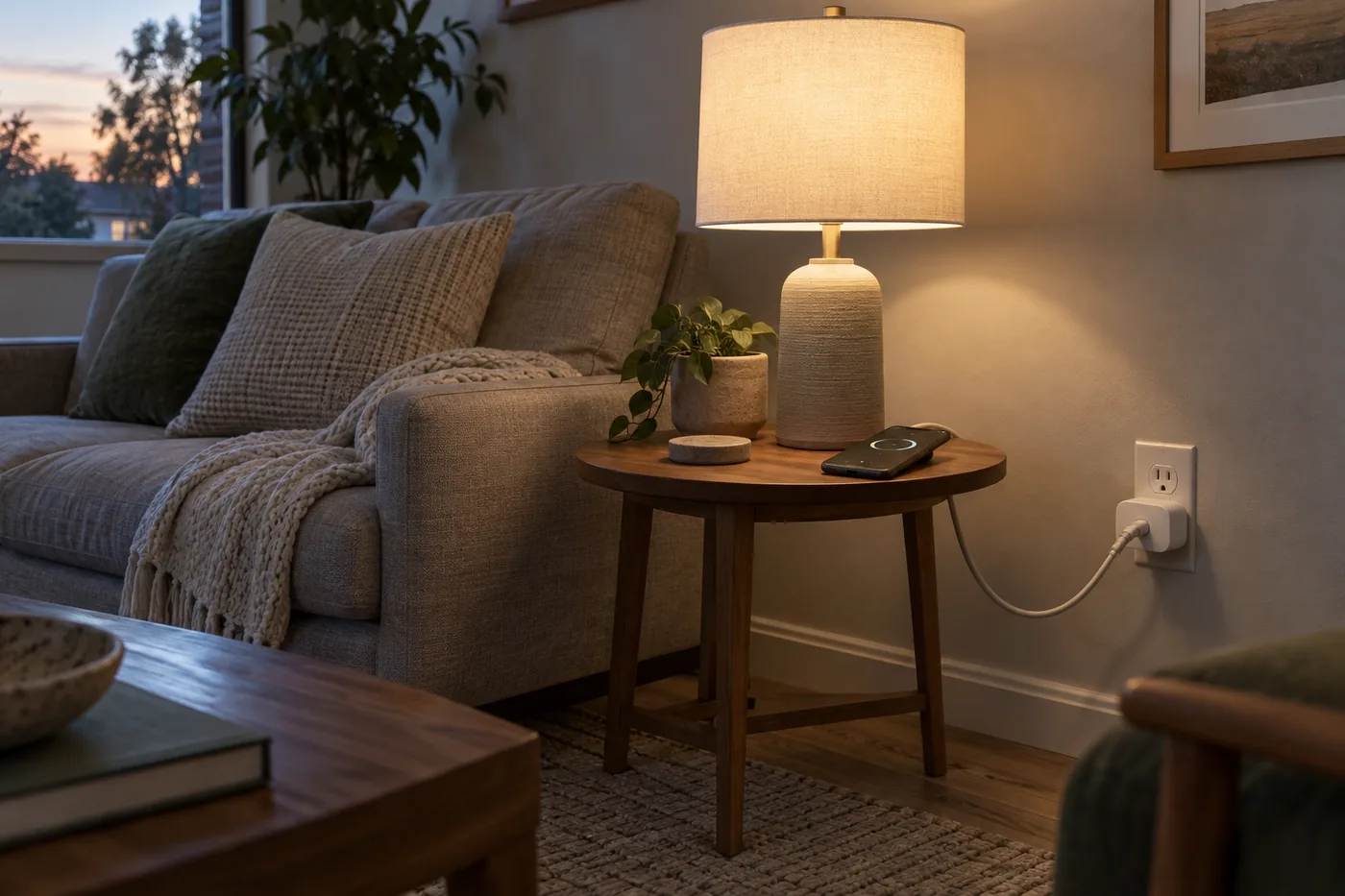 AI-generated illustration for explanation. Not a specific product.
Amazon's safety guidance calls for dry indoor use, a direct wall connection, and an accessible outlet. It also says to unplug the device before cleaning and use a soft cloth without liquid. Keep that care routine in mind when choosing a spot near a kitchen counter or houseplants. Amazon placement and care.
For a patio, Kasa specifies IP64 protection for the EP40 and requires a GFCI receptacle outdoors or in wet locations. Kasa also warns against letting water enter the socket. An outdoor rating comes with installation requirements; it does not make the connection suitable for every exposed spot. Kasa outdoor guidance.
The EP40 includes a 6-inch cable, according to Kasa's Amazon listing. Check how its hanging body and connected cords will sit at your receptacle. Count lighting zones, too: separate patio and seasonal lights make its independent controls useful. EP40 package and controls.
For daily upkeep, keep outlet names, schedules, and household expectations consistent. Decide whether lights should follow bedtime, a fixed evening schedule, or manual commands. After changing routines, review the app so an old schedule does not keep doing something you no longer want.
How do the popular picks compare side by side?
Choose Amazon for an Alexa routine, Govee for several indoor lamps, and Kasa EP40 for separate outdoor lighting schedules.
Swipe sideways to see the full table →
| Model | App and Wi-Fi | Published load limit | Package and placement | Price (Amazon.com, Oct 14, 2026) | Buy |
|---|---|---|---|---|---|
| Amazon Smart Plug (2-Pack) | Alexa only; 2.4 GHz | 15A maximum per plug | Two plugs; Amazon specifies indoor use | Price varies; check Amazon | View on Amazon |
| Govee Smart Plug B5081 (H5083, 4-Pack) | Govee Home; Alexa/Google Assistant; 2.4 GHz | Feature bullets: 10A / 1,200W; confirm unit label | Four separate plugs for indoor lamp setups | about $29.99 on Amazon.com (Oct 14, 2026) | View on Amazon |
| Kasa Outdoor Smart Plug EP40 | Kasa app; Alexa/Google Assistant; 2.4 GHz | 15A total / 1,875W maximum | One unit; two independent sockets; Kasa specifies IP64 | about $22.99 on Amazon.com (Oct 14, 2026) | View on Amazon |
Prices are what Amazon.com showed on Oct 14, 2026 and change often.
The specifications above come from Amazon's Smart Plug page, Govee's product listing, and Kasa's official EP40 specifications. Compare cost against the outlets you will actually control. Govee's larger pack makes sense when those plugs have jobs waiting for them; unused extras add little value. The EP40's lower package price does not make it a substitute for separate plugs in different rooms.
The final choice is about the routine you want to simplify. An existing Alexa setup favors Amazon's app choice. Several lamp locations favor Govee's pack format. Outdoor lighting zones favor the EP40's layout, provided Kasa's installation requirements fit your home.
A closer look at each product
If you already use Alexa · Amazon Smart Plug (2-Pack)
Amazon specifies Alexa-only control, setup in the Alexa app, and no separate smart home hub. The two-pack suits a pair of lamp routines in an existing Alexa household.
- Alexa app setup without a separate hub
- Compact design intended to leave the neighboring outlet free
- 15A maximum output per plug
- Works exclusively with Alexa
- Amazon requires dry indoor use
If you need timers for several indoor lamps · Govee Smart Plug B5081 (H5083, 4-Pack)
The four-pack supports schedules and group control in Govee Home, plus Alexa and Google Assistant. It suits separate lamp locations when you are comfortable managing Govee Home.
- Four separate smart plugs
- Scheduling and group control
- Alexa and Google Assistant compatibility
- Govee lists 2.4 GHz Wi-Fi only
- Conflicting load claims: feature bullets say 10A / 1,200W; confirm the unit label
If you want separate patio lighting schedules · Kasa Outdoor Smart Plug EP40
Its two sockets can be controlled independently, so patio and seasonal lights can follow different schedules. Kasa specifies IP64 protection and a shared 15A load limit.
- Two independently controlled sockets
- Kasa specifies IP64 outdoor protection
- Alexa and Google Assistant compatibility
- Kasa requires GFCI receptacles outdoors or in wet locations
- Both sockets share the total load allowance
In one sentence
Match the app and Wi-Fi, check appliance limits, then confirm outlet fit and placement.
Amazon Smart Plug (2-Pack)
View on AmazonGovee Smart Plug B5081 (H5083, 4-Pack)
View on AmazonKasa Outdoor Smart Plug EP40
View on AmazonWhat to check
- App and Wi-Fi · Alexa-only or Alexa/Google Assistant; these models require 2.4 GHz Wi-FiCheck your household control app and router settings before choosing a model.
- Appliance limits · Restart behavior, maker permission, and the exact unit load ratingCompare your appliance instructions and nameplate with the smart plug label and manual.
- Outlet fit · Neighboring plugs, button access, and indoor or outdoor placementInspect the installation spot and follow the maker guidance for placement and upkeep.
- App and Wi-Fi compatibility
- Appliance restart behavior and permitted load
- Outlet clearance and installation requirements
Frequently asked questions
Do these smart plugs work on 5 GHz Wi-Fi?
Amazon, Govee, and Kasa specify 2.4 GHz Wi-Fi for these models. Check whether your router can provide that band before ordering; a dual-band router may already support it.
Do I need an Echo to use the Amazon Smart Plug?
Amazon says setup uses the Alexa app and does not require a separate smart home hub. A compatible Alexa device adds voice control; you can manage the plug through the app.
Can I use an Amazon Smart Plug with a space heater?
Amazon safety guidance says not to use its Smart Plug for equipment whose continuous or unsupervised operation could be dangerous, including heaters. Its current rating does not override that restriction.
Can the Kasa EP40 control each outlet separately?
Kasa specifies independent control for both sockets. Its official specifications also set a 15A total load limit, so separate controls do not create separate full-load allowances.
Sources
- Kasa EP40 official product specifications · Oct 14, 2026
15A maximum total load, 1,875W maximum power, IP64 rating, 2.4 GHz Wi-Fi, and the GFCI requirement outdoors or in wet locations.
- Amazon Smart Plug safety and compliance · Oct 14, 2026
Dry indoor placement, direct wall connection, accessible outlet, cleaning instructions, and restrictions on equipment such as heaters.
Read next
Best dash cam on Amazon.com (2026): Check coverage, parking power, and file access first
Best e-readers on Amazon.com (2026): check book access, screen and light, and charging first
Best Stylus Pens on Amazon.com (2026): Check Tablet Fit, Writing Features, and Charging
Best car phone mounts on Amazon.com (2026): Check mount fit, case fit, and upkeep
Other topics
Best bottle drying racks on Amazon.com (2026): check counter fit, daily load, and cleanup first
Best kitchen trash can on Amazon.com (2026): Check fit, lid access, and upkeep first
Best Enameled Dutch Oven on Amazon.com (2026): Check Capacity and Fit, Heat Limits, and Care First