Conclusion
JAMJAKE K10 is enough for inexpensive handwriting and markup on a listed iPad. Apple Pencil Pro suits pressure-sensitive drawing on a compatible iPad, while Metapen A8 suits a preference for a metal barrel and no Bluetooth pairing.
3 selected products
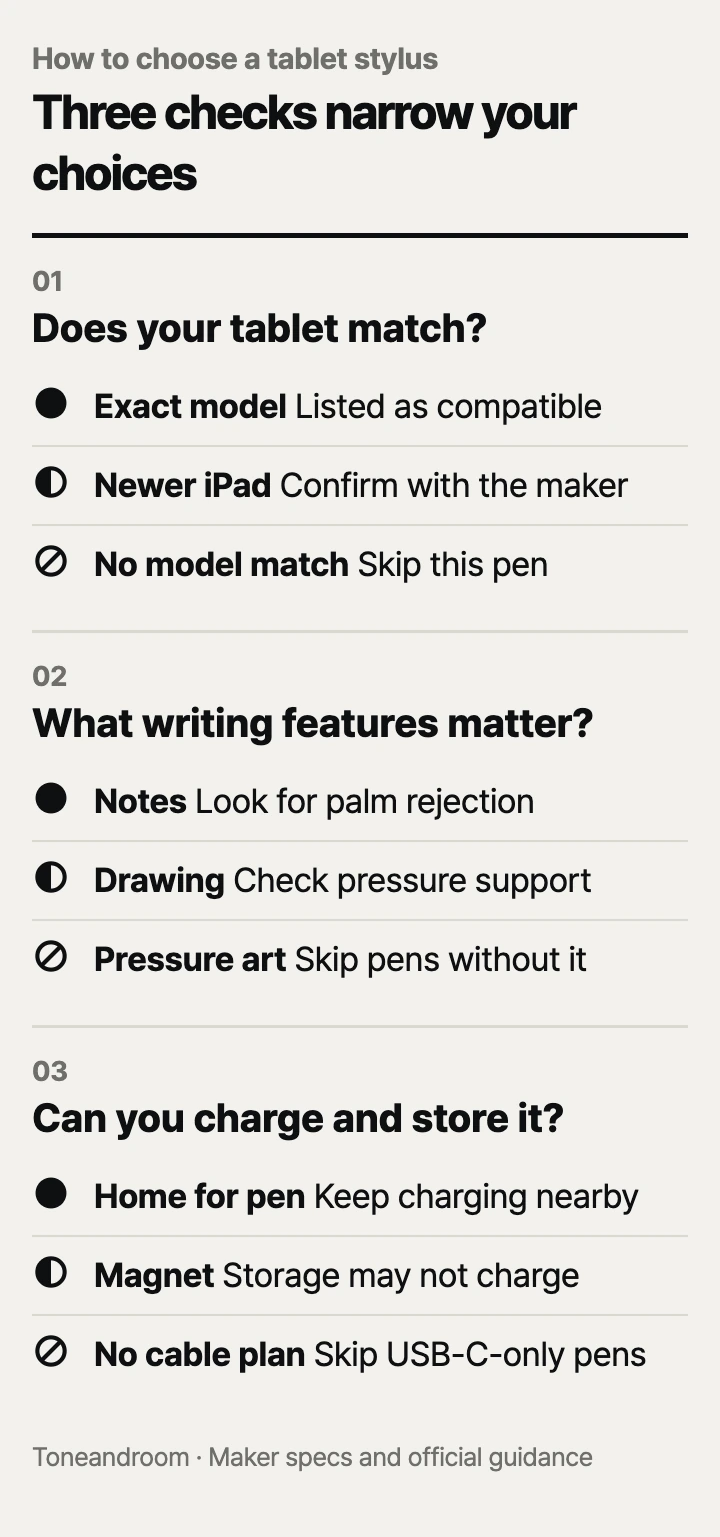
The common mistake is buying a stylus because it says “for iPad,” then discovering that it misses your exact tablet model or the drawing feature you need. Before comparing prices, check these three things, in order
Will it work with the tablet already in your home?
Match the exact tablet model before choosing a pen, because an iPad-compatible stylus is not compatible with every iPad.
Apple directs owners to Settings > General > About > Model Name to identify their iPad. Write that name down before shopping; a family tablet handed down from a few years ago can have different pen support from a new tablet with a similar name. Screen size alone does not establish compatibility. Apple's stylus guide explains where to find the model name.
According to Apple's compatibility guidance, Apple Pencil Pro works with iPad Pro 11-inch and 13-inch models using M4 or M5, iPad Air 11-inch and 13-inch models using M2, M3, or M4, and iPad mini with A17 Pro. Apple also requires iPadOS 17.5 or later. An older iPad Pro does not gain Pencil Pro support just by updating its software.
JAMJAKE's K10 listing names supported iPad generations and excludes iPhone, Android, and Microsoft devices. Its broad date range is less useful than its model list. Metapen's A8 Amazon listing also names newer iPads than its narrower support article does. If your newer model appears only in the listing, get model-specific confirmation from Metapen before ordering.
Swipe sideways to see the full table →
| If your home... | Our take | What to check |
|---|---|---|
| Uses a supported recent iPad for pressure-controlled drawing | Worth it | Pencil Pro's exact model and software requirements |
| Uses an older iPad for handwritten school or work notes | Only some models | JAMJAKE K10 or Metapen A8 model lists |
| Shares several different iPads | It depends | Every tablet's model, not just the newest one |
| Needs one pen for an iPad, Android tablet, and phone | Skip it | These picks do not provide universal compatibility |
Sharing a pen makes sense only if each tablet supports it. Metapen's setup guidance also says to unpair an existing Apple Pencil before using A8. That extra step can make frequent swaps between different pens less convenient than keeping a dedicated pen with each tablet.
Do you need pressure control or mainly clear handwriting?
Pay for pressure sensitivity when changing stroke weight by pressing harder is part of your drawing routine.
Apple lists pressure sensitivity for Pencil Pro; JAMJAKE explicitly says K10 has no pressure-sensitive design, and Metapen's A8 support FAQ says A8 lacks pressure sensitivity. Palm rejection addresses a different need: resting your hand on the screen while writing. Tilt sensitivity addresses the angle of the pen. Neither feature establishes pressure support.
For grocery lists, class notes, meeting notes, and marking up documents at the kitchen table, JAMJAKE K10 offers published palm rejection and tilt support without requiring a large outlay. Its listing's explicit statement that it lacks pressure sensitivity is the relevant buying limit, even though another specification field uses pressure-related wording.
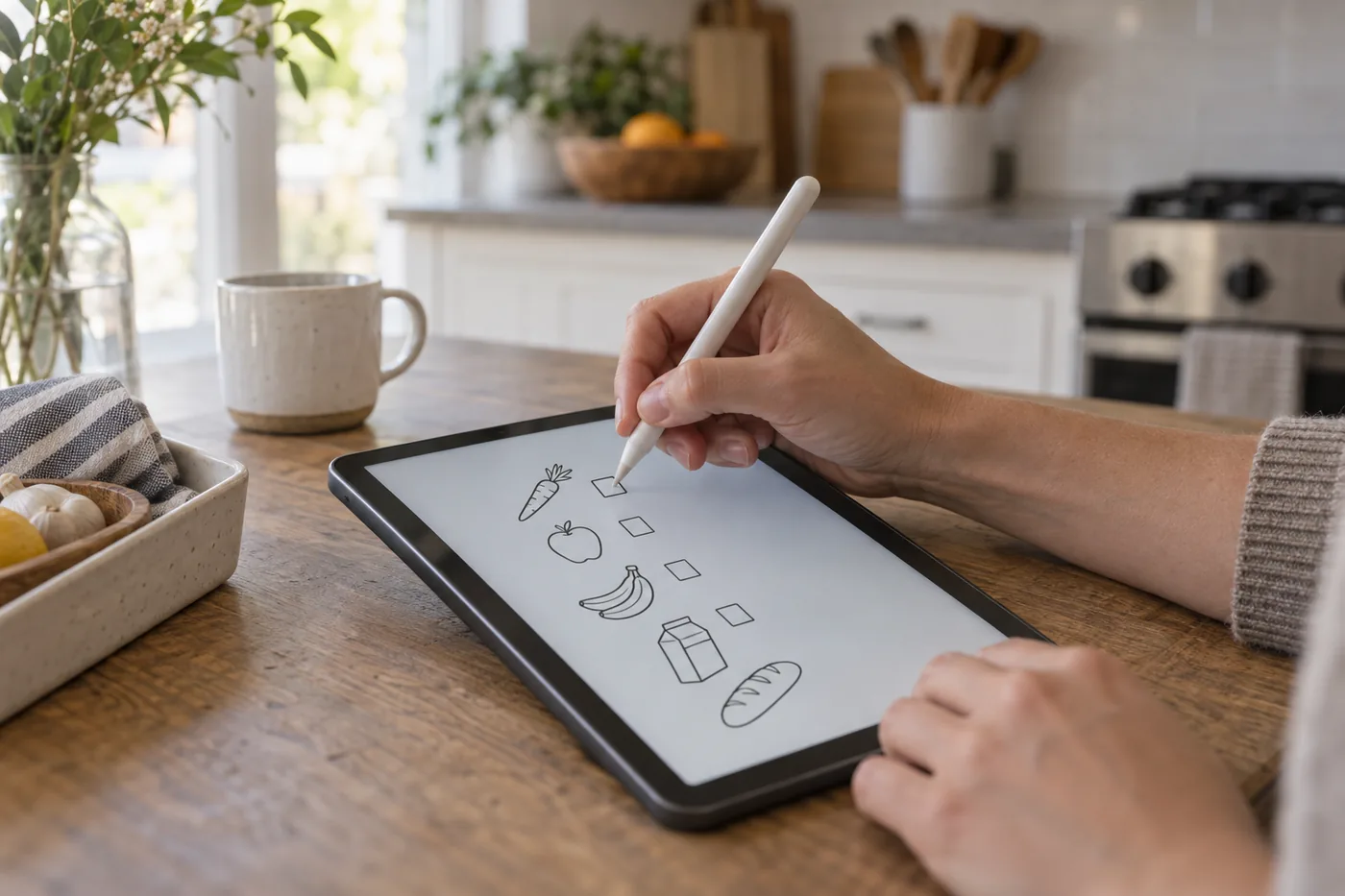 AI-generated illustration for explanation. Not a specific product.
If you draw with brushes that respond to pressure, Apple Pencil Pro is the fit among these three, provided your iPad supports it. Apple also lists squeeze, barrel roll, and haptic feedback. Their value depends on whether your drawing app and chosen tools support those interactions; they are not necessary for a simple checklist.
Metapen A8 is a separate option for someone who wants a metal barrel and writing without Bluetooth pairing. Metapen's Amazon listing identifies an aluminum barrel and palm rejection. It is not a pressure-sensitive substitute for Pencil Pro. Choose it for those setup and construction preferences, rather than expecting a drawing upgrade over K10.
Before adding a pen to your cart:
- Decide whether your main task is handwriting, document markup, or pressure-controlled art.
- Check your app's feature guidance for the pen functions you plan to use.
- Keep palm rejection, tilt, and pressure support separate on your shopping checklist.
Where will you charge it and keep it between sessions?
Choose a charging and storage routine that fits the place where you actually use the tablet.
Apple says Pencil Pro pairs and charges while magnetically attached to a compatible iPad. That can suit a small apartment desk or a living room side table where another loose charging cable would be inconvenient. Check that your tablet case leaves the attachment area usable, and give the tablet and pen a consistent place to return after use.
JAMJAKE lists USB-C charging for K10 and claims a 5–15-minute charge provides 15 hours of work time. Metapen's A8 Amazon listing claims a 30-minute full charge and up to 10 hours of use. These are maker claims, not guaranteed runtimes for your workload. Keep the cable where you write so a discharged pen does not send you searching through a drawer.
Magnetic attachment does not automatically mean charging. Metapen explicitly says A8 does not charge magnetically or wirelessly through the iPad. Its official product page also says attachment depends on the tablet and case. If the pen cannot attach to your setup, use a case loop or a dedicated tray instead of planning around the magnet.
Daily upkeep includes the tip as well as the battery. Metapen's A8 troubleshooting guidance suggests adjusting or replacing the tip when writing is inconsistent and warns that a thick screen film can affect response. Check that guidance before purchasing a textured protector solely to change the writing feel.
For charging safety, Metapen's maker guidance calls for certified adapters and cables and says not to leave A8 charging for extended periods, including overnight. Plan a short charging session while you are around, rather than treating the pen like something that stays plugged in indefinitely.
How do the popular picks compare side by side?
Choose JAMJAKE K10 for inexpensive notes, Metapen A8 for its metal barrel and no-pairing setup, or Apple Pencil Pro for pressure-sensitive art on a supported iPad.
All three carried Amazon's “10K+ bought in past month” label on Oct 14, 2026. That is a popularity signal, not evidence that a pen matches your tablet or lasts longer. Compare the published limits below before letting the purchase count influence your choice.
Swipe sideways to see the full table →
| Model | Tablet compatibility | Writing features | Charging and stated runtime | Price (Amazon.com, Oct 14, 2026) | Buy |
|---|---|---|---|---|---|
| Apple Pencil Pro | Listed M4/M5 iPad Pro, M2/M3/M4 iPad Air, and A17 Pro iPad mini; iPadOS 17.5+ | Pressure, tilt, palm rejection; squeeze and barrel roll | Magnetic pairing and charging; runtime: Not listed by the maker | Price varies; check Amazon | View on Amazon |
| JAMJAKE K10 Stylus Pen for iPad | Listed iPad models; excludes iPhone, Android, and Microsoft devices | Palm rejection and tilt; no pressure sensitivity | USB-C; claimed 5–15-minute charge for 15 hours of work | about $15.98 on Amazon.com (Oct 14, 2026) | View on Amazon |
| Metapen A8 Stylus Pen for iPad | Listed iPads; confirm newer models where Amazon and support lists differ | Palm rejection; no pressure sensitivity; aluminum barrel | USB-C; claimed 30-minute full charge, up to 10 hours; no magnetic charging | about $15.99 on Amazon.com (Oct 14, 2026) | View on Amazon |
Prices are what Amazon.com showed on Oct 14, 2026 and change often.
A closer look at each product
If you draw with pressure-sensitive brushes · Apple Pencil Pro
Apple lists pressure and tilt sensitivity, squeeze, and barrel roll. Magnetic pairing and charging suit a supported iPad kept at a regular writing spot.
- Pressure and tilt sensitivity
- Magnetic pairing and charging
- Find My support
- Works only with specified iPad models
- App support affects advanced tool functions
If you want inexpensive handwritten notes · JAMJAKE K10 Stylus Pen for iPad
JAMJAKE lists palm rejection and tilt support for handwriting and markup on specified iPads. Its explicit lack of pressure sensitivity limits pressure-controlled artwork.
- Palm rejection and tilt support
- USB-C charging
- Maker claims 15 hours of work time
- No pressure sensitivity
- Excludes iPhone, Android, and Microsoft devices
If you prefer a metal barrel and no pairing · Metapen A8 Stylus Pen for iPad
Metapen lists an aluminum barrel and palm rejection, with no Bluetooth pairing required. USB-C charging and model-dependent magnetic storage suit a dedicated note-taking setup.
- Aluminum barrel
- No Bluetooth pairing required
- Maker claims up to 10 hours per charge
- No pressure sensitivity or magnetic charging
- Newer iPad compatibility needs confirmation where source lists differ
In one sentence
Check your exact tablet, the writing features you need, and how you will charge and store the pen.
Apple Pencil Pro
View on AmazonJAMJAKE K10 Stylus Pen for iPad
View on AmazonMetapen A8 Stylus Pen for iPad
View on AmazonWhat to check
- Tablet compatibility · Match the exact tablet model and required software.Find the tablet model in Settings and compare it with the pen compatibility list before ordering.
- Writing features · Separate palm rejection, tilt, and pressure sensitivity.Check the features your handwriting or drawing app needs for your usual tasks.
- Charging and storage · Choose magnetic charging or USB-C and a case-compatible storage spot.Check the case attachment area and decide where the pen and charging cable will stay between sessions.
- Exact tablet model and software requirements
- Palm rejection, tilt, and pressure support
- Charging method and case-compatible storage
Frequently asked questions
Does Apple Pencil Pro work with every iPad?
No. Apple supports only specified iPad Pro, iPad Air, and iPad mini models and requires iPadOS 17.5 or later. Check the exact model against Apple's compatibility page before ordering.
Can JAMJAKE K10 replace Apple Pencil for taking notes?
It can suit handwriting and markup on an iPad named in JAMJAKE's compatibility list. The maker lists palm rejection and tilt support but explicitly says it lacks pressure sensitivity.
Does Metapen A8 charge magnetically on an iPad?
No. Metapen specifies USB-C charging and says A8 does not support magnetic or wireless charging through the iPad. Magnetic attachment is only storage and depends on the tablet and case.
Will these iPad styluses work on an Android tablet?
These picks are designed for specified iPads, not general Android tablet use. Match an Android tablet to a pen the tablet maker explicitly supports rather than choosing by an iPad-compatible label.
Sources
- Apple Pencil features · Oct 14, 2026
Pressure, tilt, palm rejection, magnetic charging, advanced functions, and model identification guidance.
- Apple Pencil compatibility · Oct 14, 2026
Pencil Pro supported iPad models and iPadOS 17.5 minimum.
- Metapen A8 product page · Oct 14, 2026
Replaceable tip and magnetic attachment dependent on device and case; direct-store price is not used as an Amazon price.
- Metapen A8 troubleshooting · Oct 14, 2026
No pressure sensitivity or Bluetooth pairing, unpairing an existing Apple Pencil, tip and screen-film guidance; narrower compatibility list than Amazon.
Read next
Best car phone mounts on Amazon.com (2026): Check mount fit, case fit, and upkeep
Best Selfie Stick Tripod on Amazon.com (2026): Check Floor Space, Phone Fit, and Daily Upkeep
Best wireless chargers on Amazon.com (2026): 3 things to check first
Best microSD card on Amazon.com (2026): check device support, workload, and upkeep first
Other topics
Best Silicone Baby Bibs on Amazon.com (2026): Check Neck Fit, Pocket Clearance, and Cleanup First
Best Laundry Basket on Amazon.com (2026): 3 Things to Check First
Best Vacuum Sealers on Amazon.com (2026): Check Bag System, Space, and Upkeep First