Conclusion
The cheaper Kindle Essentials Bundle suits readers who want a compact device for novels and manual brightness control. Choose the standard Paperwhite for warm light, or the Signature Edition bundle if automatic brightness and a dedicated dock fit your routine.
3 selected products
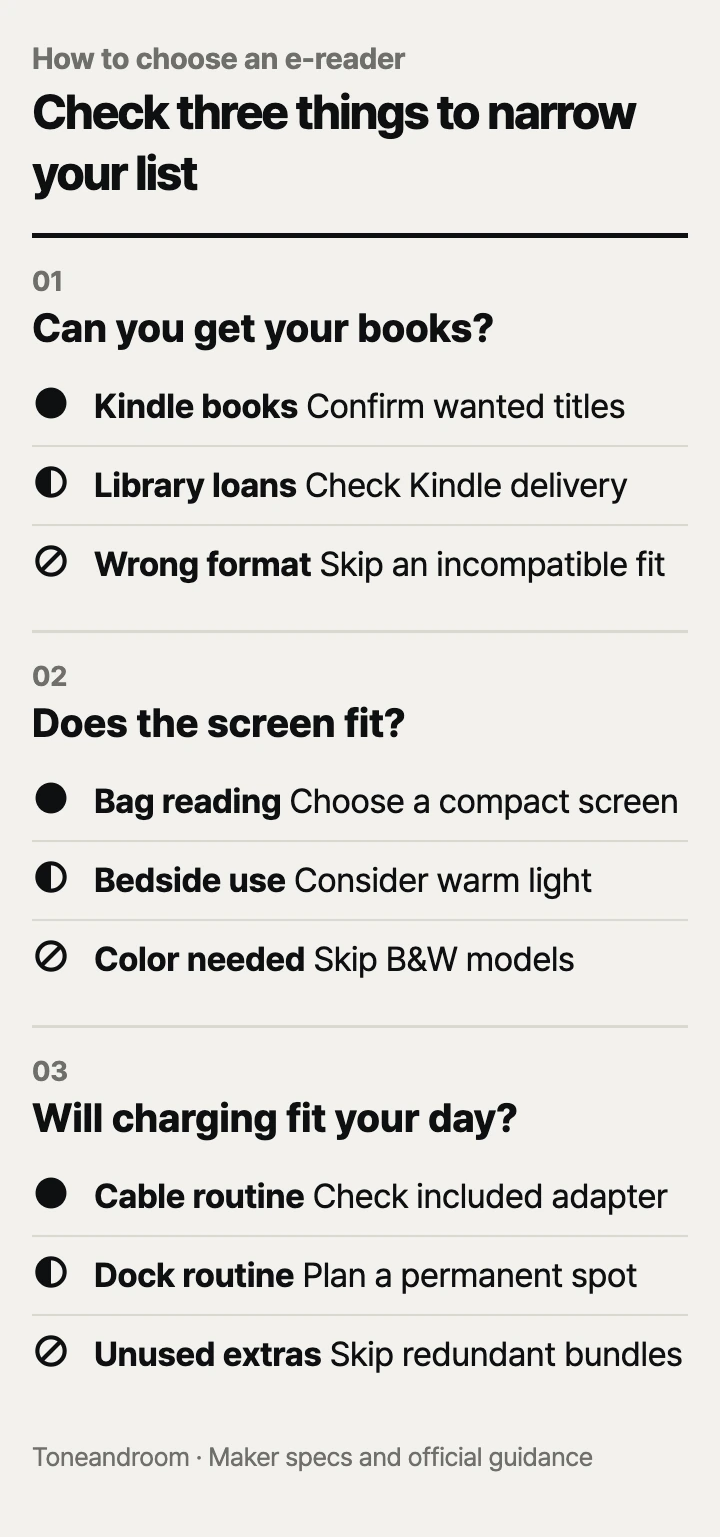
The common mistake is choosing an e-reader by storage or sale price before checking whether your books, reading spot, and charging routine fit; check these three things, in order.
Can you get the books you actually want?
Confirm your book source before paying for a larger screen or more storage.
Libby's official guidance says most Libby books can be read on Kindle, with this option available in the U.S. only. Its process sends you from a loan's Read With menu to Kindle, then to Amazon, where you sign in and select Get Library Book. Start with your local public library's collection and the titles you plan to borrow. A library card alone does not establish that every book you want has a Kindle option. Libby's Kindle instructions.
Swipe sideways to see the full table →
| If your home … | Our take | What to check |
|---|---|---|
| Relies on public-library e-books | It depends | Look for Kindle under Read With on the titles you want. |
| Buys mostly Kindle novels | Worth it | Check book availability and the total device package cost. |
| Needs color illustrations to understand the page | Only some models | Confirm a color screen; these three bundles use monochrome readers. |
| Needs video, web apps, and books on one device | Skip it | Decide whether a tablet better fits that daily routine. |
For personal files, Amazon's transfer guidance lists EPUB and PDF among the formats accepted by Send to Kindle, with a limit of 200 MB per file. Amazon also says its 2024 Kindle devices need a separate application for USB file transfers on a Mac. A supported file extension does not tell you whether a dense page will be comfortable to read. Amazon's file-transfer guidance.
Think about your actual queue: novels from the library, purchased nonfiction, downloaded articles, or illustrated reference books. If it mostly consists of fixed-layout pages with small labels, prioritize checking page legibility over the amount of storage. For ordinary novels, do not pay for extra capacity without a reason to keep a larger collection downloaded.
- Check the next book you want in your library's catalog.
- Confirm the Amazon account you will use for library delivery.
- Identify any personal documents you expect to transfer regularly.
- Decide whether illustrations need color or simply enough room to read.
Does the screen fit your reading spot?
Choose screen size and lighting around where you sit and the text size you prefer.
Amazon lists a 6-inch glare-free display for the Kindle in the Matcha Essentials Bundle and a 7-inch display for the Jade Paperwhite bundle. Both readers have 16 GB of storage. Those specifications make the compact bundle the natural starting point for a bag, while the larger screen deserves attention if you prefer larger type. Kindle bundle, Paperwhite bundle.
At home, picture the reader beside your couch, on a narrow nightstand, and in the bag you take out most often. Include the cover in that decision. Screen diagonal is useful for comparing display size, but it does not tell you the size of the entire package. If your bag pocket is tight, check the device dimensions and the cover's fit before ordering.
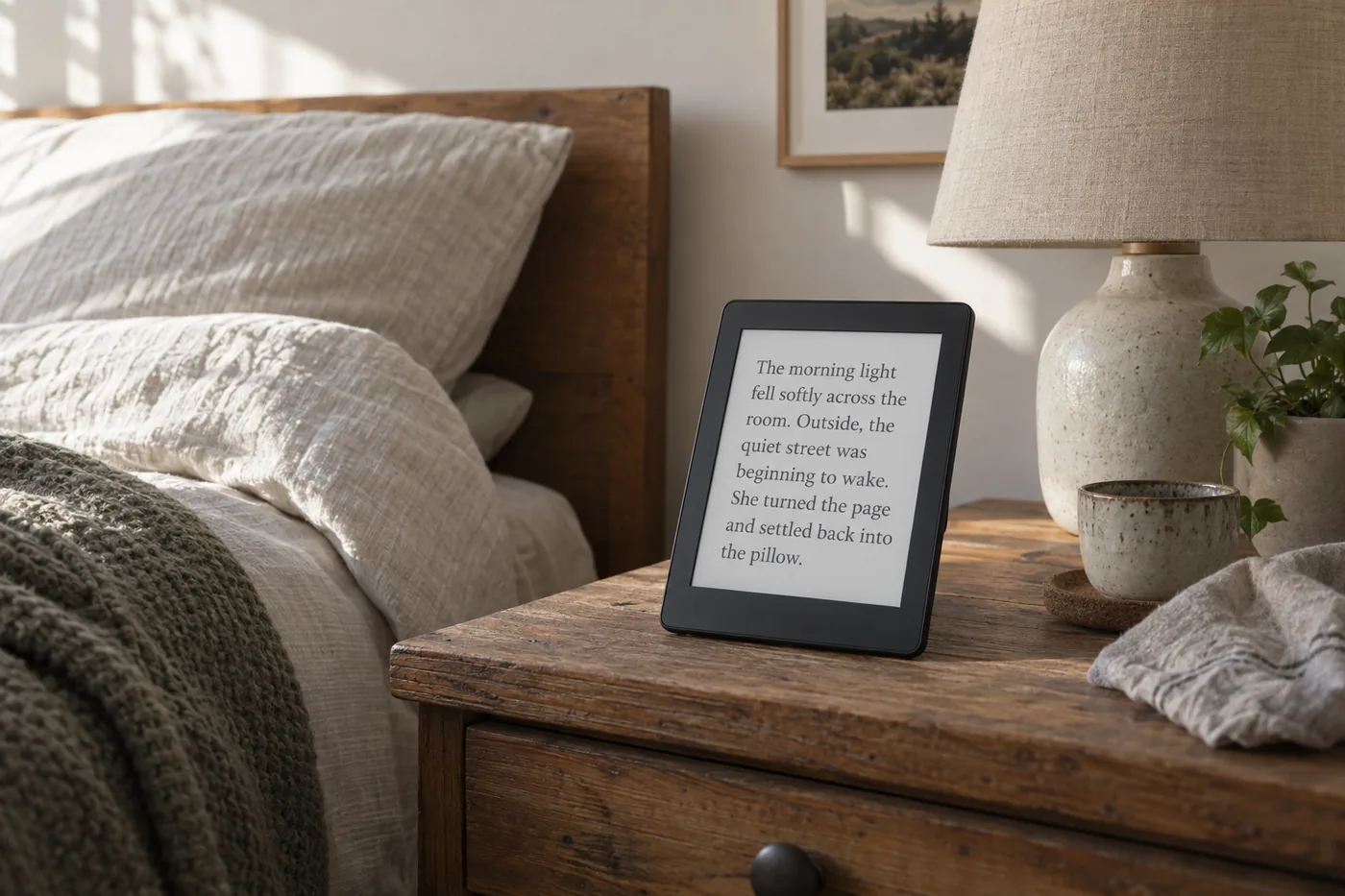 AI-generated illustration for explanation. Not a specific product.
Amazon describes the standard Paperwhite's light as adjustable from white to amber. That gives a bedside reader a concrete reason to move up from the compact Kindle bundle. Treat warm light as a display preference; choose the setting you find pleasant alongside your bedroom lamp. Paperwhite lighting details.
Amazon's official lineup announcement identifies an auto-adjusting front light as a Signature Edition feature. That matters most when you move between a bright living room and a dim bedroom and prefer fewer manual adjustments. If you stay in the same chair under the same lamp, decide whether that convenience deserves the extra cost. Amazon's model overview.
Will charging and care fit your routine?
Choose a charging method you will use, and follow Amazon's care guidance wherever you keep the reader.
Amazon's bundle pages claim up to 6 weeks per charge for the compact Kindle and up to 12 weeks for both Paperwhite readers. Their detail tables base those claims on 30 minutes of daily reading with wireless off and the light setting at 13. Treat these as conditional maximums, especially if you read longer or use brighter lighting. Kindle battery details, Paperwhite battery details, Signature Edition battery details.
The compact and standard Paperwhite bundles include a fabric cover and power adapter. Amazon's Signature Edition bundle includes a fabric cover and wireless charging dock, and the reader also supports USB-C charging. Think about where the cable or dock will live. A dock has more value if you have a permanent place for it than if you regularly clear the nightstand or move the reader between rooms. Signature Edition bundle contents.
Amazon's Signature Edition safety guidance says to keep charging equipment ventilated and away from heat, avoid charging near water, and keep metallic or magnetic objects off a wireless charger. Its care instructions call for a soft, nonabrasive cloth and a cover when carrying the reader in a bag. Amazon's safety and care guidance.
Amazon describes the Paperwhite readers as waterproof, but its Signature Edition safety guidance says the device is not intended for underwater use. If immersed, Amazon instructs users to remove the cover and let the device dry completely before connecting a USB cable. Amazon also says not to use a hair dryer or other external heat source to dry it. Follow those instructions rather than treating water protection as permission to ignore care.
- Assign a charging spot before adding a dock to your shopping cart.
- Check whether you already own the accessories included in a bundle.
- Keep a soft cloth with your reading supplies.
- Review the maker's care instructions for the exact model you order.
How do the popular picks compare side by side?
Start with the compact bundle for carrying, the standard Paperwhite for warm-light reading, and the Signature bundle for a permanent charging spot.
Amazon's product pages specify the screen, storage, lighting, and battery claims below. Each package includes a complete e-reader and accessories; compare the whole package with what you already own.
Swipe sideways to see the full table →
| Model | Screen and storage | Lighting | Claimed battery life | Price (Amazon.com, Oct 14, 2026) |
|---|---|---|---|---|
| Amazon Kindle Essentials Bundle, 2024 release, Matcha, fabric cover and power adapter | 6-inch; 16 GB | Adjustable front light | Up to 6 weeks | About $186.97 |
| Amazon Kindle Paperwhite Bundle, 2024 model, Jade, fabric cover and power adapter | 7-inch; 16 GB | Adjustable warm light | Up to 12 weeks | About $236.97 |
| Amazon Kindle Paperwhite Signature Edition Bundle, 2024 model, Jade, fabric cover and wireless charging dock | 7-inch; 32 GB | Auto-adjusting front light | Up to 12 weeks | About $306.97 |
Prices are what Amazon.com showed on Oct 14, 2026 and change often.
The compact Kindle bundle fits someone who wants books in a small bag and accepts manual brightness adjustments. The standard Paperwhite bundle fits a regular bedside reader who values the larger screen and amber setting. The Signature Edition bundle fits someone who wants automatic brightness and will keep the dock plugged in at a dedicated spot. Extra storage alone is a weaker reason to choose it if your routine is simply finishing a novel and downloading the next one.
A closer look at each product
If you carry novels in a small bag · Amazon Kindle Essentials Bundle including Kindle (2024 release), Matcha, Fabric Cover, Matcha, and Power Adapter
The 6-inch display and included cover suit a portable reading setup. Its 16 GB storage and adjustable front light cover the core features for reading novels.
- 6-inch glare-free display
- 16 GB storage
- Fabric cover and power adapter included
- No warm-light feature listed
- Smaller display than either Paperwhite pick
If you read beside a bedroom lamp · Amazon Kindle Paperwhite Bundle including Kindle Paperwhite 16GB (2024 model), Jade, Fabric Cover, Jade, and Power Adapter
The 7-inch display and adjustable white-to-amber light fit a regular bedside reading spot. The bundle includes a fabric cover and power adapter.
- 7-inch glare-free display
- Adjustable warm light
- Up to 12 weeks of battery life under Amazon's stated conditions
- Auto-adjusting front light is a Signature Edition feature
- Wireless charging dock is not included
If you want a dedicated charging dock · Amazon Kindle Paperwhite Bundle including Kindle Paperwhite Signature Edition 32GB (2024 model), Jade, Fabric Cover, Jade, and Wireless Charging Dock
Amazon lists an auto-adjusting front light and wireless charging for the Signature Edition. The included dock makes sense when the reader has a permanent home near an outlet.
- Auto-adjusting front light
- 32 GB storage
- Fabric cover and wireless charging dock included
- Higher package price
- Dock needs a dedicated spot near power
In one sentence
Check book access first, then match the screen and charging setup to where you read.
Amazon Kindle Essentials Bundle including Kindle (2024 release), Matcha, Fabric Cover, Matcha, and Power Adapter
View on AmazonAmazon Kindle Paperwhite Bundle including Kindle Paperwhite 16GB (2024 model), Jade, Fabric Cover, Jade, and Power Adapter
View on AmazonAmazon Kindle Paperwhite Bundle including Kindle Paperwhite Signature Edition 32GB (2024 model), Jade, Fabric Cover, Jade, and Wireless Charging Dock
View on AmazonWhat to check
- Book access · Confirm library delivery and personal file supportLook for Kindle in your next library loan's Read With menu and identify the personal files you plan to send.
- Screen and light · Match carrying size, type size, and lightingPicture the reader with its cover at your usual seat and in the bag you carry most often.
- Charging and care · Choose a charging spot and check bundle contentsDecide where the cable or dock will stay and read Amazon's care instructions for that model.
- Book access through your library or store
- Screen size and lighting at your usual seat
- Bundle contents and a practical charging spot
Frequently asked questions
Can I read Libby library books on these Kindles?
Libby says most of its books can be read on Kindle in the U.S. Choose Kindle from the loan's Read With menu, sign in at Amazon, and select Get Library Book. Check the titles you want before choosing a device.
Is Kindle Paperwhite worth the extra cost for reading in bed?
Amazon lists a larger 7-inch screen and adjustable white-to-amber light for the standard Paperwhite bundle. Those features are a useful upgrade if you prefer larger type or an amber display beside your bedroom lamp. The compact bundle suits readers who prioritize carrying size.
Can I send EPUB and PDF files to a Kindle from my Mac?
Amazon lists EPUB and PDF as supported Send to Kindle formats, with a 200 MB limit per file. Its transfer guidance says 2024 Kindle devices require a separate application for USB transfers on a Mac. Check the layout of your documents as well as the file type.
Can I charge a Kindle Paperwhite after it gets wet?
Amazon's Signature Edition safety guidance says to let the device dry completely in a ventilated location before connecting a USB cable. Amazon also says not to charge near water or use an external heat source to dry the reader. Follow the instructions for your exact model.
Sources
- Amazon official 2024 Kindle lineup announcement · Oct 14, 2026
Confirms the 2024 model families, Paperwhite display and storage, and Signature Edition automatic lighting and wireless charging; launch prices are not used as current prices.
- Amazon Kindle Paperwhite Signature Edition safety and care guidance · Oct 14, 2026
Official 12th-generation guidance on charging location, wireless charger objects, drying after immersion, soft-cloth cleaning, and carrying with a cover; no numerical specs used.
- Libby official instructions for Kindle library loans · Oct 14, 2026
U.S.-only Kindle delivery for most Libby books and the Amazon account delivery process; no numerical specs used.
- Amazon official Kindle file-transfer guidance · Oct 14, 2026
Supported personal document formats, 200 MB per-file Send to Kindle limit, and application requirement for USB transfer of 2024 Kindle devices on a Mac.
Read next
Best Stylus Pens on Amazon.com (2026): Check Tablet Fit, Writing Features, and Charging
Best car phone mounts on Amazon.com (2026): Check mount fit, case fit, and upkeep
Best Selfie Stick Tripod on Amazon.com (2026): Check Floor Space, Phone Fit, and Daily Upkeep
Best wireless chargers on Amazon.com (2026): 3 things to check first
Other topics
Best wire shelving units on Amazon.com (2026): 3 things to check first

Best carbon steel woks on Amazon.com (2026): check stove fit, weight, and care first

Best Neck Massager on Amazon.com (2026): Check Format, Power, and Care First