Conclusion
The cheaper Ozeino OW810 suits PC or PlayStation players whose setup supports its transmitter. Xbox players who want wireless audio and chat need an Xbox-compatible option such as the Turtle Beach Stealth 600 Gen 3 for Xbox.
3 selected products
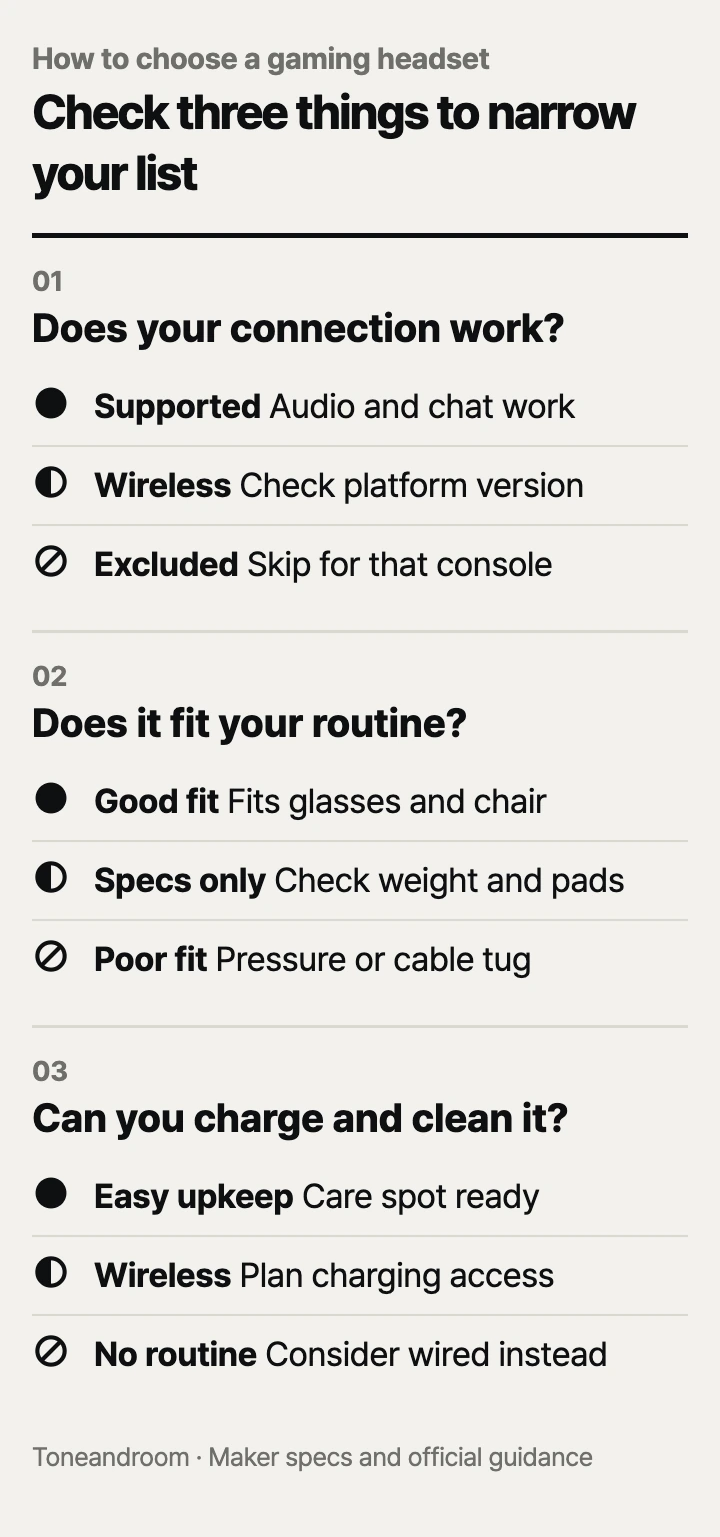
The common mistake is buying a gaming headset for surround-sound claims before checking whether game audio and voice chat work with your actual setup. Before paying for extra features, check these three things, in order.
Will game audio and voice chat work with your setup?
Choose the connection for your console or computer before comparing sound features. HyperX lists the wired Cloud III with 3.5mm, USB-A, and USB-C connections, while Turtle Beach sells platform-specific versions of the wireless Stealth 600. A USB plug that physically fits is only the beginning: the headset also needs to support your platform through that connection. HyperX compatibility, Turtle Beach versions.
Swipe sideways to see the full table →
| If your home setup is... | Our take | What to check | Buy |
|---|---|---|---|
| A desk where a cable can reach comfortably | Worth it | Wired audio, microphone input, and cable routing | |
| A PC or PlayStation station where you want wireless audio | It depends | Compatible USB transmitter and an available port | |
| An Xbox living room where you want wireless chat | Only some models | Explicit Xbox support on the exact version | |
| An Xbox setup paired with Ozeino OW810 | Skip it | Ozeino excludes Xbox in this listing | View on Amazon |
Ozeino's OW810 listing specifies a 2.4GHz USB transmitter for gaming and excludes Xbox consoles. It also says the combined USB-A/USB-C transmitter must stay fully assembled for PlayStation, PC, laptop, and Mac connections. Check clearance beside neighboring plugs, especially if your desktop has tightly spaced ports. Ozeino connection details.
For Xbox wireless use, the selected Turtle Beach listing is the Stealth 600 Gen 3 Xbox version. Keep the platform selection in view when comparing colors or offers. QuickSwitch changes between the wireless and Bluetooth audio/chat sources; it does not establish that both sources play together. Treat simultaneous phone and game audio as a separate requirement. Turtle Beach connection guidance.
For a wired headset, trace the route from your head to the controller or computer. Include the slack needed when you turn toward another monitor or lean back. HyperX lists a 3.93-foot headset cable and a separate 4.26-foot USB dongle cable; the usable arrangement depends on the connection you choose. HyperX cable specifications.
- Name every device you expect to use, including the controller.
- Confirm that the chosen connection carries both audio and microphone input.
- Check the return terms before opening the package, particularly if fit is uncertain.
Will the headset stay comfortable with your glasses and chair?
Use cushion material, adjustment, and headset weight to narrow the options, then confirm fit within the return window. HyperX specifies memory foam with leatherette cushions; Turtle Beach specifies memory foam covered in athletic weave fabric and a glasses-friendly design. These are construction details, not promises that a headset will fit your head. HyperX cushion materials, Turtle Beach comfort features.
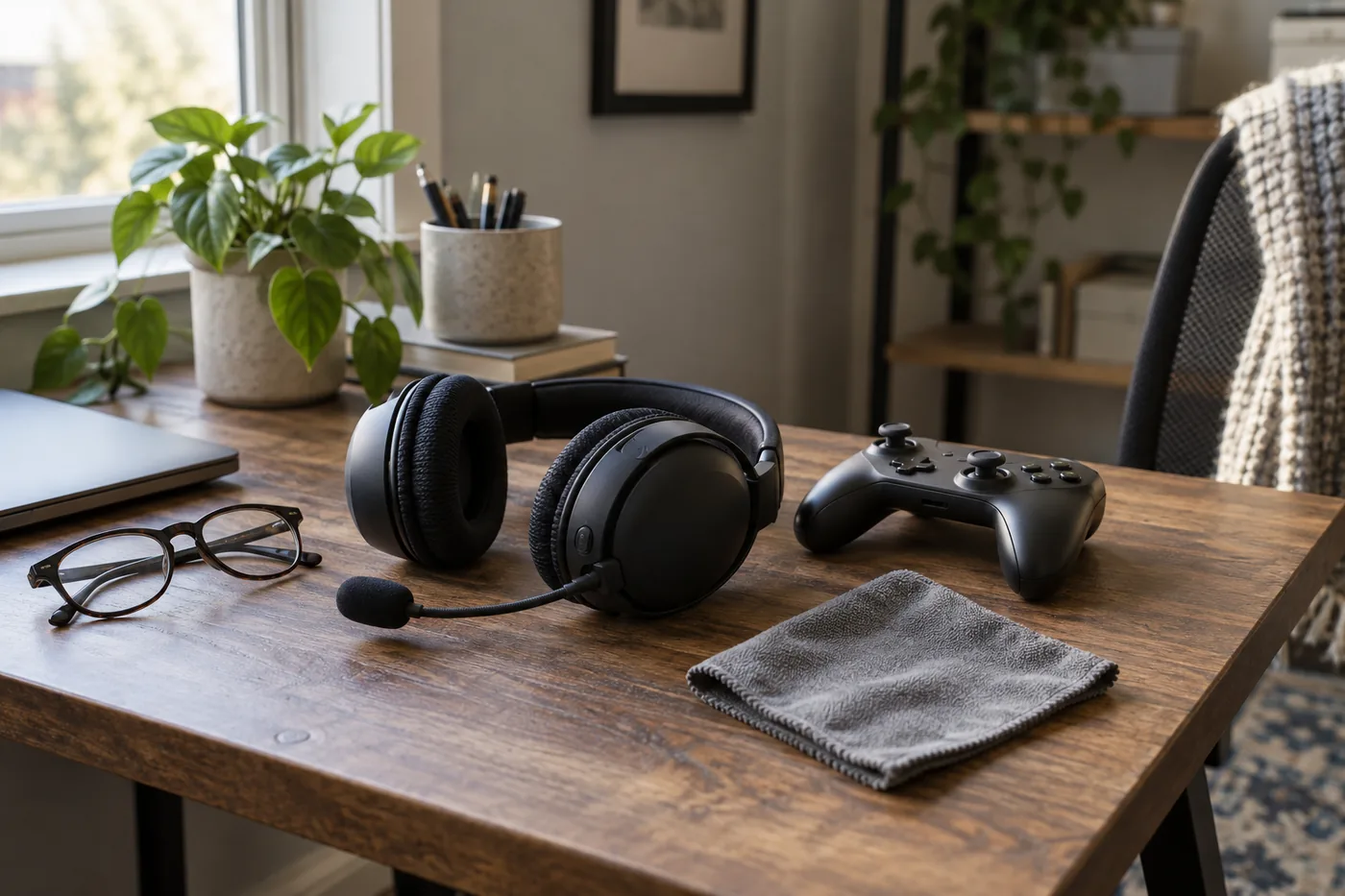 AI-generated illustration for explanation. Not a specific product.
HyperX lists the Cloud III at 0.70 pound with its microphone attached. Use that figure as a reference when comparing published headset weights, but do not infer headband pressure from weight alone. The same weight can feel different depending on where the headband sits and whether the cushions press on your glasses. HyperX physical specifications.
Think about your usual room and posture. At a bedroom desk, check whether the microphone boom fits beside your monitor and whether the cable crosses your mouse area. On a living room couch, check whether the ear cups hit a high cushion when you lean back. If you wear glasses, assess fit with the frames you actually use for gaming.
Microphone controls matter in a shared home. HyperX describes a detachable noise-canceling microphone and an LED mute indicator. Turtle Beach describes a flip-to-mute microphone with AI-based noise reduction. Those features address outgoing chat; they do not establish active noise cancellation for the sound reaching your ears. HyperX microphone details, Turtle Beach microphone details.
- Check cushion contact around your ears and glasses.
- Make sure you can reach volume and mute controls without looking.
- Verify that the microphone stays clear of your face when you move.
Can you keep up with charging and cleaning?
Choose wired if you want to remove charging from the routine, and plan a cleaning spot for either style. HyperX identifies this Cloud III as wired. Ozeino's Amazon listing advertises up to 40 hours of battery life, while Turtle Beach advertises 80 hours for the Stealth 600 Gen 3. Those are published runtime claims, not guaranteed intervals between charges in your home. Ozeino battery claim, Turtle Beach battery claim.
For wireless use, decide where the charging cable will stay. A headset that lives beside your computer is easier to plug in than one that moves between a bedroom and the couch. Keep its transmitter in a consistent place when switching devices, and make sure your charging arrangement does not require moving furniture every time.
Turtle Beach's care guidance recommends mild dish detergent in warm water, applied with a cloth wrung out until it is only damp. The maker specifically warns against dripping liquid into the microphone opening or foam materials. Follow the care instructions for your exact headset before applying a cleaner to its cushions. Turtle Beach cleaning guidance.
Before buying, look for replacement cushions that explicitly match the model and generation. Check how they attach rather than assuming similar-looking pads will fit. If the headset will be shared, leave a cloth near its storage spot so cleaning is easy to remember. A spare shelf or hook should also leave room for the microphone and any attached cable.
How do the popular picks compare side by side?
Ozeino fits inexpensive PC or PlayStation wireless use, HyperX fits a wired routine, and Turtle Beach fits wireless Xbox use. Amazon's Oct 14, 2026 popularity labels showed 7K+ bought in the past month for Ozeino OW810 and HyperX Cloud III, and 6K+ for Turtle Beach Stealth 600. Popularity helps identify widely purchased options; compatibility and daily upkeep still determine the useful choice.
Swipe sideways to see the full table →
| Model | Gaming connection | Published battery life | Microphone | Price (Amazon.com, Oct 14, 2026) | Buy |
|---|---|---|---|---|---|
| Ozeino OW810 | 2.4GHz USB transmitter; excludes Xbox | Up to 40 hours, Amazon listing | Flip microphone | about $31.99 on Amazon.com (Oct 14, 2026) | View on Amazon |
| HyperX Cloud III Wired, Black/Red | 3.5mm, USB-A, USB-C; check platform connection | Not applicable; wired | Detachable, LED mute indicator | Price varies; check Amazon | View on Amazon |
| Turtle Beach Stealth 600 Gen 3 for Xbox, Black | Xbox-compatible 2.4GHz USB transmitter; Bluetooth switching | Up to 80 hours | Flip-to-mute, AI noise reduction | about $110.99 on Amazon.com (Oct 14, 2026) | View on Amazon |
Prices are what Amazon.com showed on Oct 14, 2026 and change often.
The cheaper Ozeino is a reasonable starting point when its supported platforms match your needs. The reason to step up to Turtle Beach here is wireless Xbox compatibility and the longer advertised runtime. HyperX takes the wired route for people who prefer a controller or desk connection without a charging routine. None of these specifications establishes a winner for sound quality or personal comfort.
A closer look at each product
If you want inexpensive PC or PlayStation wireless audio · Ozeino OW810
The Amazon listing specifies a 2.4GHz USB transmitter for PC and PlayStation gaming. It advertises up to 40 hours of battery life and excludes Xbox consoles.
- 2.4GHz wireless gaming connection
- USB-A/USB-C transmitter
- Up to 40 hours of advertised battery life
- Xbox consoles excluded
- Combined transmitter must remain fully assembled for listed desktop and PlayStation connections
If you prefer wired play across your desk and consoles · HyperX Cloud III Wired, Black/Red
HyperX includes 3.5mm, USB-A, and USB-C connections and lists support for PC, PlayStation, Xbox, and Switch. Wired operation removes charging from the routine.
- Multiple wired connection options
- Detachable microphone with LED mute indicator
- Memory foam and leatherette cushions
- Cable routing matters when moving or leaning back
- Comfort with glasses still needs a personal fit check
If you want wireless Xbox play from the couch · Turtle Beach Stealth 600 Gen 3 for Xbox, Black
The Xbox version supports wireless game audio and chat through its USB transmitter. Turtle Beach advertises 80-hour battery life and QuickSwitch between wireless and Bluetooth sources.
- Xbox-compatible wireless transmitter
- Up to 80 hours of advertised battery life
- Flip-to-mute microphone with AI noise reduction
- Must select the correct platform version
- QuickSwitch describes source switching rather than simultaneous audio mixing
In one sentence
Match the platform connection first, then compare wearing comfort and charging and care.
Ozeino OW810
View on AmazonHyperX Cloud III Wired, Black/Red
View on AmazonTurtle Beach Stealth 600 Gen 3 for Xbox, Black
View on AmazonWhat to check
- Platform connection · Confirm game audio and voice chat on your exact deviceCheck the console, controller, available port, and platform version before ordering.
- Wearing comfort · Compare cushions, adjustment, and published headset weightCheck fit with your usual glasses and chair position within the return window.
- Charging and care · Plan charging, cleaning, and replacement cushionsChoose a storage spot with charging access and check the maker's cushion care instructions.
- Platform connection
- Wearing comfort
- Charging and care
Frequently asked questions
Does Ozeino OW810 work with Xbox Series X or Series S?
Ozeino excludes Xbox consoles in this Amazon listing. Choose a headset with explicit Xbox support, such as the Xbox version of Turtle Beach Stealth 600 Gen 3, if you need wireless game audio and chat.
Is a wired or wireless gaming headset better for a PC desk?
Wired suits a desk where the cable can reach comfortably and you prefer to avoid charging. Wireless suits a setup where cable routing gets in the way, provided the transmitter is compatible and has an available port.
Can Turtle Beach Stealth 600 Gen 3 play phone and Xbox audio together?
Turtle Beach describes QuickSwitch as switching the audio and chat source between wireless and Bluetooth. Do not assume simultaneous mixing from that description; confirm that feature separately if you need both sources at once.
How do you clean gaming headset ear cushions?
Turtle Beach recommends mild dish detergent in warm water and a cloth wrung out until only damp. Its care guidance warns against dripping liquid into microphone openings or foam materials. Follow the instructions for your exact headset and cushion material.
Sources
- HyperX Cloud III official specifications · Oct 14, 2026
3.5mm, USB-A, and USB-C connections, platform compatibility, cushion materials, 0.70-pound weight with microphone, 3.93-foot headset cable, and separate 4.26-foot USB dongle cable.
- Turtle Beach Stealth 600 official specifications · Oct 14, 2026
Gen 3 platform versions, Xbox compatibility, 2.4GHz wireless, 80-hour battery claim, source switching through QuickSwitch, glasses-friendly cushions, and microphone noise reduction.
- Turtle Beach headset care guidance · Oct 14, 2026
Mild detergent and damp-cloth cleaning guidance, including avoiding liquid in microphone openings and foam materials.
Read next
Best computer speakers on Amazon.com (2026): check connections, desk space, and daily controls first
Best soundbar on Amazon.com (2026): Check TV connection, placement space, and everyday controls first
Best indoor security cameras on Amazon.com (2026): 3 things to check first
Best smart plugs on Amazon.com (2026): Check apps, appliance limits, and outlet fit first
Other topics
Best pet hair remover on Amazon.com (2026): Check surface, reach, and upkeep first
Best baby gates on Amazon.com (2026): Check mounting, fit, and daily use first
Best Bath Mats on Amazon.com (2026): Check Placement, Fit, and Care First