Conclusion
The cheaper Magcubic HY300 Pro suits occasional dark-room viewing if native 720p and manual focus are acceptable. Choose the higher-priced Aurzen EAZZE D1R if native 1080p, built-in Roku, and automatic focus simplify your daily setup.
3 selected products
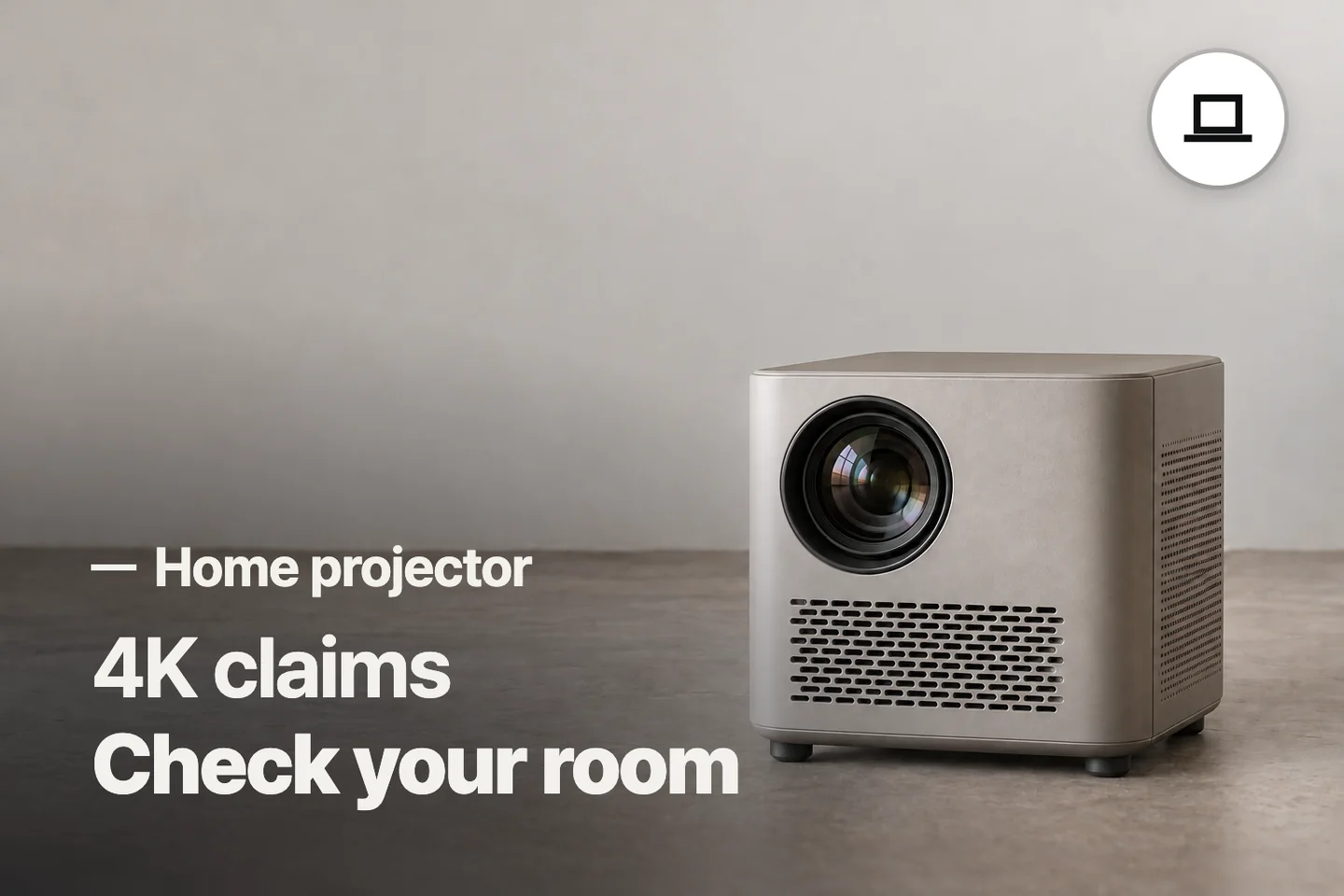
The common mistake is choosing a home projector by its biggest screen claim or “4K support” label before checking whether it fits the room; check these three things, in order
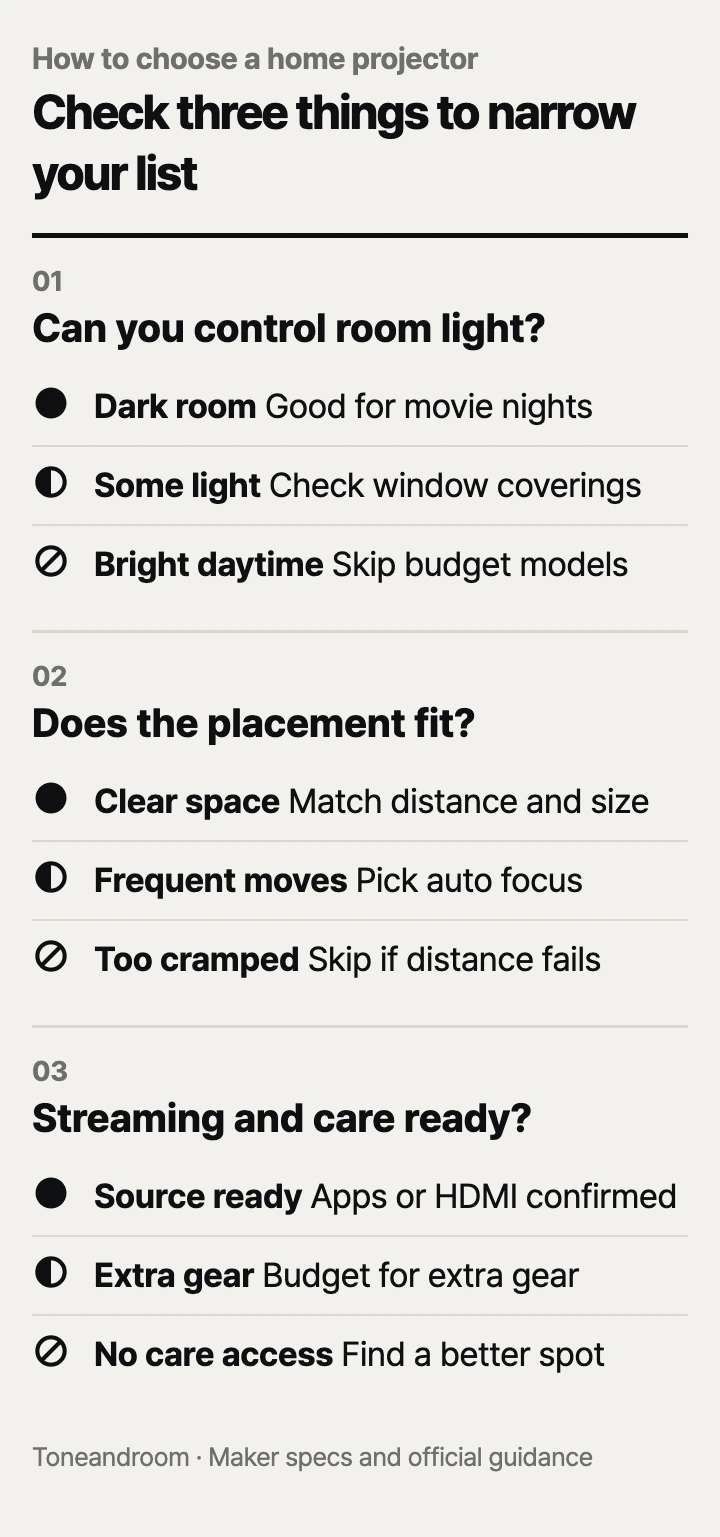
Can you darken the room when you actually watch?
These budget projectors make the most sense for evening viewing with the room lights dimmed.
BenQ's living room guidance explains that light from windows and nearby rooms reduces projected brightness and contrast. That makes your viewing schedule the first filter: an apartment bedroom after dinner presents a different challenge from an open living room during afternoon football. BenQ's room guidance.
Magcubic specifies 200 ANSI lumens for the HY300 Pro and describes it as best suited to dark rooms and nighttime viewing. Aurzen publishes 280 ANSI lumens for the D1R. HAPPRUN's H1 listing specifies 300 ANSI lumens. Those are published claims, with no common independent measurement establishing their relative performance. Magcubic's specifications, Aurzen's specifications, HAPPRUN H1 on Amazon.
Swipe sideways to see the full table →
| If your home … | Our take | What to check |
|---|---|---|
| Has a bedroom or basement you can darken | Worth it | Window coverings and light reaching the wall |
| Needs afternoon TV with the blinds open | Skip it | Whether you can change the viewing time |
| Has a small table facing a clear wall | It depends | Lens distance and space for the projector |
| Needs frequent moves and quick refocusing | Only some models | Automatic focus versus manual adjustment |
Before comparing brands, stand where the image will go at your usual viewing time. Close the curtains and notice the light still falling on that surface. If changing the room feels inconvenient now, it will also feel inconvenient on an ordinary weeknight.
Will the projector fit your wall and furniture?
Choose the projector's resting place before choosing the image size.
BenQ identifies room size and projector-to-screen distance as key placement factors and warns that keystone correction can reduce clarity. Keystone reshapes a tilted image into a rectangle; it does not create more physical space. Centered placement is the better starting point when your furniture allows it. BenQ's placement guidance.
Aurzen lists a 1.28:1 throw ratio for the D1R at a 60-inch image. Throw ratio relates lens distance to image width, rather than diagonal size. Use the maker's distance guidance for your intended size instead of treating a maximum screen claim as a promise that it fits your bedroom. Aurzen also lists a cabinet measuring 9.1 by 7.5 by 3.2 inches; reserve room for connections beyond that footprint. Aurzen D1R specifications.
For detail, HAPPRUN lists the H1 at native 1920 × 1080, while Magcubic lists the HY300 Pro at native 1280 × 720. Magcubic's “4K support” describes supported content, not a native 4K picture. If subtitles and on-screen menus matter, native resolution is a more useful comparison than the headline input format. HAPPRUN H1 specifications, Magcubic's resolution comparison.
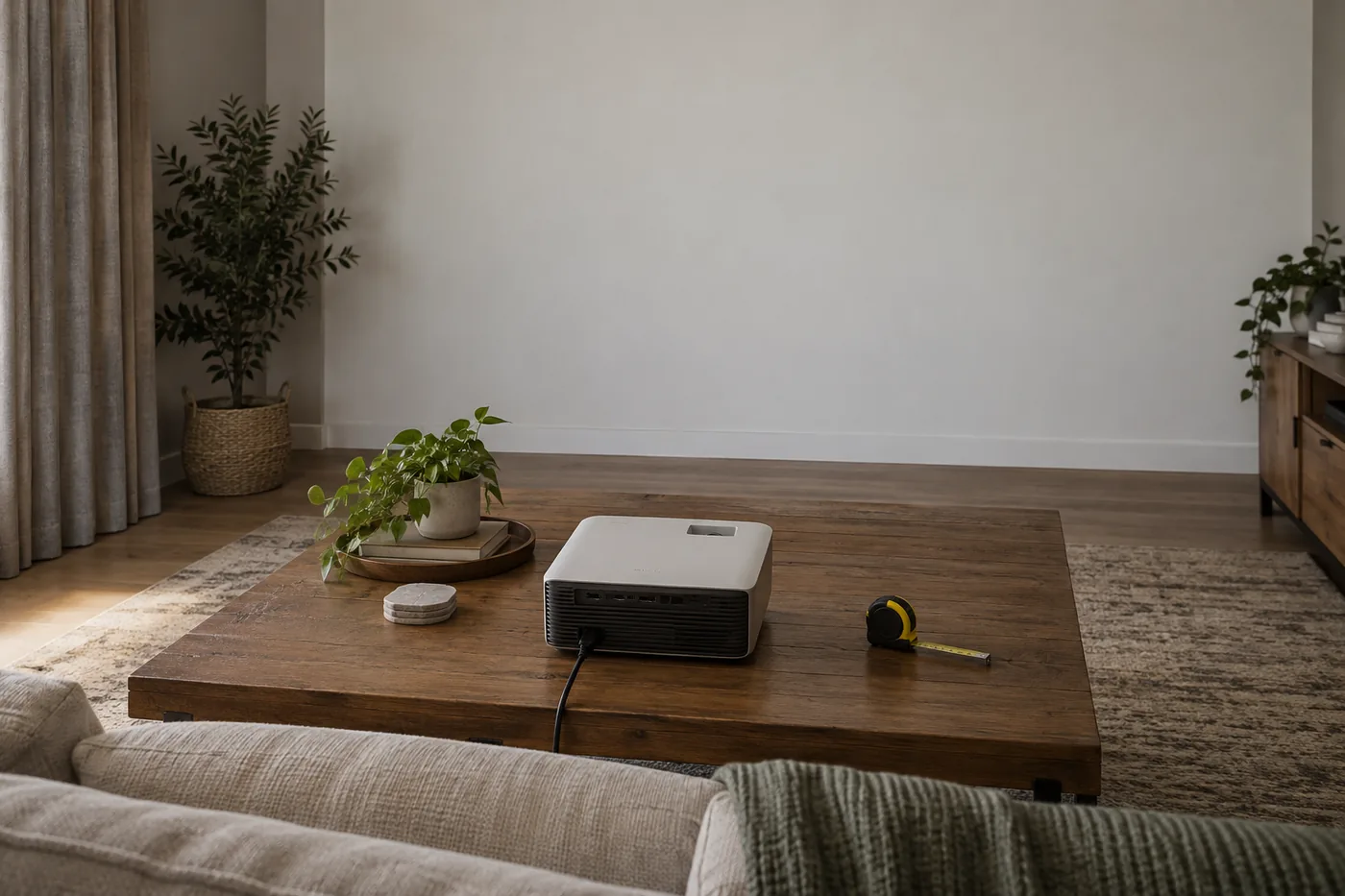
- Measure from the proposed lens position to the wall, using feet and inches.
- Check whether the image would overlap a doorway, shelving, or a light switch.
- Decide whether the table can stay in place between movie nights.
Magcubic's swivel stand suits occasional repositioning, but its manual focus adds a setup step. Aurzen's automatic focus and keystone are more useful when the projector moves often. These features solve different placement needs. Magcubic setup features, Aurzen setup features.
How will you stream and keep it ready for movie night?
Choose a dependable content connection and a care routine you can keep up with.
HAPPRUN describes the H1 as ready for an HDMI streaming stick, sold separately, and includes an HDMI cable for compatible sources. Its Bluetooth connection handles audio rather than video casting. If you already own a compatible stick or use a laptop, the H1 offers a straightforward route to native 1080p without paying for built-in streaming. HAPPRUN H1 connection requirements.
HAPPRUN also cautions that phone playback depends on the device, app, adapter, and content protection. Check the actual service you watch rather than assuming that screen mirroring covers every subscription. If an HDMI source produces a picture without sound, HAPPRUN's FAQ recommends disabling Dolby output or selecting PCM where appropriate. HAPPRUN phone guidance, HAPPRUN audio guidance.
Aurzen's D1R includes Roku TV, with supported streaming apps built in. Aurzen requires a Roku account and an internet connection for activation; individual services may still require subscriptions. This is the stronger fit for a household that wants to start from the same home screen without managing a separate streaming stick. Aurzen Roku requirements.
Magcubic offers built-in apps but instructs buyers to update the system manually for app performance. Confirm your essential services and their playback requirements before relying on those apps. Its HDMI connection provides another content route, though extra equipment affects the total cost. Magcubic app guidance.
Care affects placement, too. Aurzen's D1R guidance calls for lens inspection and cleaning every three months, a low-dust environment, and at least 20 centimeters, roughly 8 inches, of clearance on both sides and behind the projector. A snug shelf may therefore be a poor fit. Follow Aurzen's cleaning instructions if dark spots appear; routine lens care and internal cleaning are different tasks. Aurzen care guidance.
For comparable fan-noise measurements, the H1 and HY300 Pro are Not listed by the maker in their cited guidance. Aurzen acknowledges steady cooling-fan sound. Treat built-in speakers as a starting point and consider how close the projector would sit to your head. Aurzen fan guidance.
- Confirm your main app or HDMI source before ordering.
- Include any stick, adapter, or separate audio equipment in the budget.
- Leave access for lens inspection instead of hiding the projector deep in a cabinet.
How do the popular picks compare side by side?
Pick Magcubic for occasional low-cost viewing, HAPPRUN for an existing HDMI setup, or Aurzen for built-in streaming and automatic focus.
The manufacturers' specifications and connection guidance support those different uses. Amazon's Oct 14, 2026 popularity labels showed “8K+ bought in past month” for the D1R and “6K+ bought in past month” for the HY300 Pro. Popularity helps identify models to compare; it does not establish image quality or reliability. Aurzen D1R, Magcubic HY300 Pro.
Swipe sideways to see the full table →
| Model | Native resolution | Published brightness | Setup and content | Price (Amazon.com, Oct 14, 2026) | Buy |
|---|---|---|---|---|---|
| Magcubic HY300 Pro | 1280 × 720 | 200 ANSI lumens | Manual focus; automatic vertical keystone; built-in apps and HDMI | about $49.99 on Amazon.com (Oct 14, 2026) | View on Amazon |
| HAPPRUN H1 | 1920 × 1080 | 300 ANSI lumens, Amazon listing | HDMI source; separate streaming stick for streaming | about $69.99 on Amazon.com (Oct 14, 2026) | View on Amazon |
| Aurzen EAZZE D1R Roku TV Smart Projector | 1920 × 1080 | 280 ANSI lumens | Automatic focus and keystone; Roku TV built in | about $139.99 on Amazon.com (Oct 14, 2026) | View on Amazon |
Prices are what Amazon.com showed on Oct 14, 2026 and change often.
The Magcubic keeps the entry cost down if manual focus and a lower native resolution fit your expectations. The H1 makes more sense when you already have the HDMI source. The D1R's added cost is easier to justify when built-in Roku and automatic setup remove steps you would otherwise repeat. Compare the complete setup cost after the room and placement checks pass.
A closer look at each product
If you want occasional viewing on a small budget · Magcubic HY300 Pro
Native 720p and a 180-degree swivel stand suit casual viewing with flexible positioning. Manual focus adds a setup step, so confirm your streaming needs before relying on the built-in apps.
- 200 ANSI lumens published by Magcubic
- 180-degree rotating stand
- HDMI and built-in apps
- Native 1280 × 720 rather than native 4K
- Manual focus and system updates require attention
If you already have an HDMI content source · HAPPRUN H1
Native 1920 × 1080 and an included HDMI cable suit a laptop or compatible streaming stick you already own. HAPPRUN specifies Bluetooth audio rather than video casting.
- Native 1920 × 1080 resolution
- HDMI cable included
- Bluetooth audio for compatible speakers or headphones
- Streaming stick and phone adapter sold separately
- HAPPRUN recommends changing source audio settings when Dolby output produces no sound
If you want built-in streaming and easier refocusing · Aurzen EAZZE D1R Roku TV Smart Projector
Built-in Roku TV and automatic focus and keystone reduce separate devices and repeated adjustment. Native 1080p and dual 5-watt speakers fit a shared movie setup.
- Native 1920 × 1080 resolution
- Built-in Roku TV
- Automatic focus and keystone
- Roku account and internet required for activation
- Lens care and ventilation clearance affect placement
In one sentence
Check room light, placement, and streaming plus care before choosing a home projector.
Magcubic HY300 Pro
View on AmazonHAPPRUN H1
View on AmazonAurzen EAZZE D1R Roku TV Smart Projector
View on AmazonWhat to check
- Room light · Check at your usual viewing timeClose your window coverings and check how much light still reaches the projection surface.
- Placement · Match lens distance and image sizeMeasure lens-to-wall distance and tabletop space before choosing a screen size.
- Streaming and care · Confirm the source and cleaning accessCheck your main streaming service, added equipment, and access for the maker's care routine.
- Room light at your usual viewing time
- Lens distance, image size, and tabletop space
- Streaming compatibility, added equipment, and cleaning access
Frequently asked questions
Can a budget home projector replace a TV in a bright living room?
These models make more sense for evening viewing with controlled room light. BenQ explains that light from windows and nearby rooms reduces projected brightness and contrast, so check whether you can darken the room at your normal viewing time.
Does 4K support mean a projector has a native 4K picture?
Check native resolution separately from supported input formats. Magcubic lists the HY300 Pro at native 1280 × 720; HAPPRUN lists the H1 and Aurzen lists the D1R at native 1920 × 1080.
Do I need a streaming stick to watch Netflix on a projector?
Aurzen includes Netflix through the D1R's Roku TV platform and requires a Roku account and internet for activation. HAPPRUN recommends a compatible HDMI streaming stick for the H1, sold separately. Confirm your service requirements before relying on Magcubic's built-in apps.
How often do I need to clean a home projector?
Aurzen recommends inspecting and cleaning the D1R lens every three months and keeping it in a low-dust environment. Follow the instructions for your exact model; comparable cleaning intervals for the H1 and HY300 Pro are Not listed by the maker in the cited guidance.
Sources
- Aurzen EAZZE D1R official specifications · Oct 14, 2026
280 ANSI lumens, 1.28:1 throw ratio at a 60-inch image, and 9.1 by 7.5 by 3.2-inch cabinet dimensions. Manufacturer figures support placement planning.
- Magcubic official HY300 Pro comparison · Oct 14, 2026
Confirms native 1280 × 720, 200 ANSI lumens, manual focus, automatic vertical keystone, and a 180-degree stand; describes dark-room and nighttime use.
- HAPPRUN official connection and audio FAQ · Oct 14, 2026
H1 source-format guidance and troubleshooting that recommends disabling Dolby output or selecting PCM where appropriate; no common brightness or fan-noise measurement used.
- BenQ US living room projector guidance · Oct 14, 2026
Official guidance on ambient light, room size, projection distance, installation, and the effect of keystone correction on clarity; no BenQ product is a pick.
Read next

Best Turntables on Amazon.com (2026): Check Connections, Space, and Stylus Care First

Best Open-Ear Headphones on Amazon.com (2026): Check Space, Fit, and Battery First
Best USB microphone on Amazon.com (2026): check room pickup, desk fit, and daily controls
Best gaming headset on Amazon.com (2026): check connection, comfort, and care first
Other topics

Best dog playpens on Amazon.com (2026): 3 things to check first
Best White Noise Machine on Amazon.com (2026): Check Placement, Power, and Controls
Best lighted makeup mirror on Amazon.com (2026): 3 things to check first