

The budget spreadsheet is open, the laptop sale tab is beside it, and your face has drifted uncomfortably close to the webcam while you decipher a column heading. For a remote worker upgrading an apartment desk before Black Friday, that is a useful monitor question: do you need finer letters, larger letters, or simply somewhere else to put the laptop?
 Leave room for the laptop before choosing what goes beside it.
I'd choose the ASUS ProArt Display PA279CRV for document-heavy work because its 4K panel gives text a finer pixel grid and its USB-C connection offers more laptop-power headroom. But the ASUS ProArt Display PA278CV makes sense when readable 1440p and compatible charging come with a worthwhile actual saving. Lower resolution is not, by itself, a coupon.
How we chose
Compared ASUS US technical specifications and Apple's display-resolution guidance. Selection follows text detail at readable sizes, USB-C video and laptop-power compatibility, and assembled desk footprint; current Amazon prices and Black Friday discounts were not verified.
Toneandroom picks
Best monitor for an apartment desk: Top 2
Document-heavy work where finer text and greater laptop-power headroom justify the actual premium
See all specsASUS ProArt Display PA279CRV
Current purchase price not verified from ASUS US specifications, checked 2026-11-24; check the exact model on Amazon.com.
The finer 4K panel is my preference for document work, with a higher USB-C power ceiling if the laptop can use it.
- Panel
- 27 in IPS
- Resolution
- 3840 × 2160
- USB-C power
- Up to 96W
- Stand depth
- 8.46 in
- Fine text detail matters
- 96W suits your laptop
- Confirm laptop video support
- Check the real price premium
A familiar 1440p layout and compatible laptop charging, with a meaningfully lower available price
See all specsASUS ProArt Display PA278CV
Current purchase price not verified from ASUS US specifications, checked 2026-11-24; check the exact model on Amazon.com.
Its 1440p desktop and up to 65W laptop power fit an already comfortable workflow when the available offer genuinely saves money.
- Panel
- 27 in IPS
- Resolution
- 2560 × 1440
- USB-C power
- Up to 65W
- Stand depth
- 8.98 in
- 1440p already suits your work
- 65W meets laptop needs
- Less fine detail than 4K
- Verify a worthwhile saving
Compare 2 products at a glance
Published ASUS specifications
| Feature | Top pickASUS ProArt Display PA279CRVCurrent purchase price not verified from ASUS US specifications, checked 2026-11-24; check the exact model on Amazon.com. | ASUS ProArt Display PA278CVCurrent purchase price not verified from ASUS US specifications, checked 2026-11-24; check the exact model on Amazon.com. |
|---|---|---|
| Panel | 27 in IPS | 27 in IPS |
| Resolution | 3840 × 2160 | 2560 × 1440 |
| Maximum refresh | 60Hz | 75Hz |
| USB-C power ceiling | 96W | 65W |
| Estimated assembled width × depth | 24.10 × 8.46 in | 24.21 × 8.98 in |
| Stand adjustments | Height, tilt, swivel, pivot | Height, tilt, swivel, pivot |
Swipe sideways to see the full table →
What we considered
Text detail
Are the letters too coarse or merely too small?
The equal-size panels use different pixel grids, with 3840 × 2160 on the PA279CRV and 2560 × 1440 on the PA278CV. I favor the finer grid for text-heavy work, while keeping interface size a separate adjustment.
Laptop power
Can the display supply the laptop's required power?
ASUS lists USB-C power ceilings of 96W and 65W respectively. I would match that rating and video support to the laptop before valuing either display as a charger replacement.
Desk fit
Will the stand fit beside the open laptop?
The published assembled depths are 8.46 in for the PA279CRV and 8.98 in for the PA278CV, with regional variations noted. I compare the assembled hardware rather than treating panel resolution as a measure of desk space.
Part 1Start with what makes a monitor readable
ASUS lists the PA279CRV at 3840 × 2160, against 2560 × 1440 for the PA278CV. Both have a 27-inch IPS panel, so the higher resolution means finer detail within essentially the same screen size, not a larger physical desktop. At a comparable readable text size, that finer grid gives letter edges more pixels to work with.
That distinction matters if the problem is coarse lettering rather than small lettering. You can enlarge an interface without buying a finer panel; conversely, buying a finer panel does not excuse leaving every menu too small. Which problem are you actually trying to stop?
For the PA279CRV, I'd budget for readable scaling, not the smallest possible interface. Apple's display-resolution guidance explains how to change a connected display's resolution and warns that scaled resolutions may affect performance. So a Mac shopper should check the actual app layout rather than assuming every available setting will behave identically.
The PA279CRV's published maximum refresh rate is 60Hz. That makes this a choice about fine detail for office work, rather than a reason to promise exceptionally fluid gaming. Its attraction is a document that can stay comfortably sized while using a finer panel to draw the letters.
Part 2Charging is a separate buying decision
The PA279CRV offers up to 96W over USB-C, while the PA278CV offers up to 65W. Those are delivery ceilings, not measured charging speeds: the everyday question is whether the display can supply what your chosen laptop requires. A demanding laptop may still need its own adapter, especially during sustained work.
ASUS specifies DisplayPort Alt Mode on the USB-C input for both models. But the matching socket shape on your laptop does not establish video-output support or compatible charging input. Check the new laptop's specifications before counting on a cable to carry the picture and replace its power brick.
That check also keeps the external SSD purchase in perspective. The drive needs a suitable data connection, while the display needs video and power compatibility. So leave an appropriate port available for the drive rather than treating every USB-C connection as interchangeable.
The PA278CV's 1440p panel is the more restrained choice if its interface is already comfortable and the laptop's power needs fit within its rating. ASUS lists a maximum refresh rate of 75Hz, so it also has a higher published refresh ceiling than the 4K model. That specification does not establish how much sharper a letter will look; resolution and refresh answer different questions.
I'd choose it for an already satisfactory 1440p workflow, not as a universal budget recommendation. Its lower power ceiling is a real compromise if the replacement laptop needs more, and no verified current purchase price here proves that the compromise saves money. The seller still has to provide the persuasive part.
Part 3A 27 inch monitor still needs desk space
ASUS gives the PA279CRV's assembled width and depth as 24.10 in and 8.46 in. For the PA278CV, those figures are 24.21 in and 8.98 in; ASUS labels these dimensions as estimates that can vary by region. So the 4K option is not the bulkier assembly in this particular comparison, despite its larger resolution numbers.
The useful exercise is to mark out the assembled footprint beside the open laptop. Then allow room behind the screen for connectors and cable bends, plus the keyboard and mouse in front. The published depth describes the hardware, not a complete working arrangement.
Swipe sideways to see the full table →
| Published feature | ASUS ProArt Display PA279CRV | ASUS ProArt Display PA278CV |
|---|---|---|
| Panel | 27 in IPS | 27 in IPS |
| Resolution | 3840 × 2160 | 2560 × 1440 |
| Maximum refresh | 60Hz | 75Hz |
| USB-C power ceiling | 96W | 65W |
| Assembled width × depth, estimated | 24.10 × 8.46 in | 24.21 × 8.98 in |
| Stand movement | Height, tilt, swivel, pivot | Height, tilt, swivel, pivot |
Both stands offer height, tilt, swivel, and pivot adjustment. That gives you positioning options, but it does not determine the right text size or guarantee that the laptop stops blocking the lower corner. So arrange the whole desk before assigning the screen its permanent spot.
Finer pixels change the picture; the stand and cables still occupy physical space.
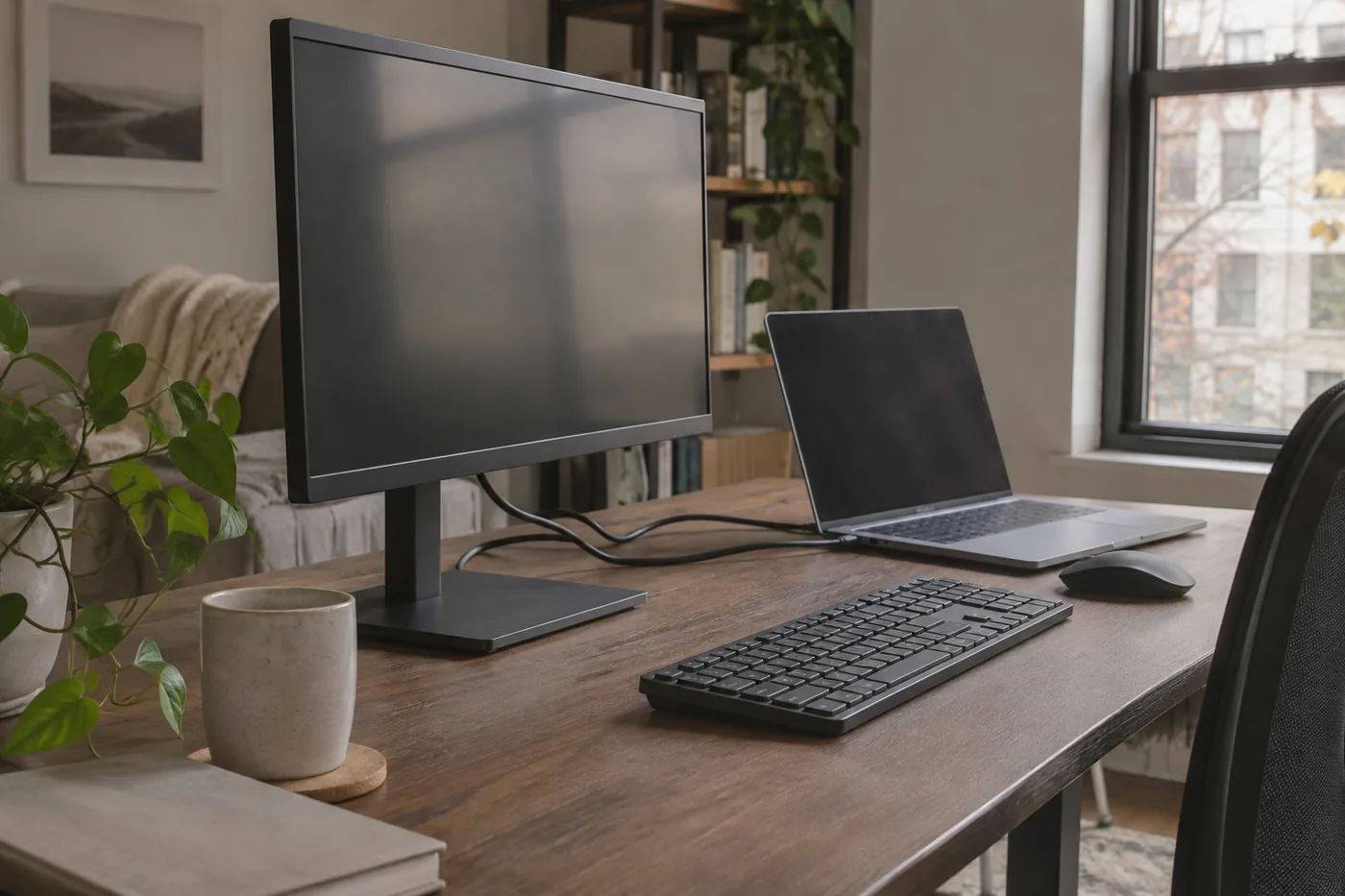 Check the space behind the display as well as the space beneath it.
Part 4Let the available offer settle the premium
The ASUS specification pages checked on November 24, 2026 establish the hardware comparison, not a current Amazon checkout total. So compare exact models on Amazon.com, including seller, condition, tax, shipping, and return terms. There is no verified Black Friday saving in this comparison.
For a computer monitor bought mainly for documents, I'd put the PA279CRV first when finer rendering matters and the laptop can use its video connection. Its greater charging ceiling strengthens that choice, but only when it meets the laptop's requirements. It is not permission to discard a charger before checking compatibility.
For a pc monitor that mostly needs to preserve a familiar, readable workspace, the PA278CV earns its place when the available total is meaningfully lower. But if a scarce listing costs as much as the finer-panel alternative, its practical argument weakens. Keep some of the desk-upgrade budget for the laptop and storage only when there is an actual saving to keep.
Sources and selection: ASUS US specification pages and Apple's display-resolution guidance were checked on November 24, 2026. The comparison prioritizes readable text, compatible laptop charging, and assembled desk fit; no current checkout price or discount was verified. Some purchase buttons may use Amazon Associates links; as an Amazon Associate, Toneandroom earns from qualifying purchases, without changing these selection criteria.
In one sentence
Choose the PA279CRV for finer text and higher USB-C power, or the PA278CV when comfortable 1440p comes with a worthwhile available saving.
ASUS ProArt Display PA279CRV
Check price on AmazonASUS ProArt Display PA278CV
Check price on AmazonFrequently asked questions
Is a 27 inch monitor better at 4K or 1440p for text?
At the same panel size, 4K provides a finer grid for drawing letters at comparable readable sizes. It does not automatically make text larger; keep comfortable scaling separate from panel resolution.
Can a computer monitor replace my laptop charger?
Only if the laptop accepts compatible USB-C power and the display supplies enough for its requirements. ASUS lists up to 96W for the PA279CRV and 65W for the PA278CV; neither rating guarantees a particular charging speed.
Will either pc monitor work with any USB-C laptop?
No. Confirm video-output support on the laptop port, compatible power input, and an appropriate cable; the connector shape alone does not establish these capabilities.
Is the 1440p model necessarily the cheaper purchase?
No current checkout price was verified in this comparison. Compare the exact model, seller, condition, and final total on Amazon.com before treating the PA278CV as a way to save money.
Sources
- ASUS ProArt Display PA279CRV · 2026-11-24
27 in IPS; 3840 × 2160; 60Hz maximum; USB-C DP Alt Mode and 96W power delivery; estimated assembled width 24.10 in and depth 8.46 in, varying by region; height, tilt, swivel and pivot. No current purchase price used.
- ASUS ProArt Display PA278CV · 2026-11-24
27 in IPS; 2560 × 1440; 75Hz maximum; USB-C DP Alt Mode and 65W power delivery; estimated assembled width 24.21 in and depth 8.98 in, varying by region; height, tilt, swivel and pivot. No current purchase price used.
- Apple: Change your Mac display's resolution · 2026-11-24
No numeric claim taken from this source. It explains connected-display resolution controls and warns that scaled resolutions may affect performance and app-window fit.







